
Zendesk
Steps and required credentials to connect Zendesk to Squadbase
Required Information
| Field | Description |
|---|---|
| Zendesk Subdomain | Your Zendesk subdomain (e.g., mycompany for mycompany.zendesk.com). |
| Email Address | The email address of the Zendesk agent used for API token authentication. |
| API Token | Your Zendesk API token (found in Apps and integrations > APIs > API tokens). |
How to Obtain
Zendesk Subdomain
Your subdomain is the part before .zendesk.com in your Zendesk URL. For example, if your URL is mycompany.zendesk.com, the subdomain is mycompany.
Email Address
Enter the email address of the Zendesk agent account you want to use for authentication. This must be an agent or admin account with API access.
API Token
Open Admin Center
In Zendesk, click the gear icon in the left sidebar to open Admin Center.
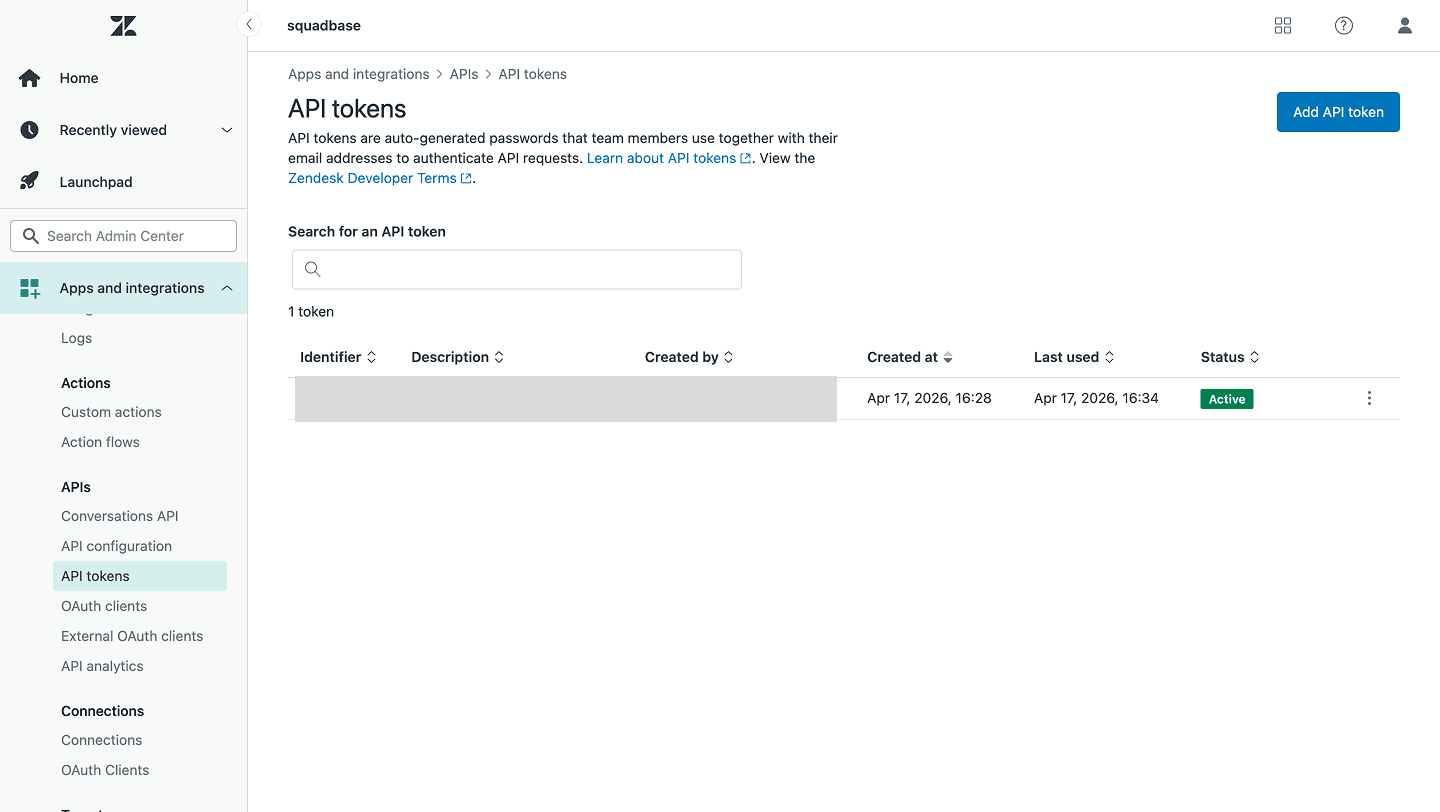
Create an API Token
Enable Token access if not already enabled, then click Add API token. Enter a description and click Save. Copy the generated token — it will not be shown again.