Project Visibility
Manage who can access your dashboard
In Squadbase, you can manage access to projects in three ways.
| Method | Description |
|---|---|
| Via Space | All members invited to a space automatically have access |
| Per-Project Invitation | Invite members outside the space to a specific project |
| Project Viewer | Available on Team plan and above. Manage large numbers of view-only members |
Access via Space
What is a Space?
A space is a workspace that groups multiple projects together. By creating spaces per department or team, you can keep member access management simple.
Members invited to a space automatically have access to all projects within that space. There is no need to invite members individually per project.
Creating a Space
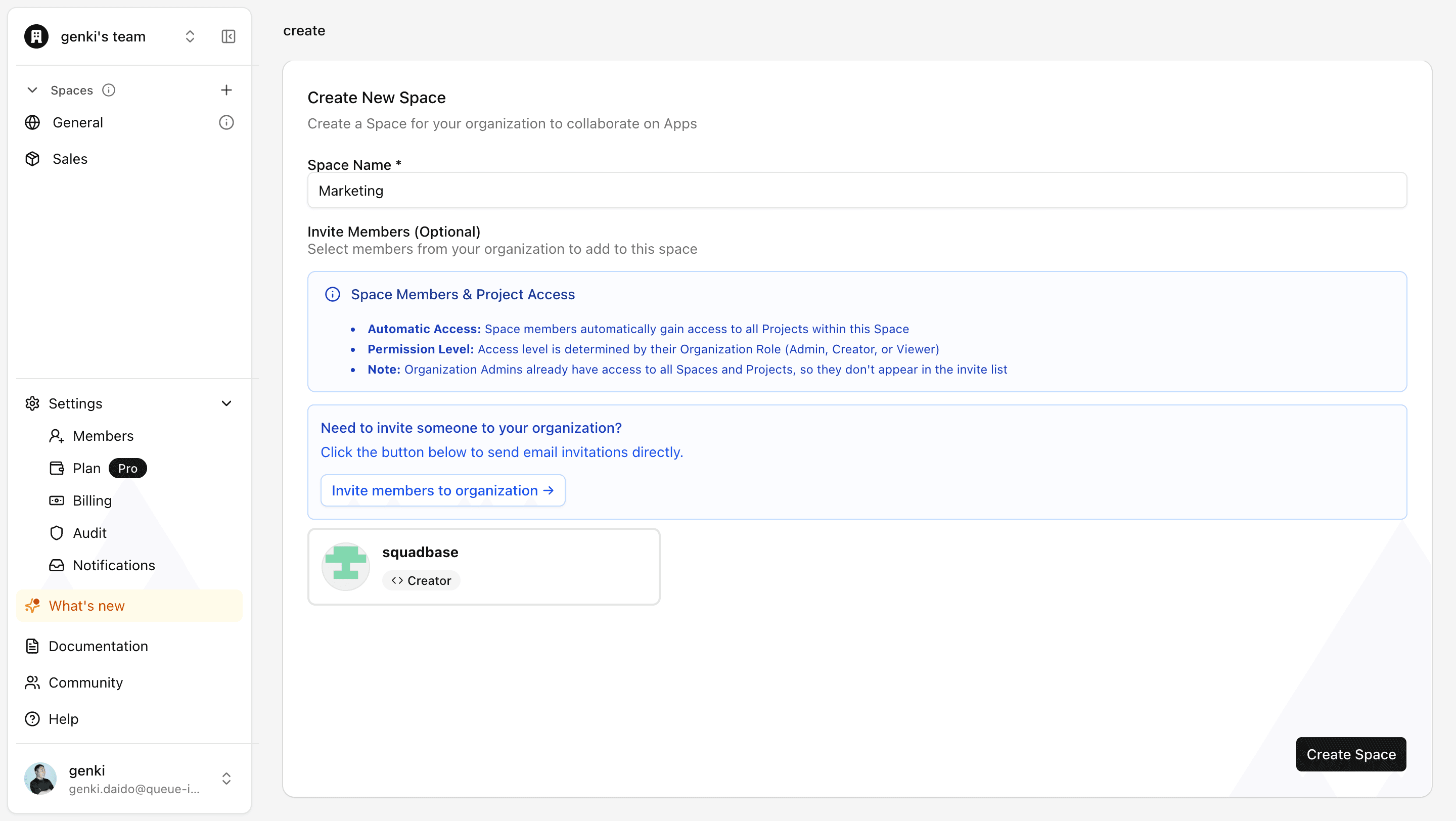
- Click the "+" button in the "Spaces" section of the left sidebar
- Enter a space name (e.g., "Marketing Team", "Sales Department")
- Select the members you want to invite to the space
- Click "Create Space"
Adding Members to a Space
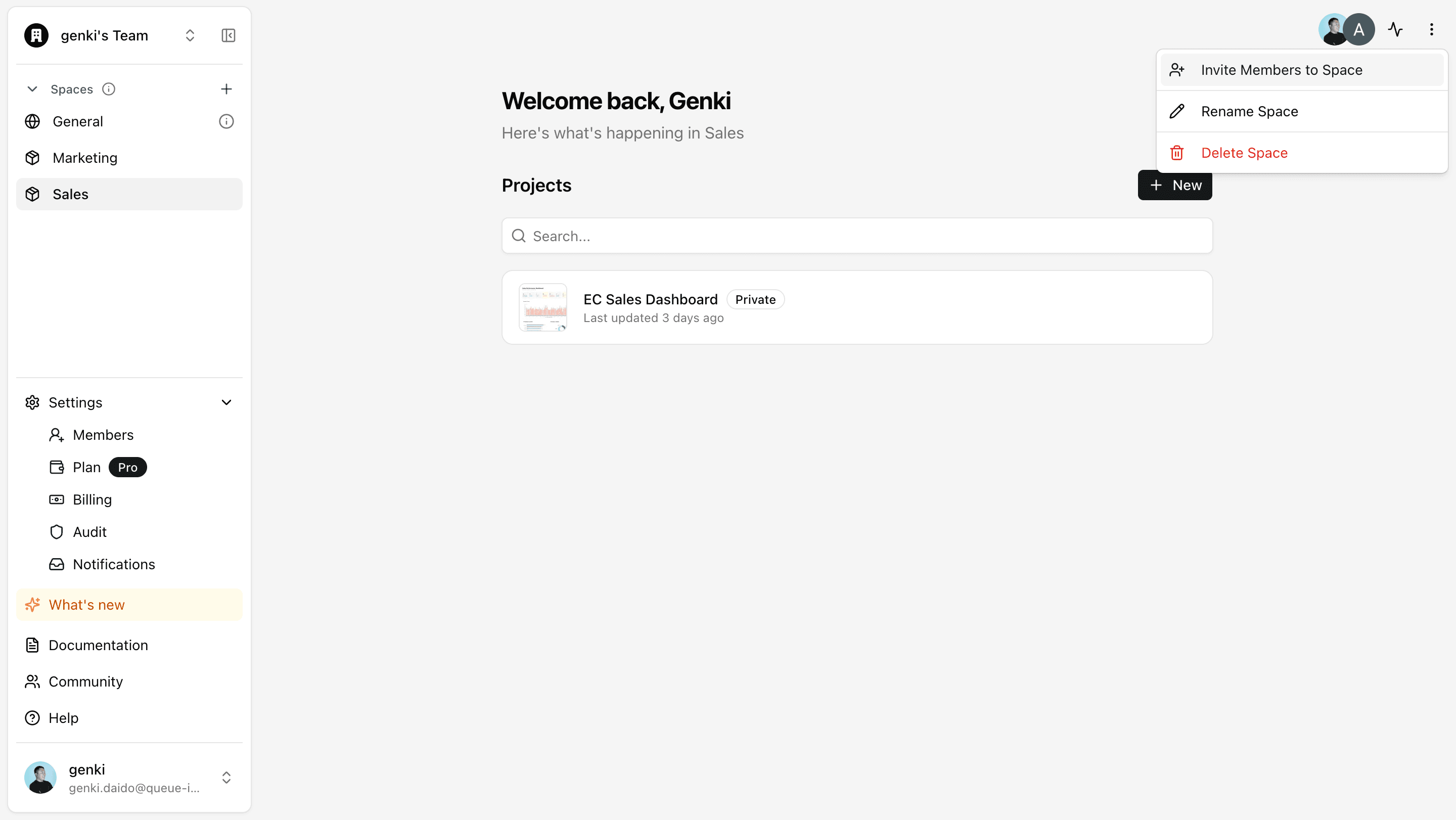
- Open the "..." menu on the space screen and click "Invite Members to Space"
- Select the members you want to invite and add them
Per-Project Invitation
Members who are not part of a space but need access to a specific project can be invited individually at the project level.
How to Invite
- Click the "Share" button in the top-right of the editor, then click "Invite" from the "Members" tab
- Select the members you want to invite
Invited members can only access that specific project. They are not granted access to other spaces or projects.
Project Viewer (Team Plan and above)
On the Team plan and above, you can grant Viewer-only permissions to Creator members for specific projects. Use this when you need fine-grained access control such as "Creator organization-wide, but view-only for this project."
How to Set Up
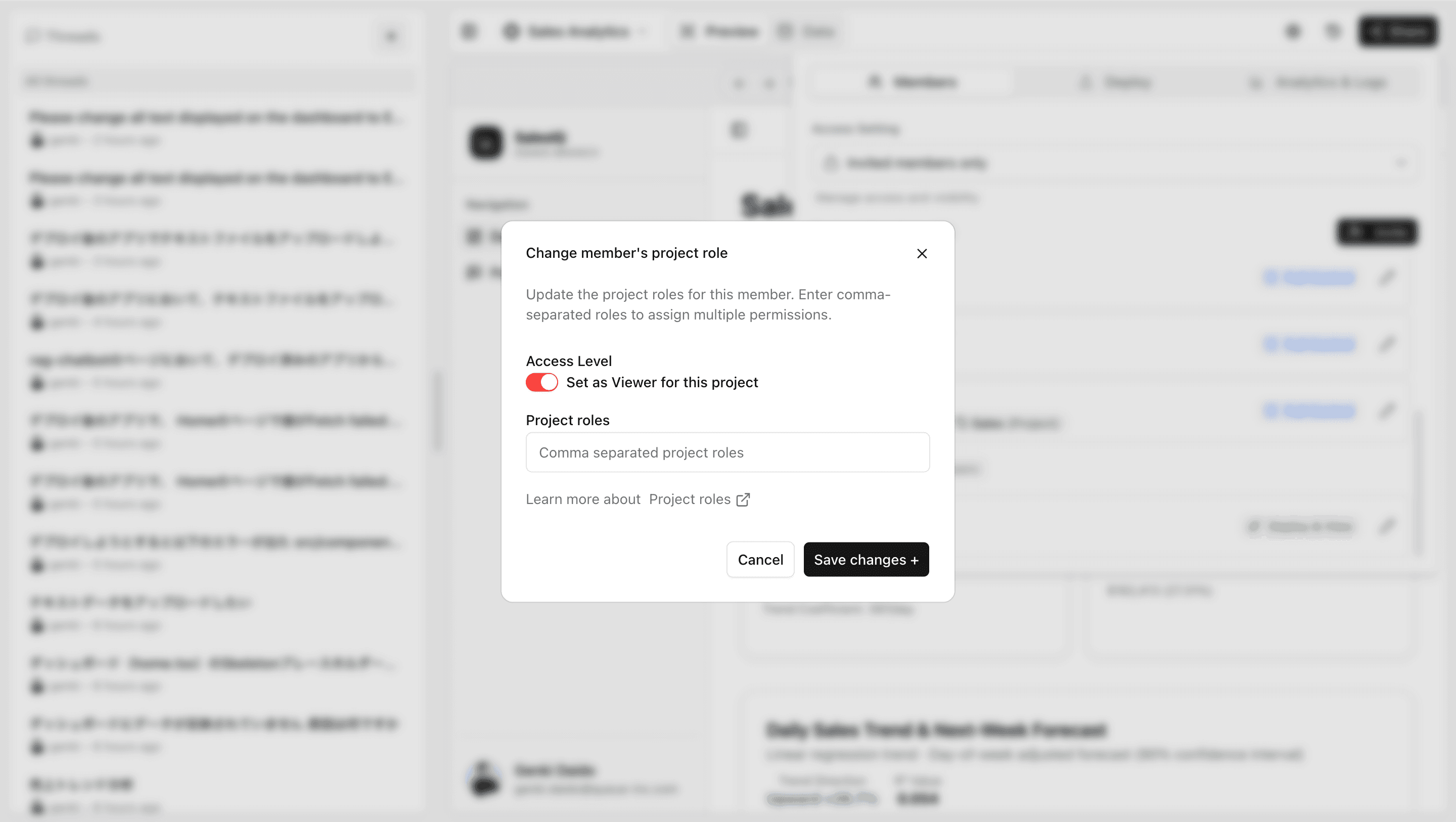
- Click the "Share" button in the top-right of the editor, then click the edit button for the target user in the "Members" tab
- Change the access level and save