Squadbase LLM API
Use LLM in your Squadbase apps without an API key using the built-in LLM connection
Squadbase LLM API is a built-in connection that lets you call LLMs from your app without providing your own API key. Usage is charged in AI credits.
You can use this to implement features such as:
- AI chatbots
- AI-generated summary reports
- AI-powered anomaly detection
Models
Each LLM API connection uses one of the following model tiers. Squadbase selects and updates the underlying model for each tier — your app code stays the same even when models are updated.
| Tier | Best for |
|---|---|
| Quick | Simple tasks and high-throughput use cases |
| Normal | General-purpose tasks |
| Smart | Complex reasoning and high-quality outputs |
| Embedding | Generating text embeddings for vector search |
Creating a Connection
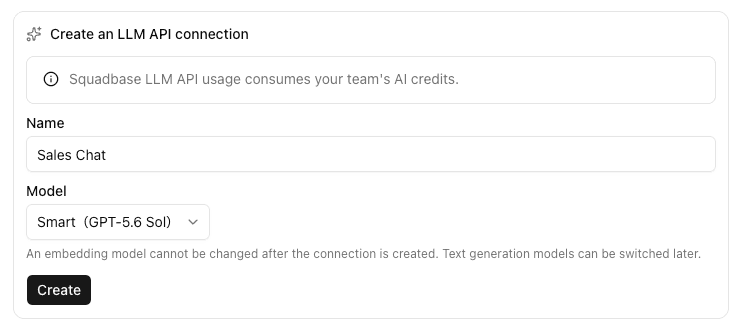
LLM API connections are created through the AI agent, not from the Connections page directly.
When you start implementing a feature that needs an LLM, the agent suggests a connection name and model tier based on your use case. Approve the suggestion to create the connection and make it available in your project.
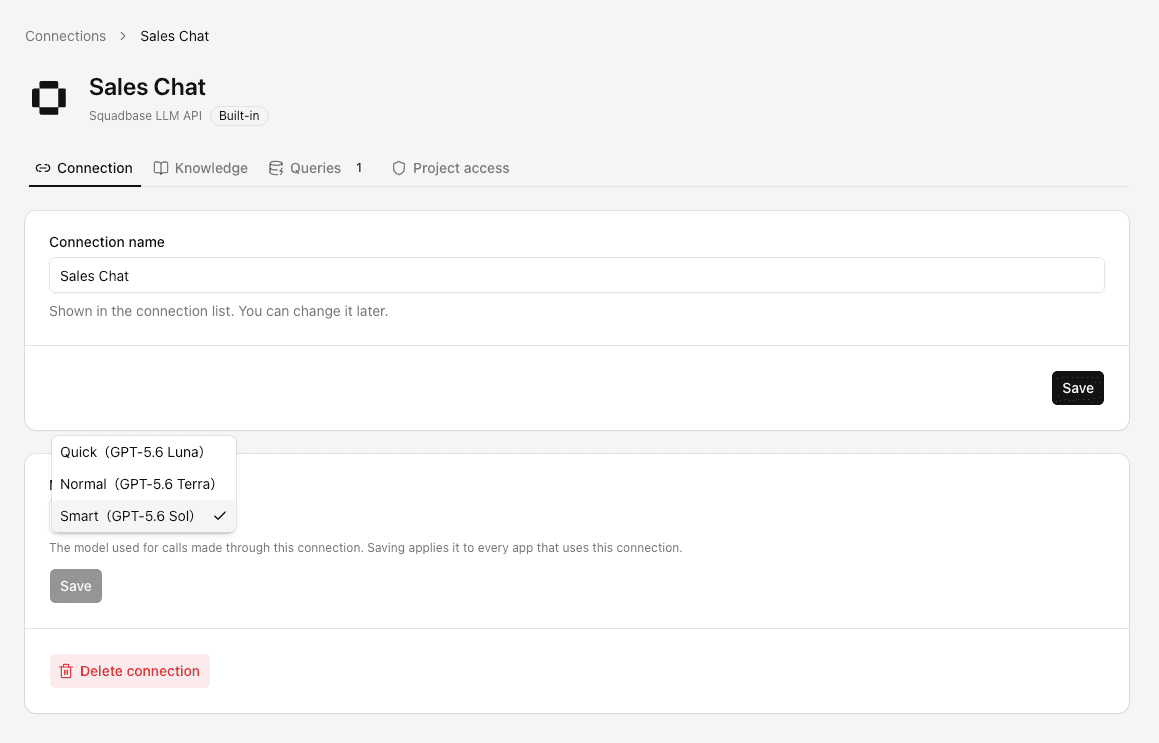
To change the model tier, open the connection's settings page. The change is applied to all apps using that connection.
Using Your Own API Key
If you need to use a specific model or provider directly, you can connect using your own API key. The following providers are available:
- Anthropic
- Gemini
- OpenAI
Open the editor, click the Data tab, and select the provider to enter your API key.