Access Control
Control viewing and operation permissions per user in your dashboard
In Squadbase, you can pass information about the user accessing a dashboard to Squadbase AI. Based on that user information, you can dynamically switch the data displayed and the actions available within the dashboard.
There are two main approaches to access control:
- Project Roles — Assign custom roles to users and switch dashboard content based on those roles
- User Information — Use user information such as username and email address within the dashboard
Using Project Roles
A project role is a custom role assigned to users on a per-project basis. Use this when you want to switch displayed data or available actions based on the user's role.
How to Set Roles
Roles can be configured from the member management screen in the editor.
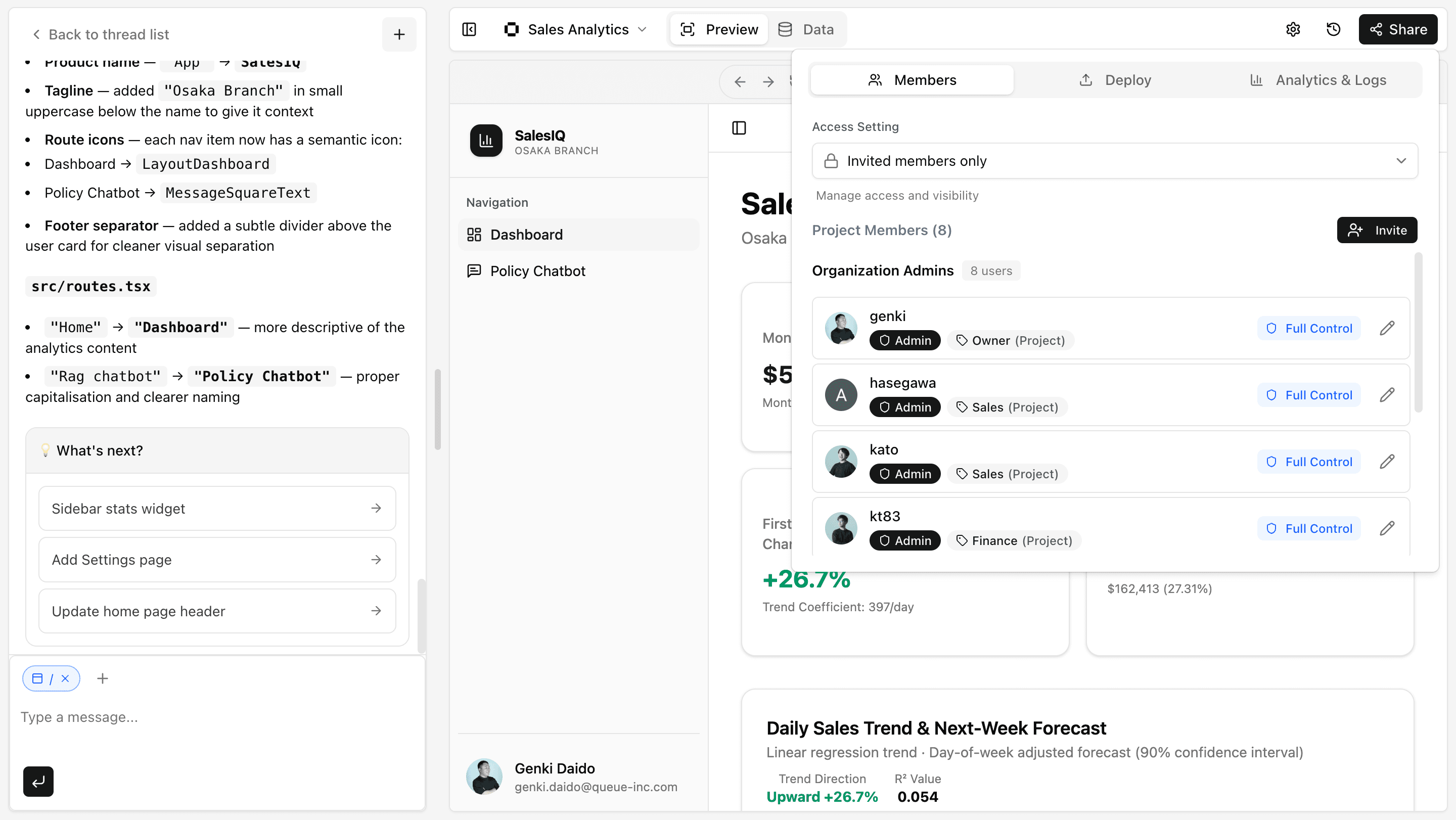
- Open the "Members" tab from "Share" in the editor
- Click "Edit" for the member whose role you want to change
- Enter or select the role and save
Project roles accept any string value. Feel free to define roles that match your team's organizational structure.
Example Usage
To switch the display based on roles, you can write a prompt like this:
If the project role is Sales, show the sales pages for all departments.
If the role is Finance, show only the pages for their own department.
Using User Information
Beyond project roles, you can also use information about the accessing user — such as their username, email address, or name — within your dashboard.
The following user information is available:
| Field | Description |
|---|---|
username | Username |
email | Email address |
firstName | First name |
lastName | Last name |
iconUrl | Profile image URL |
roles | Project roles |
Example Usage
To show different charts based on the user's email domain, you can write a prompt like this:
If the email domain is @our-company.com, show the full company sales chart. If it is @partner.com, show only the partner summary chart.For more details, see the REST API page.
Tips & FAQ
Q: Can I display different data based on roles?
A: Yes. By including role information in your prompt, you can instruct the AI to apply conditional logic based on the role.
Q: How many project roles can I set?
A: There is no limit. You can set any string value freely.