
Excel/CSV
Steps to upload an Excel or CSV file to Squadbase and use it as a data source
Upload a File
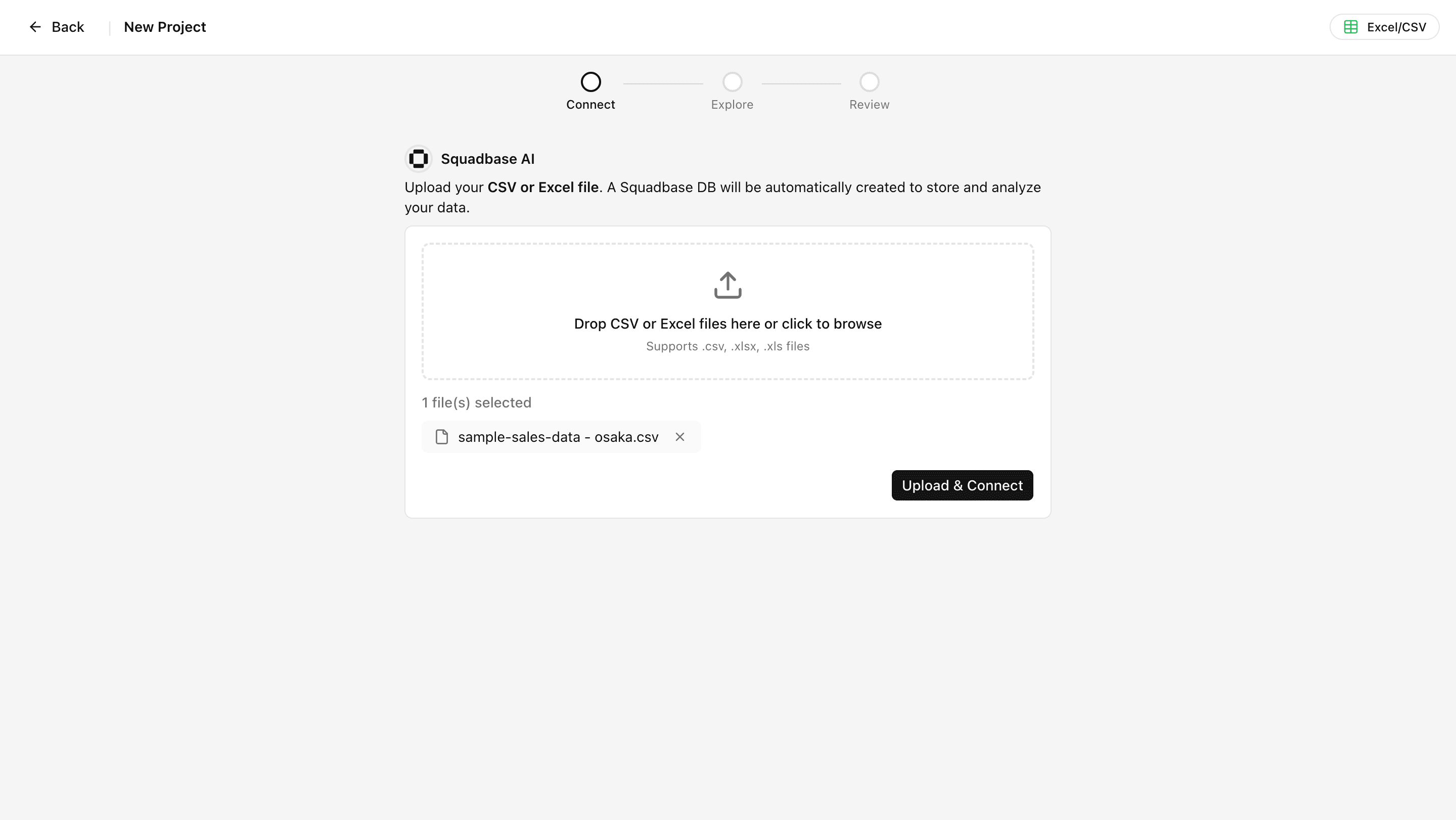
Upload your file and click "Upload & Connect".
Explore Your Data
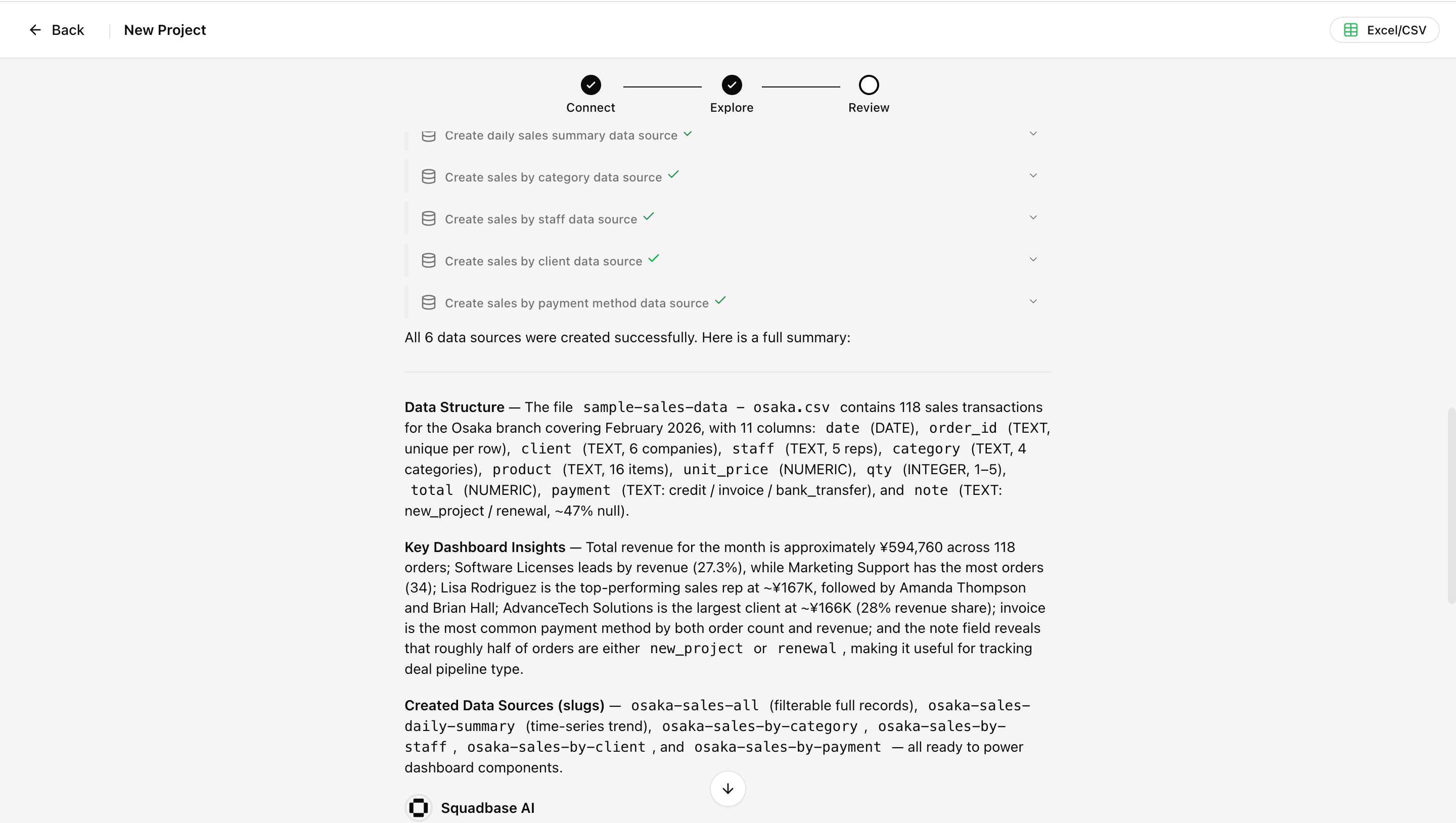
Once the file is uploaded, Squadbase AI automatically explores the data, detects its structure, and presents insights it can extract.
Select the Insights You Want
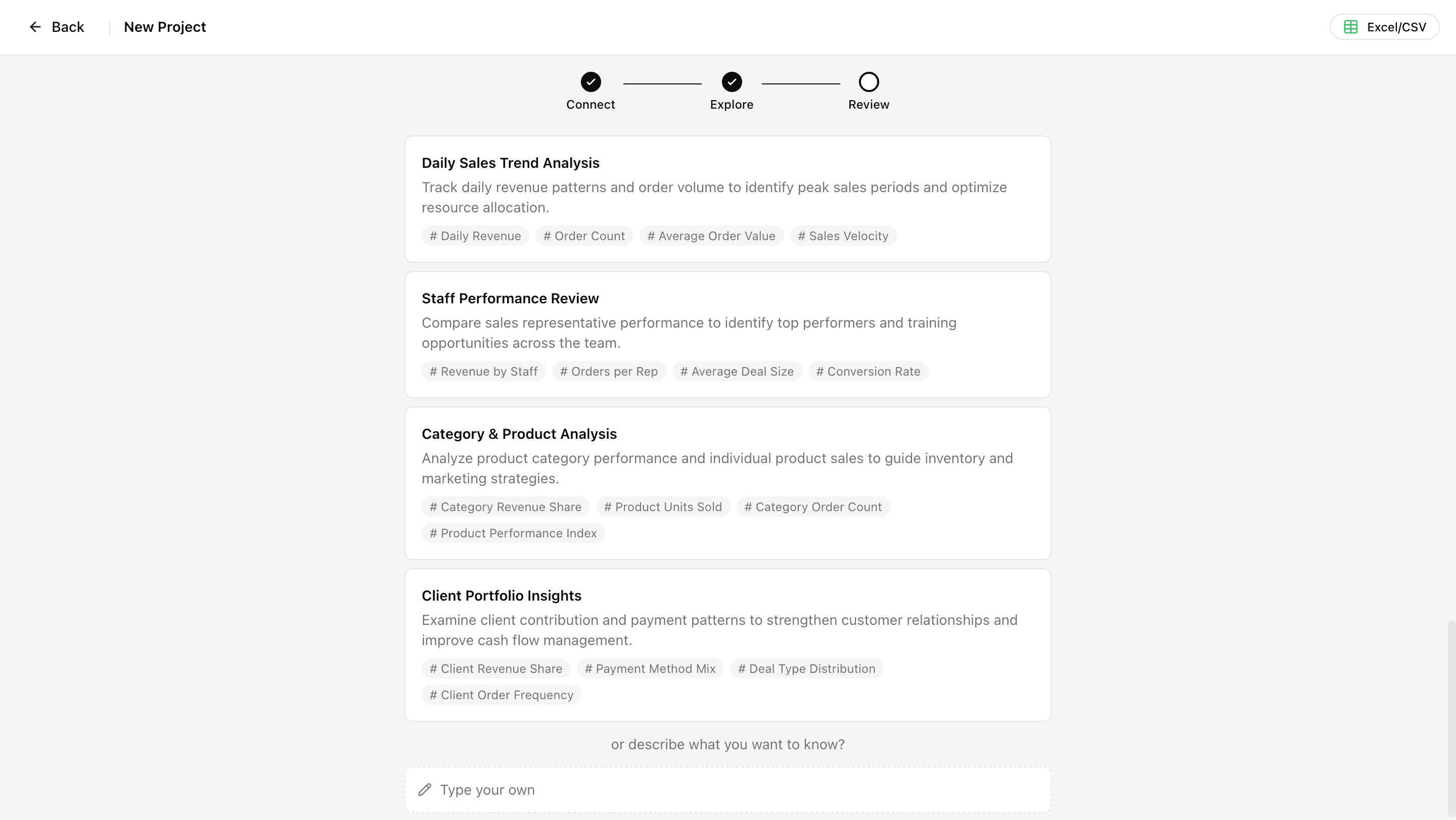
When the exploration is complete, Squadbase AI suggests several insight candidates. Your selection is reflected in the dashboard that gets built. If you already know what insights or dashboard you want, you can also enter it as free text.
Click a suggestion, or type your own and click "Confirm" to automatically start building the dashboard.