
Airtable
Steps and required credentials to connect Airtable to Squadbase
Required Information
| Field | Description |
|---|---|
| Airtable Base ID | The unique identifier of the Airtable base you want to connect to (e.g., appXXXXXXXXXXXXX). |
| Airtable API Key | A Personal Access Token used to authenticate with the Airtable API. Required scopes: schema.bases:read, data.records:read. |
How to Obtain Each Value
Airtable Base ID
- Log in to Airtable
- Open the base you want to connect
- Look at the browser's address bar — the URL contains the base ID
- The URL format is:
https://airtable.com/{base_id}/... - Copy the value starting with
app(e.g.,appXXXXXXXXXXXXX)
Alternatively:
- Visit the Airtable API documentation page
- Select your base from the list
- The base ID is displayed at the top of the documentation page
Airtable API Key (Personal Access Token)
Airtable no longer issues traditional API keys. Use a Personal Access Token instead.
- Log in to Airtable and click the account icon in the top-right corner
- Select Builder hub from the menu

- Click + Create token
- Enter a name for the token
- Under Scopes, add the following:
schema.bases:readdata.records:read
- Under Access, select the bases this token should have access to
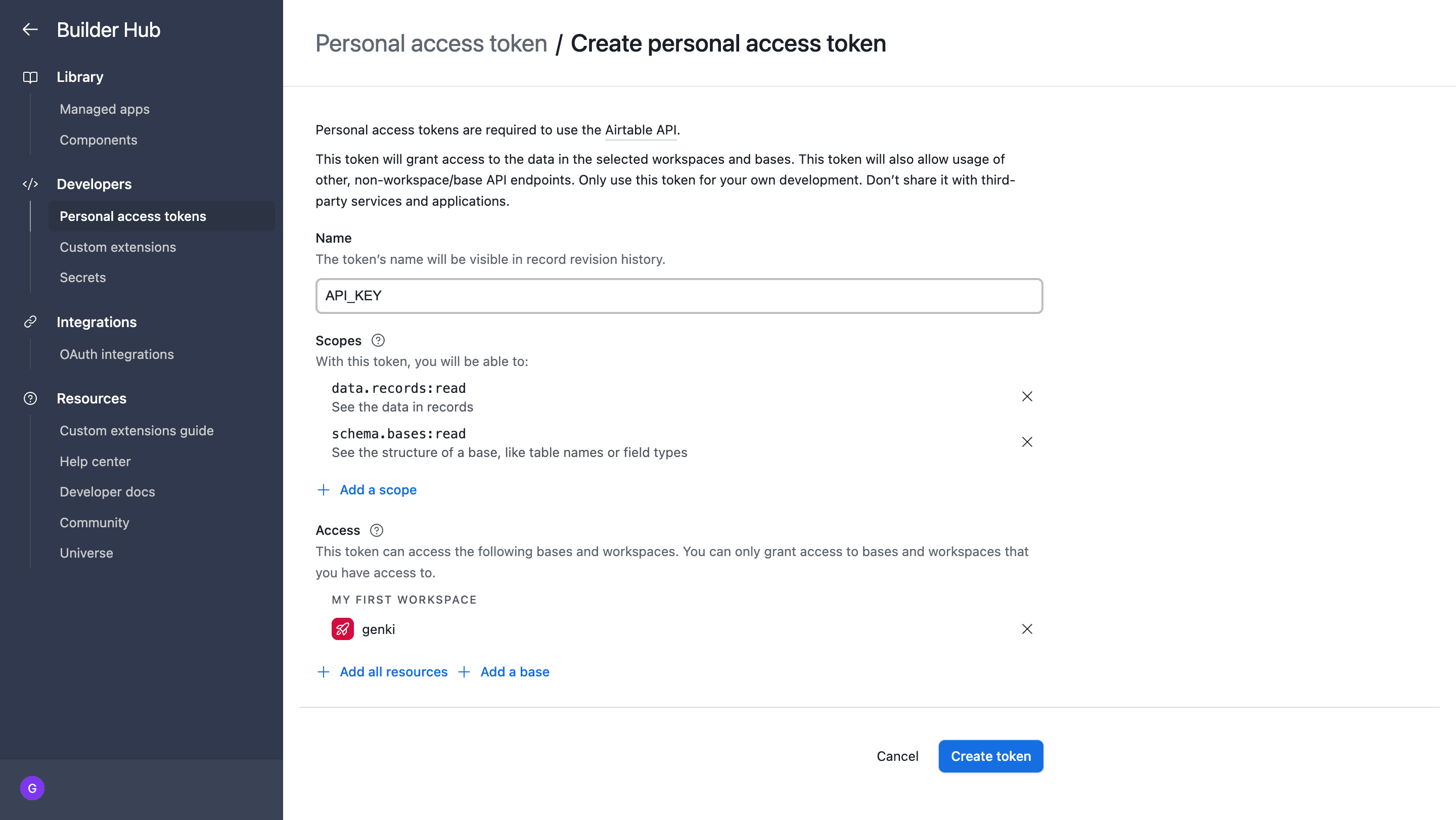
- Click Create token
- Copy the generated token and store it in a safe place
The token is only shown at the time of creation. Make sure to copy it before closing the dialog.