
AWS Athena
Steps and required credentials to connect AWS Athena to Squadbase
Required Information
| Field | Description |
|---|---|
| AWS Access Key ID | The access key ID for an IAM user or role with permissions to run queries in Athena. |
| AWS Secret Access Key | The secret access key paired with the Access Key ID. |
| AWS Region | The AWS region where your Athena workgroup and S3 bucket are located (e.g., us-east-1). |
| Athena Workgroup (Optional) | The name of the Athena workgroup to use. Required if S3 Output Location is not specified. |
| S3 Output Location (Optional) | The S3 path where Athena stores query results (e.g., s3://bucket-name/path/). Required if Athena Workgroup is not specified. |
Either Athena Workgroup or S3 Output Location must be specified.
How to Obtain Each Value
AWS Access Key ID / AWS Secret Access Key
- Log in to the AWS Management Console
- Navigate to IAM → Users
- Select the IAM user you want to use (or create a new one with Athena permissions)
- Open the Security credentials tab
- Under Access keys, click Create access key
- Copy both the Access Key ID and Secret Access Key and store them in a safe place
The Secret Access Key is only shown once at the time of creation. Make sure to copy it before closing the dialog.
Attach an inline policy to the IAM user with the following structure. Replace each Resource value with your actual ARNs.
Steps to add an inline policy:
- Open the IAM user's detail page
- Go to the Permissions tab → Add permissions → Create policy
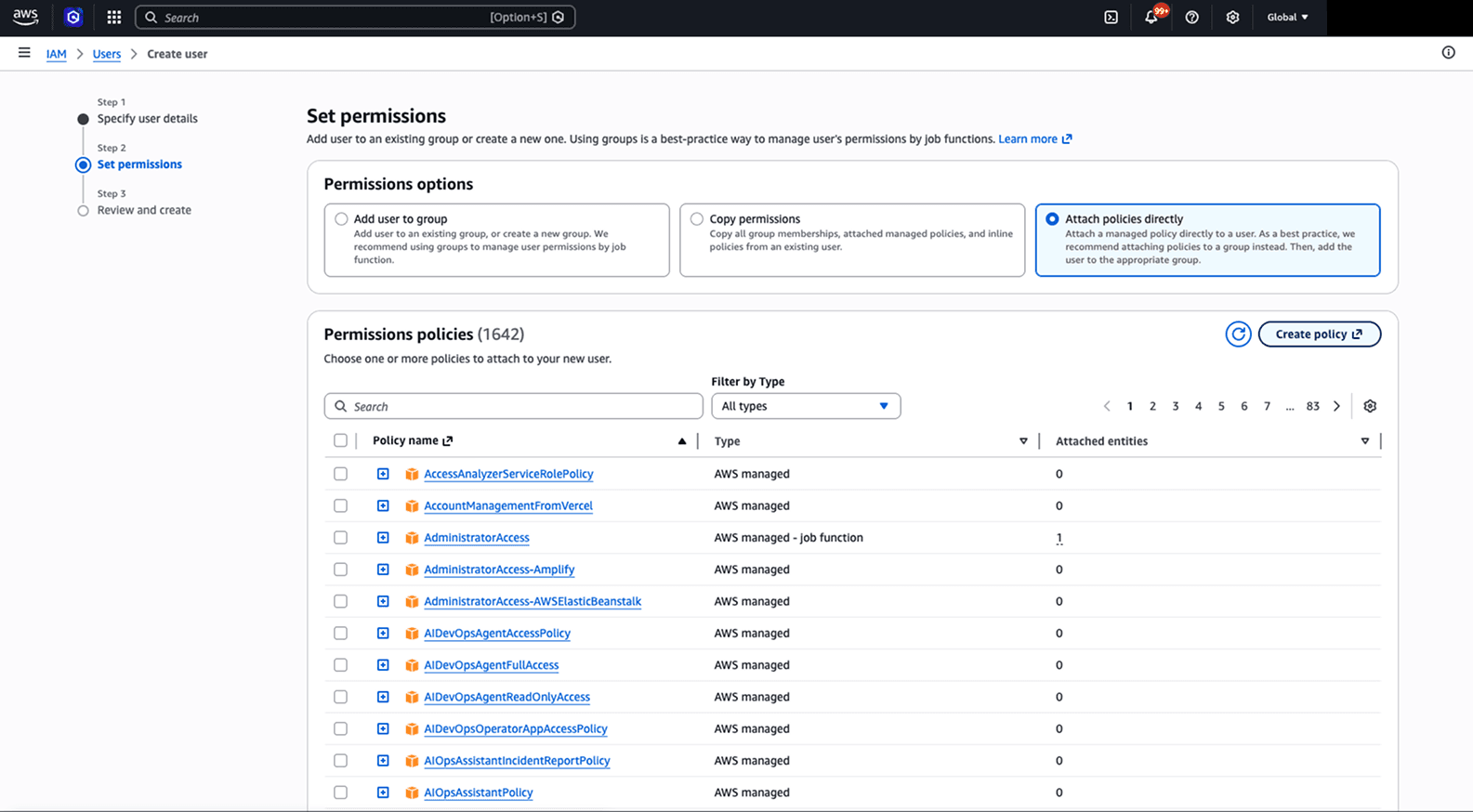
- Select the JSON tab, paste the policy below, and replace the values
- Enter a policy name and save
{
  "Version": "2012-10-17",
  "Statement": [
    {
      "Sid": "AthenaQueryAccess",
      "Effect": "Allow",
      "Action": [
        "athena:StartQueryExecution",
        "athena:GetQueryExecution",
        "athena:GetQueryResults",
        "athena:StopQueryExecution",
        "athena:GetWorkGroup"
      ],
      "Resource": [
        "arn:aws:athena:ap-northeast-1:123456789012:workgroup/my-workgroup" // <-- Replace with your actual value
      ]
    },
    {
      "Sid": "S3QueryResultsAccess",
      "Effect": "Allow",
      "Action": [
        "s3:GetObject",
        "s3:PutObject",
        "s3:GetBucketLocation",
        "s3:ListBucket"
      ],
      "Resource": [
        "arn:aws:s3:::my-athena-results-bucket", // <-- Replace with your actual value
        "arn:aws:s3:::my-athena-results-bucket/*" // <-- Replace with your actual value
      ]
    },
    {
      "Sid": "S3DataSourceReadAccess",
      "Effect": "Allow",
      "Action": [
        "s3:GetObject",
        "s3:ListBucket"
      ],
      "Resource": [
        "arn:aws:s3:::my-data-source-bucket", // <-- Replace with your actual value
        "arn:aws:s3:::my-data-source-bucket/*" // <-- Replace with your actual value
      ]
    },
    {
      "Sid": "GlueCatalogAccess",
      "Effect": "Allow",
      "Action": [
        "glue:GetDatabase",
        "glue:GetDatabases",
        "glue:GetTable",
        "glue:GetTables",
        "glue:GetPartition",
        "glue:GetPartitions"
      ],
      "Resource": [
        "arn:aws:glue:ap-northeast-1:123456789012:catalog", // <-- Replace with your actual value
        "arn:aws:glue:ap-northeast-1:123456789012:database/my_database", // <-- Replace with your actual value
        "arn:aws:glue:ap-northeast-1:123456789012:table/my_database/*" // <-- Replace with your actual value
      ]
    }
  ]
}
AWS Region
Use the region identifier where your Athena workgroup and related S3 bucket are located.
Example region identifiers:
| Region | Identifier |
|---|---|
| US East (N. Virginia) | us-east-1 |
| US West (Oregon) | us-west-2 |
| Asia Pacific (Tokyo) | ap-northeast-1 |
| Europe (Ireland) | eu-west-1 |
You can confirm the region in the top-right corner of the AWS Management Console.
Athena Workgroup
- In the AWS Management Console, navigate to Athena
- Click Workgroups in the left sidebar
- Copy the name of the workgroup you want to use (default is
primary)
If the workgroup has a query result location configured, you do not need to specify an S3 Output Location separately.
S3 Output Location
This is the S3 bucket path where Athena stores query results. Navigate to S3 in the AWS Management Console and select the bucket you want to use.
The format is: s3://your-bucket-name/optional-prefix/