TiDB
Steps and required credentials to connect TiDB to Squadbase
Required Information
| Field | Description |
|---|---|
| TiDB Connection URL | The URL for connecting to TiDB (e.g., mysql://user:password@gateway01.<region>.prod.aws.tidbcloud.com:4000/database). |
| SSL Mode (Optional) | TLS mode for the connection. verify-identity (default), require, or disabled. |
| SSH Tunnel Host (Optional) | Hostname of the SSH bastion server. Leave empty to connect directly. |
| SSH Tunnel Port (Optional) | SSH port of the bastion host (default: 22). |
| SSH Tunnel Username (Optional) | Username for SSH authentication. Required when SSH Tunnel Host is set. |
| SSH Private Key (Optional) | Private key (PEM, base64-encoded) used for SSH authentication. Required when SSH Tunnel Host is set. |
| SSH Private Key Passphrase (Optional) | Passphrase for the SSH private key, if it is encrypted. |
How to Obtain
TiDB Connection URL
TiDB Cloud
- Log in to TiDB Cloud
- Select your cluster from the dashboard
- Click Connect at the top of the cluster page
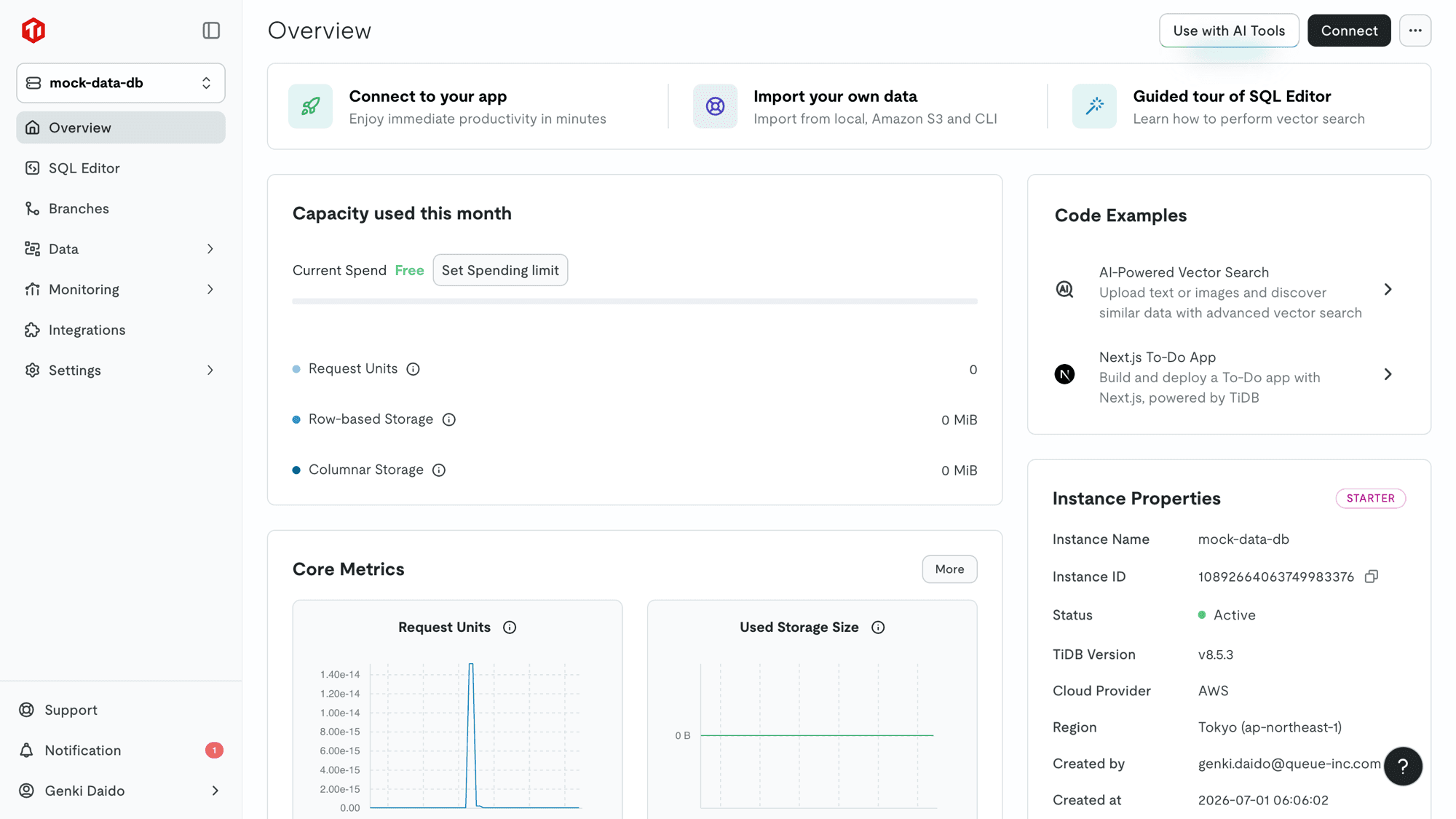
- In the Connect With dropdown, select General
- If you have not set a password yet, click Generate Password
- The password is only shown once immediately after generation — copy and store it in a safe place
- Under the Parameters tab, note the following values: HOST, PORT, USERNAME, PASSWORD, and DATABASE
- Build the Connection URL from those values:
mysql://[USERNAME]:[PASSWORD]@[HOST]:[PORT]/[DATABASE]Example
mysql://myuser:mypassword@gateway01.ap-northeast-1.prod.aws.tidbcloud.com:4000/mydbSelf-hosted TiDB
The connection URL follows this format:
mysql://[username]:[password]@[host]:[port]/[database]| Part | Description |
|---|---|
username | The TiDB username |
password | The password for the user |
host | The hostname or IP address of the TiDB server |
port | The TiDB port number (default: 4000) |
database | The name of the database to connect to |
Example
mysql://myuser:mypassword@db.example.com:4000/mydbSSL Mode (Optional)
Controls how TLS is used when connecting to TiDB:
| Value | Description |
|---|---|
verify-identity | (Default) Encrypts the connection and verifies the server certificate via the system CA. Required for TiDB Cloud Serverless/Dedicated. |
require | Encrypts the connection without verifying the certificate. Suitable for self-hosted TiDB with a self-signed certificate. |
disabled | Disables TLS. Only use for local self-hosted TiDB. |
SSH Tunnel Host (Optional)
Hostname of the SSH bastion server to tunnel through. Leave empty to connect directly without an SSH tunnel.
SSH Tunnel Port (Optional)
SSH port of the bastion host. Defaults to 22 if left blank.
SSH Tunnel Username (Optional)
Username for SSH authentication on the bastion host. Required when SSH Tunnel Host is set.
SSH Private Key (Optional)
PEM private key (base64-encoded) for SSH authentication. Required when SSH Tunnel Host is set.
SSH Private Key Passphrase (Optional)
Passphrase to decrypt the SSH private key. Required only if the private key is encrypted.