Supabase
Steps and required credentials to connect Supabase to Squadbase
This connector allows Squadbase AI to access data stored in your Supabase PostgreSQL database for analysis and dashboard creation. Note that this is different from Squadbase DB — Supabase is your own external database, while Squadbase DB is the managed database built into Squadbase.
Required Information
| Field | Description |
|---|---|
| Supabase Connection URL | The Supabase Postgres connection string (e.g., postgresql://postgres.<project-ref>:<password>@aws-0-<region>.pooler.supabase.com:6543/postgres). |
How to Obtain
Supabase Connection URL
The easiest way is to copy the connection string directly from the Supabase Dashboard.
- Log in to the Supabase Dashboard and open your project
- Click the Connect button at the top of the screen
- Select the Direct tab
- Under Connection Method, select Transaction pooler
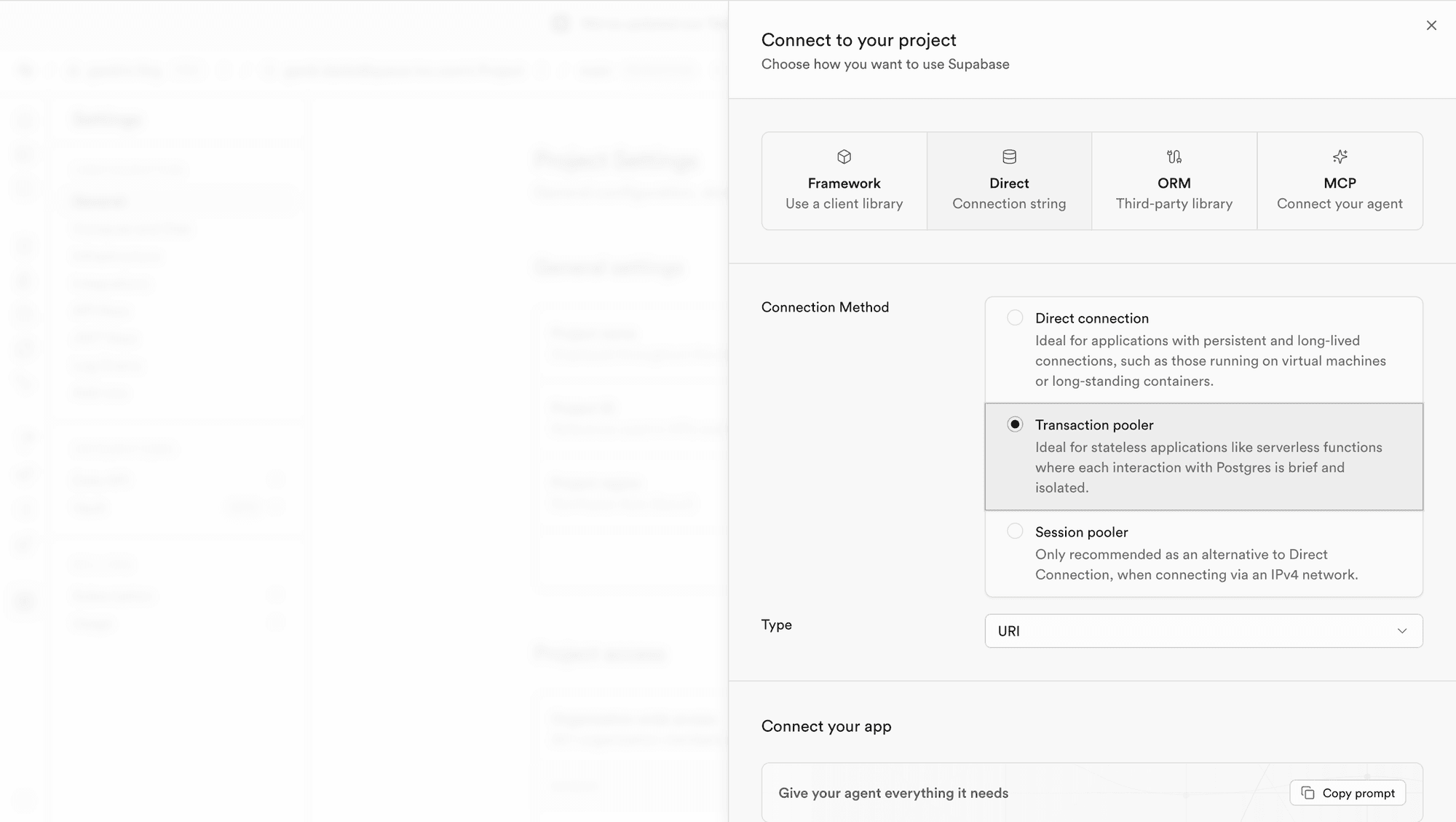
- Copy the connection string shown under Connection string
- Replace
[YOUR-PASSWORD]with your database password
Example:
postgresql://postgres.abcdefghijklmnopqrst:[YOUR-PASSWORD]@aws-1-ap-northeast-2.pooler.supabase.com:6543/postgresThe Transaction pooler (port 6543) is recommended for Squadbase as it efficiently handles multiple connections. The password in the URL is your database password, not your Supabase account login password.
Connection Types
Supabase provides three connection types. Use the Transaction pooler for connecting with Squadbase.
| Type | Port | Description |
|---|---|---|
| Transaction pooler | 6543 | Recommended. Ideal for stateless applications where each interaction with Postgres is brief and isolated. IPv4 compatible. |
| Direct connection | 5432 | For applications with persistent, long-lived connections (e.g., VMs, long-standing containers). |
| Session pooler | 5432 | Alternative to Direct connection when connecting via an IPv4 network. |
Database Password
The password in the connection URL is the database user password set when the project was created. This is separate from your Supabase account login password.
The connection string displayed in the Connect modal contains [YOUR-PASSWORD] as a placeholder — replace it with your database password.
If you have forgotten your database password, go to Database → Settings in the left sidebar and click Reset password under the Database password section.