Environment variables
How to register the configuration values your app uses as project environment variables
Environment variables let you manage the configuration values your app uses separately from your code. Register values you don't want to write directly in code or in the chat as environment variables in your project, and you can use them by key name without writing the value itself.
To use an LLM from your app, consider the Squadbase LLM API first. You can use it without registering an API key for an LLM such as OpenAI as an environment variable.
To connect a new external API, consider HTTP API and custom connections first. An HTTP API data source can be shared across your organization and works like any other data source.
Register environment variables
Environment variables are registered per project, under Advanced Settings in Project Settings.
Open Project Settings
Open your project, then choose Project Settings from the ⋮ menu at the top right of the screen. You can also open it from the … next to the project in the sidebar.
Expand Advanced Settings
Click Advanced Settings in the dialog to show Environment Variables and Domains.
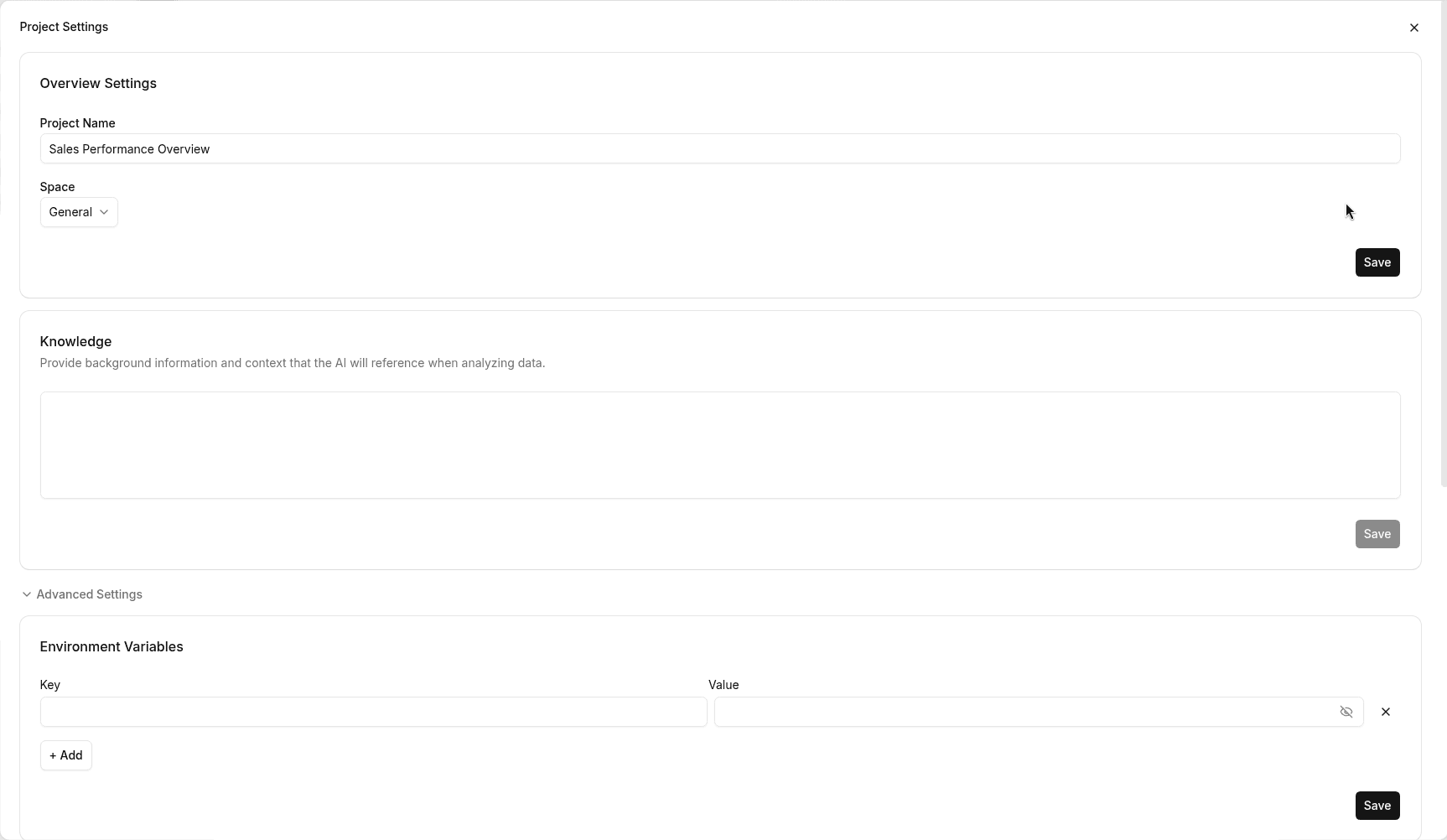
Enter keys and values, then save
Under Environment Variables, enter a Key and a Value. Values are masked, and you can show or hide them with the eye icon on the right. Click + Add to add a row, or × to remove one.
When you're done, click Save at the bottom right of Environment Variables.
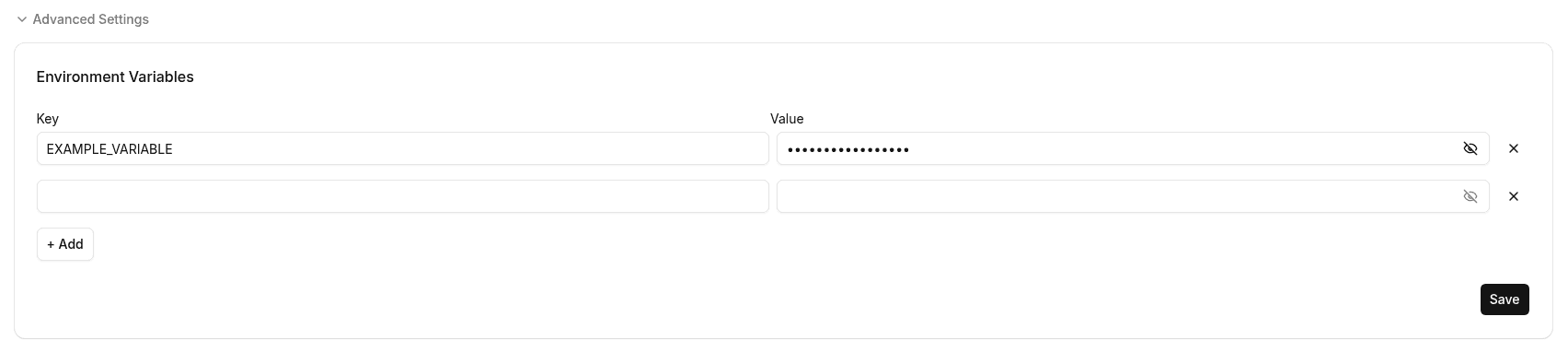
Use environment variables from the chat
Once registered, the AI can use an environment variable when you tell it the key name. You don't need to paste the value into the chat.
Good to know
- Not included in templates: When you turn a project into a template, secret environment variable values are not included. See Templates.
- Carried over when you duplicate a project: Duplicating a project carries over the system environment and environment variables.
- Recorded in the audit log: Creating, deleting, and updating environment variables is recorded under Secrets in the audit log. See Audit log.