Custom Connector
Connect to services not natively supported by Squadbase
Even if a service is not listed in the Connectors section, you can connect to it via API by configuring environment variables manually.
What are Environment Variables?
Environment variables are a way to manage configuration values your app uses, separately from your code.
For example, by registering an API key or connection URL as an environment variable, you avoid writing sensitive information directly in your code. In short, environment variables let you manage important information safely without hardcoding it.
What You Need
Required information varies by service — refer to the API integration section in each service's documentation for details.
※ Services that do not expose a public API cannot be connected using this method. Consider importing data via CSV export instead.
Typical information required includes:
- An API key for the service you want to connect to (the method for obtaining this varies by service — check the service's documentation)
- The API URL, if required
How to Configure in Squadbase
Open your project and click the project name on the preview screen.
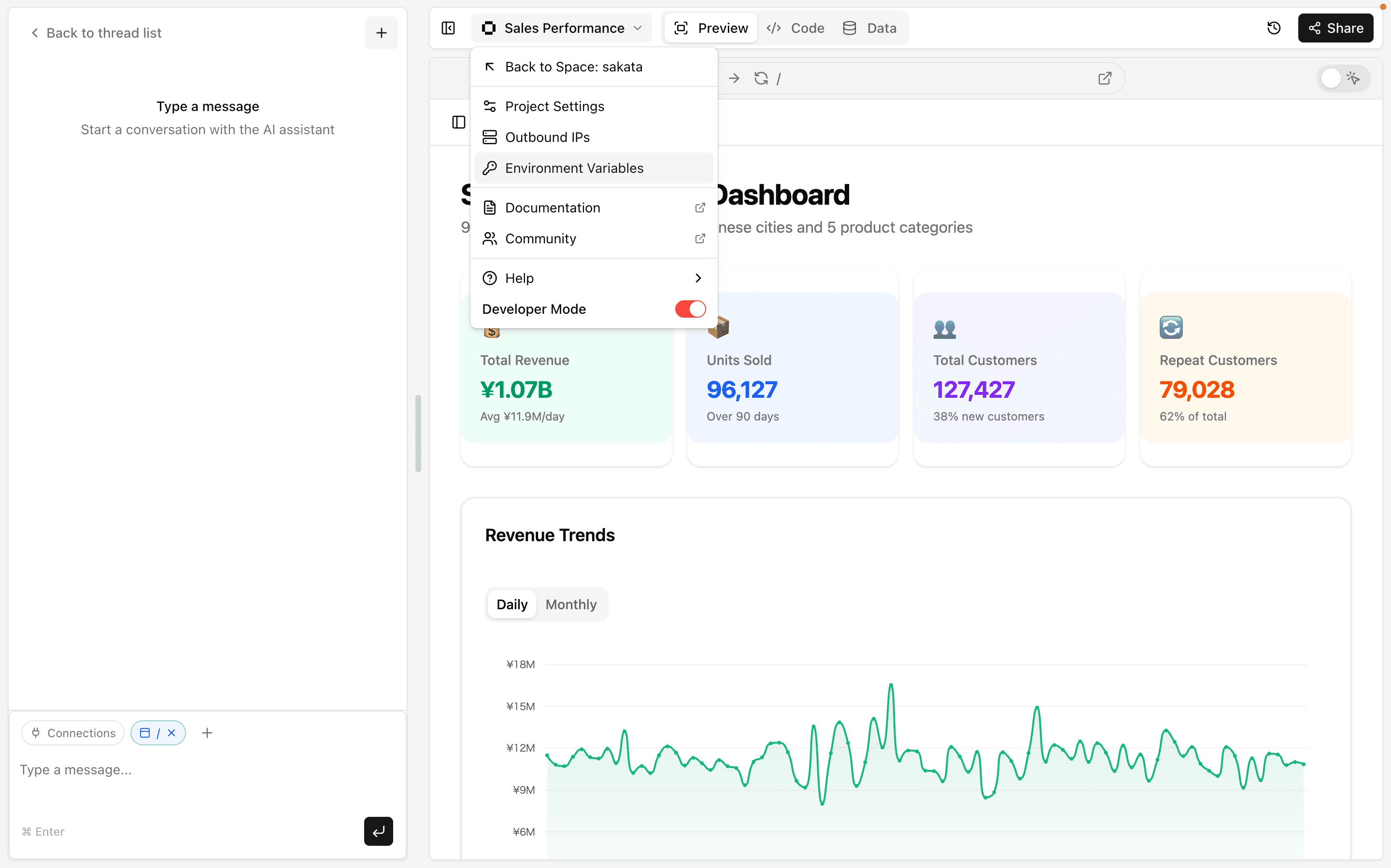
Click the environment you want to configure.
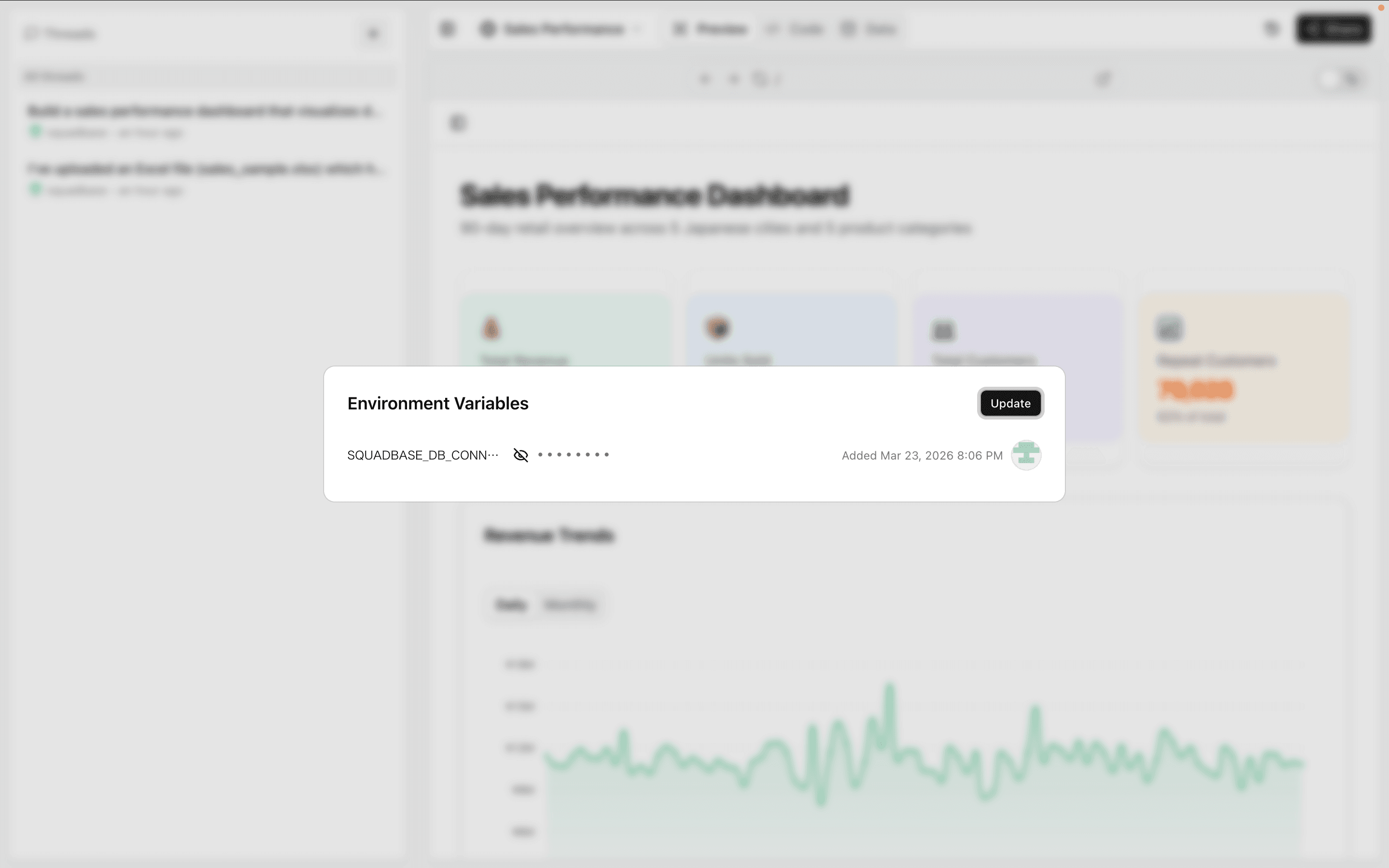
Enter the key name and value you obtained, then click "Save Changes".
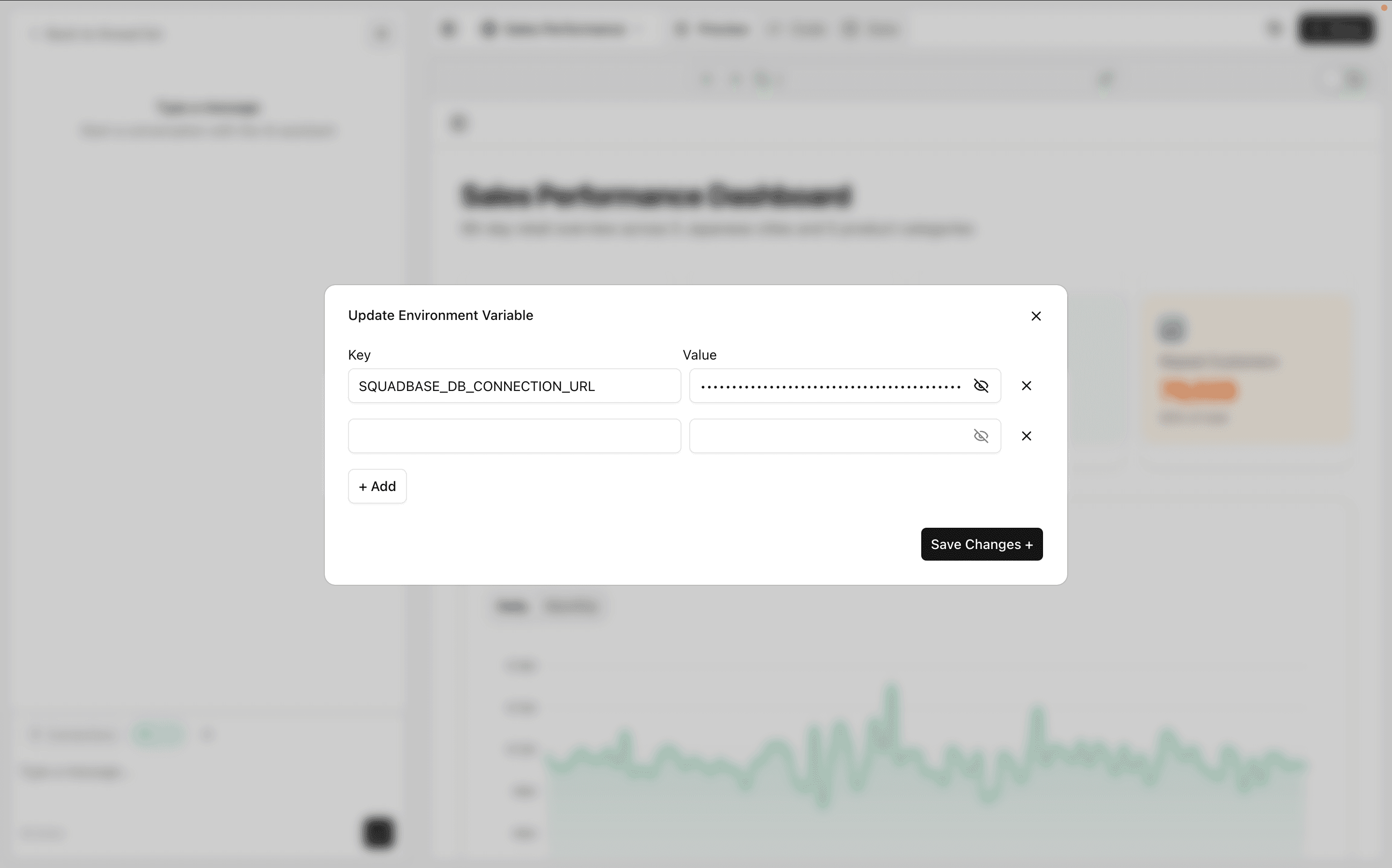
Your environment variables can now be safely accessed within Squadbase.
Type instructions in the chat such as "Analyze data from ○○ (service name). The environment variable is set under the key name ○○." to fetch data by calling the external API.