GitHub
Steps and required credentials to connect GitHub to Squadbase
This connector allows Squadbase AI to access your GitHub data — such as repositories, issues, and pull requests — for analysis and dashboard creation. This is different from the GitHub integration in Developer settings, which is used for managing source code (pushing Squadbase project code to a repository or importing an existing repository).
Required Information
| Field | Description |
|---|---|
| GitHub Personal Access Token | A Personal Access Token (Fine-grained: github_pat_..., or Classic: ghp_...) with the scopes required for the data you want to access. |
| GitHub API Base URL (Optional) | Override the API base URL for GitHub Enterprise Server (e.g. https://github.example.com/api/v3). Leave empty to use the public GitHub API. |
How to Obtain
GitHub Personal Access Token
Two types of tokens are supported: Fine-grained and Classic. Both are generated from your GitHub account settings.
Fine-grained Token (github_pat_...)
Fine-grained tokens offer more precise control over which repositories and permissions are granted.
- Log in to GitHub and click your profile icon in the top right
- Go to Settings → Developer settings → Personal access tokens → Fine-grained tokens
- Click the Generate new token dropdown button in the top right
- Select Generate new token
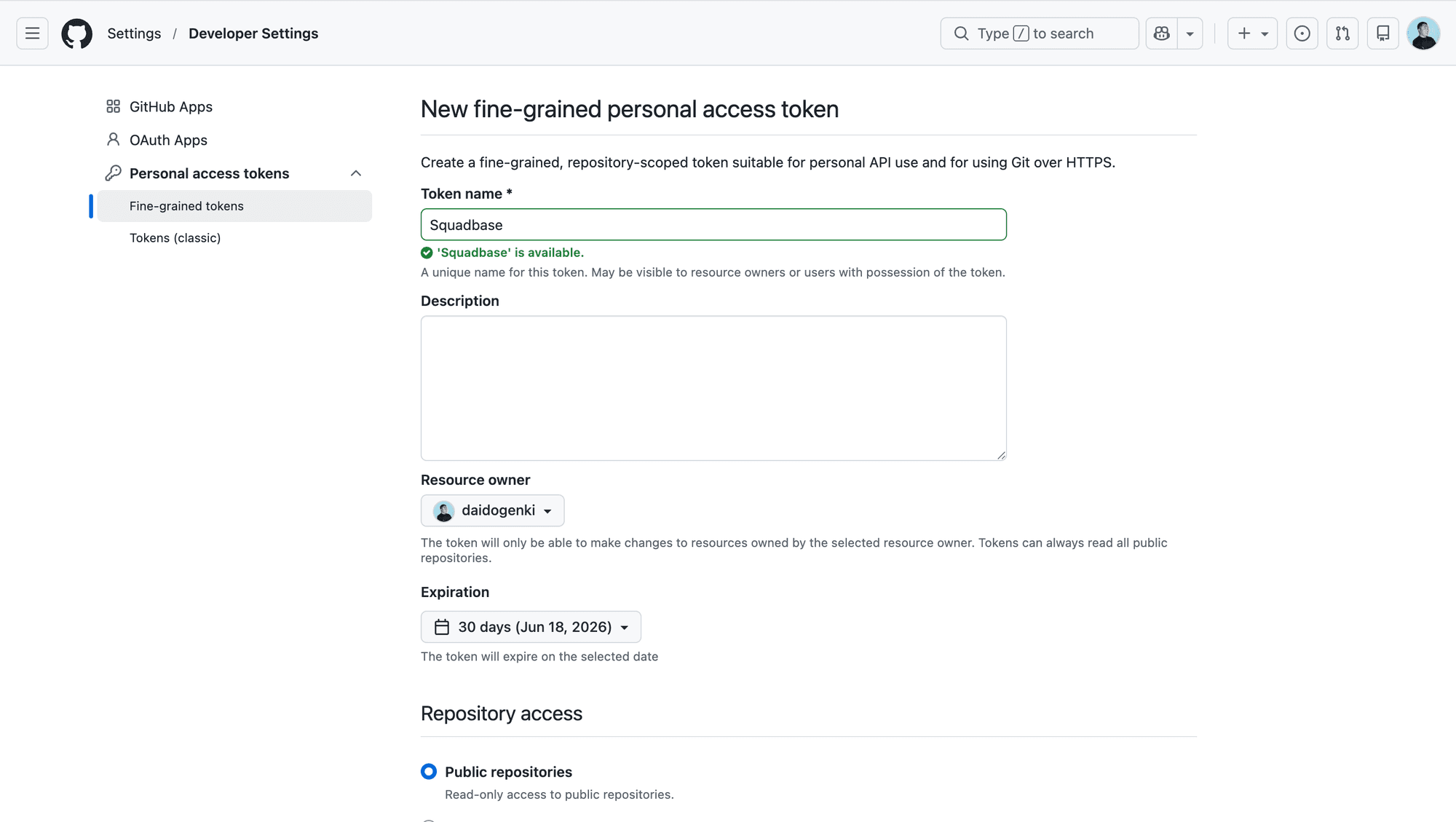
- Enter a token name in the Token name field, optionally fill in the Description, and set an expiration
- Under Repository access, select the repositories you want to grant access to
- Under Permissions, enable the repository and account permissions required for your use case
- Click Generate token and copy the token immediately
Fine-grained tokens expire after a maximum of 1 year and can be limited to specific repositories, making them more secure than classic tokens for production use.
Classic Token (ghp_...)
- Log in to GitHub and click your profile icon in the top right
- Go to Settings → Developer settings → Personal access tokens → Tokens (classic)
- Click the Generate new token dropdown button in the top right
- Select Generate new token (classic)
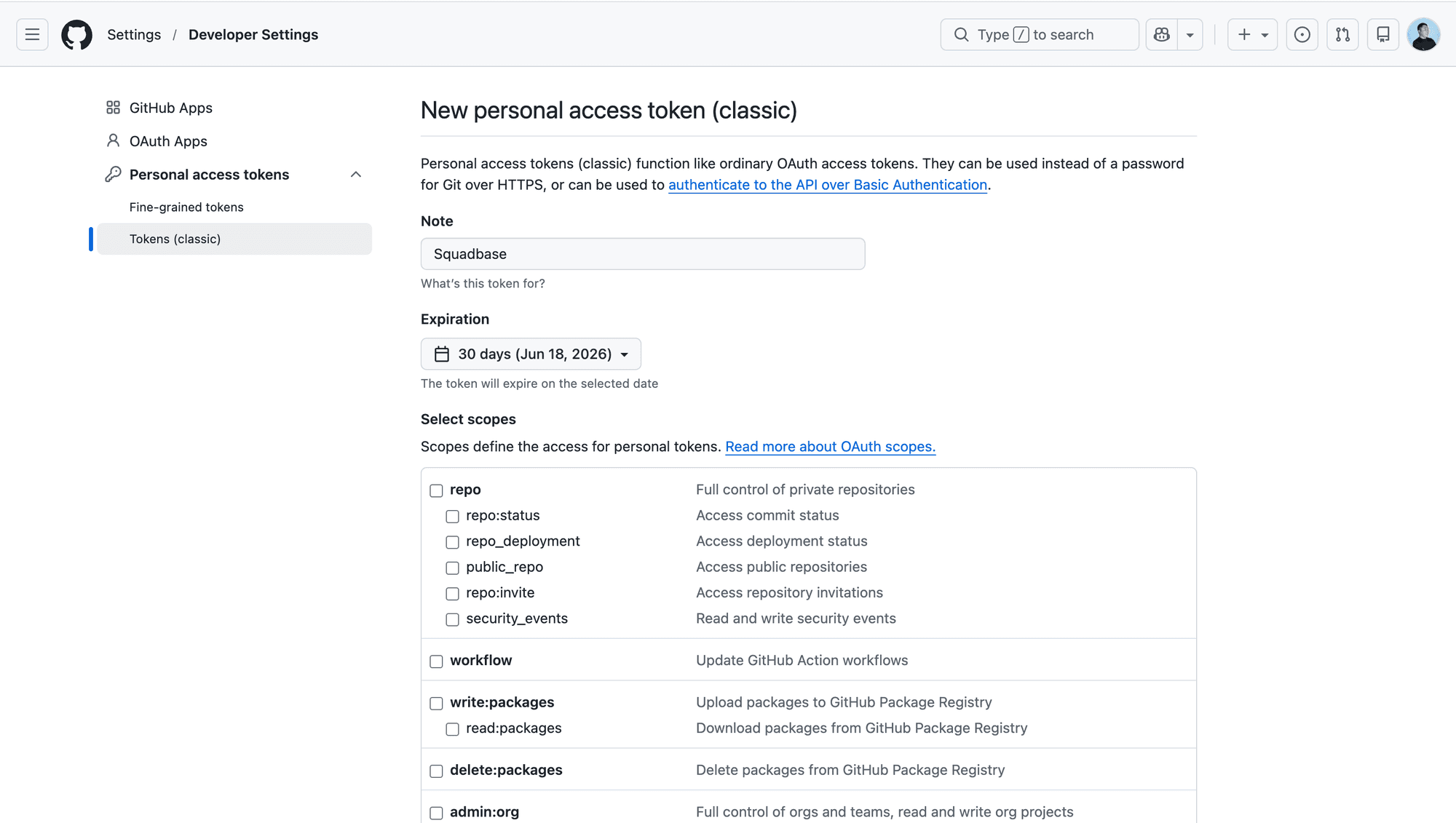
- Enter a description in the Note field and set an expiration
- Select the required scopes:
| Scope | Description |
|---|---|
repo | Full control of private repositories |
public_repo | Access public repositories |
read:org | Read org and team membership, read org projects |
read:user | Read ALL user profile data |
read:packages | Download packages from GitHub Package Registry |
read:discussion | Read team discussions |
read:project | Read access of projects |
notifications | Access notifications |
workflow | Update GitHub Actions workflows |
read:audit_log | Read access of audit log |
- Click Generate token and copy the token immediately — it will not be shown again
Copy the token immediately after generation — GitHub will not show it again. If lost, you must generate a new one.
GitHub API Base URL (Optional)
Leave this field empty to connect to the public GitHub API (https://api.github.com).
If you are using GitHub Enterprise Server, enter your instance's API base URL:
https://HOSTNAME/api/v3Replace HOSTNAME with your GitHub Enterprise Server hostname (e.g. github.example.com).