HubSpot
Steps and required credentials to connect HubSpot to Squadbase
Required Information
| Field | Description |
|---|---|
| Private App Access Token | Your HubSpot Private App Access Token for authentication (starts with pat-). |
How to Obtain
Private App Access Token
Navigate to Legacy Apps
Log in to HubSpot and in the left sidebar, go to Development → Legacy Apps and click the app you want to use.
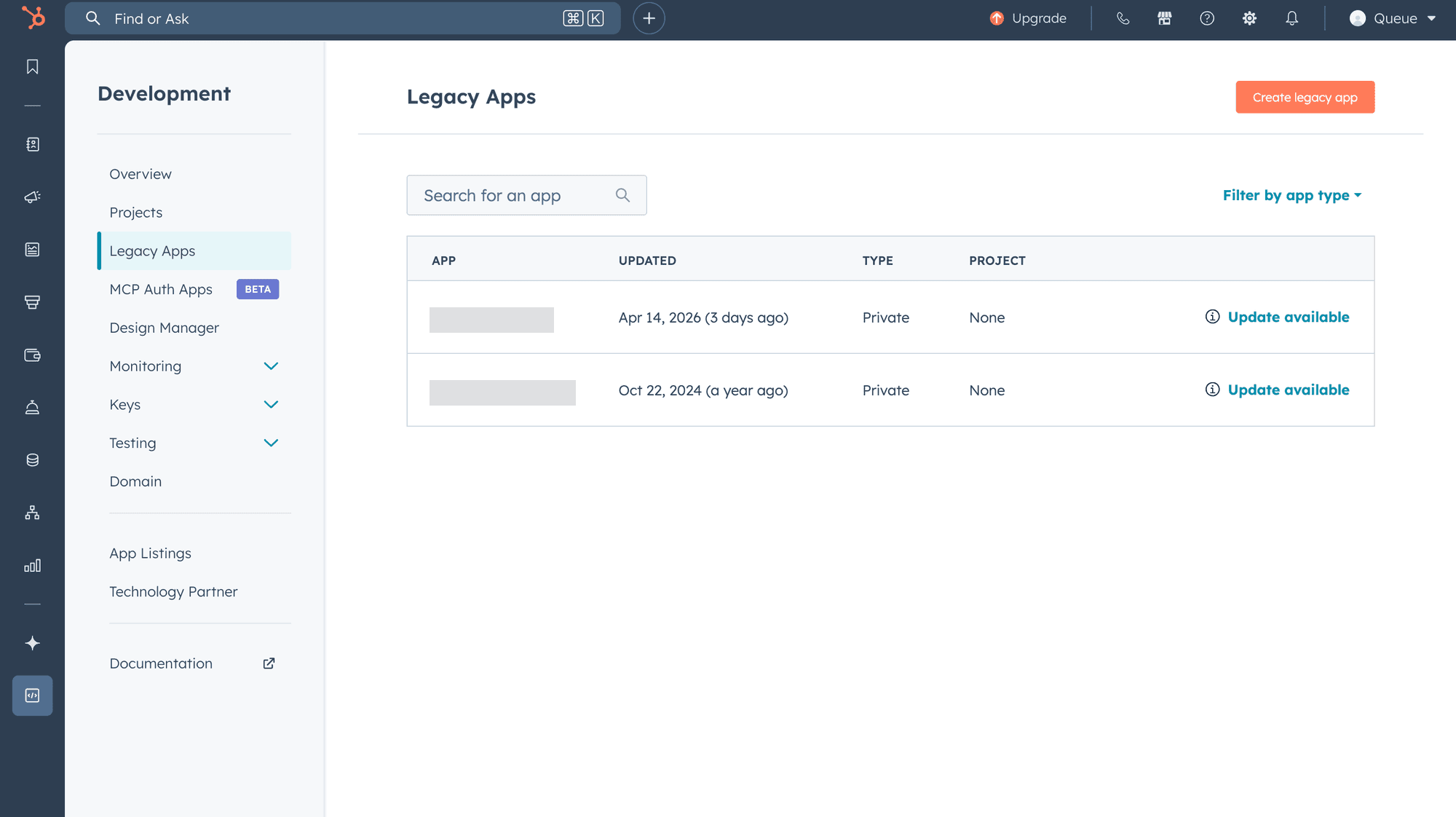
If you do not have a Legacy App yet, click Create legacy app, enter an app name, then select the required scopes under the Scopes tab to create one.
Note: Super Admin permissions are required for this operation.
Copy the Access Token
Click the target app and open the Auth tab. Copy the Access token shown — it starts with pat-.
HubSpot refers to these as "Legacy Apps," but API integrations using access tokens continue to be supported. The newer "Projects"-based apps use OAuth and do not issue static access tokens. If you need a static access token, obtain it from a Legacy App.