Freshdesk
Steps and required credentials to connect Freshdesk to Squadbase
Required Information
| Field | Description |
|---|---|
| Freshdesk Domain | Your Freshdesk subdomain (e.g., acme for https://acme.freshdesk.com). Enter only the subdomain, without https:// or .freshdesk.com. |
| Freshdesk API Key | Your Freshdesk API key from Profile (top right) → Profile Settings → API Key. |
How to Obtain
Freshdesk Domain
Your domain is the subdomain part of your Freshdesk URL. For example, if your URL is https://acme.freshdesk.com, enter acme.
Freshdesk API Key
Before the API key is visible in Profile Settings, API Key access must be enabled for the agent.
Step 1: Enable API Key access
- Click the gear icon in the left sidebar to open Admin
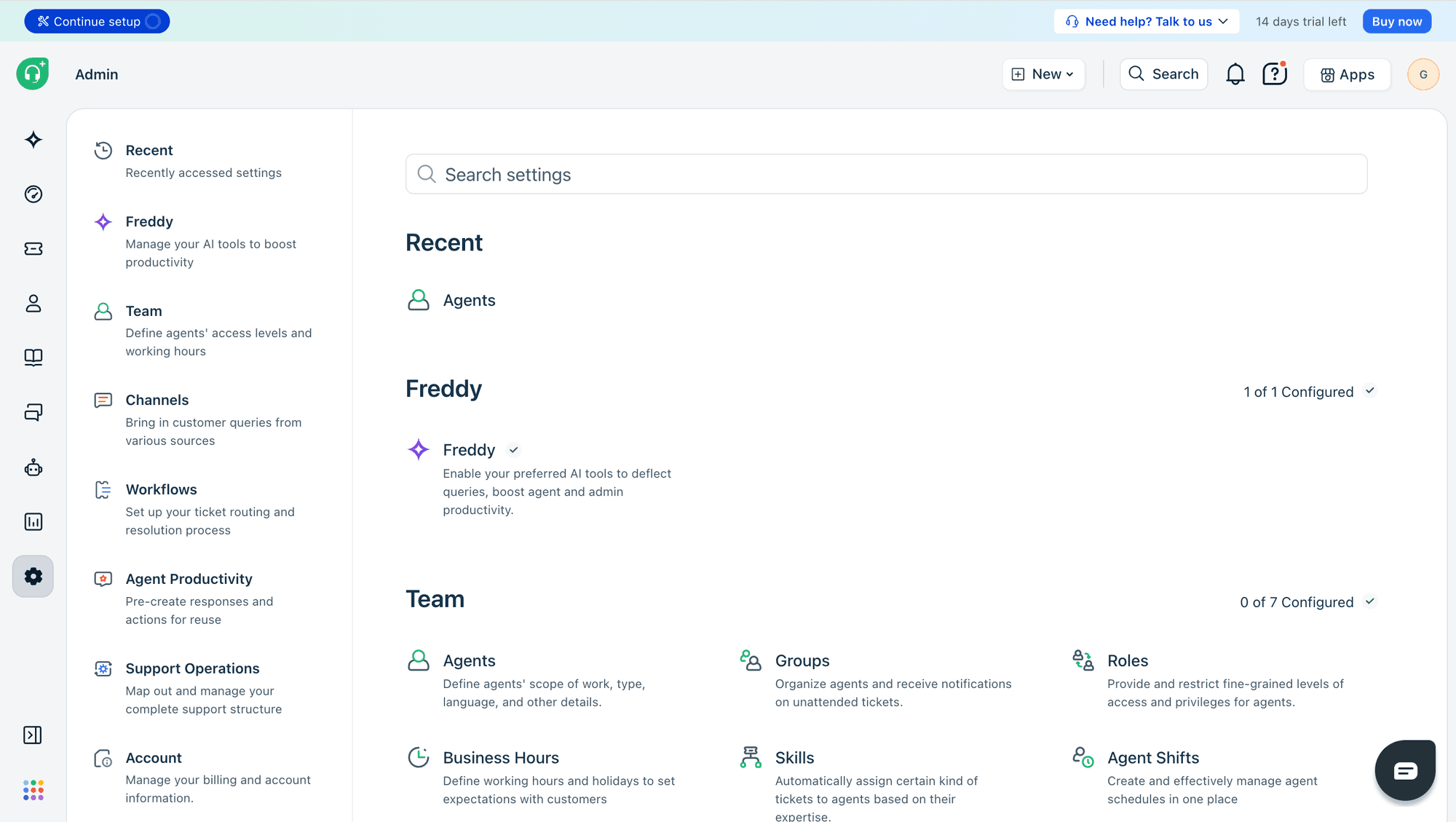
- Under Team, select Agents
- Click on the agent you want to use for API access
- Click Edit Agent in the top right
- Scroll to the Security and permission section
- Turn on API Key access
- Click Update agent
Step 2: Copy the API key
- Click your profile icon in the top right
- Select Profile Settings
- Copy the API key displayed in the Your API Key section on the right side of the page