X
Steps and required credentials to connect X to Squadbase
By connecting X to Squadbase, you can analyze your post performance and audience engagement. Examples of what you can build:
- Engagement trends over time (likes, reposts, replies, impressions)
- Breakdown of engagement by type and time of day
- Top-performing posts ranked by engagement metrics
Required Information
| Field | Description |
|---|---|
| X API Bearer Token | The Bearer Token for app-only authentication with the X API. Generate it in the X Developer Portal for your app. |
How to Obtain
X API Bearer Token
-
Go to the X Developer Console and log in
-
Select Apps from the left sidebar
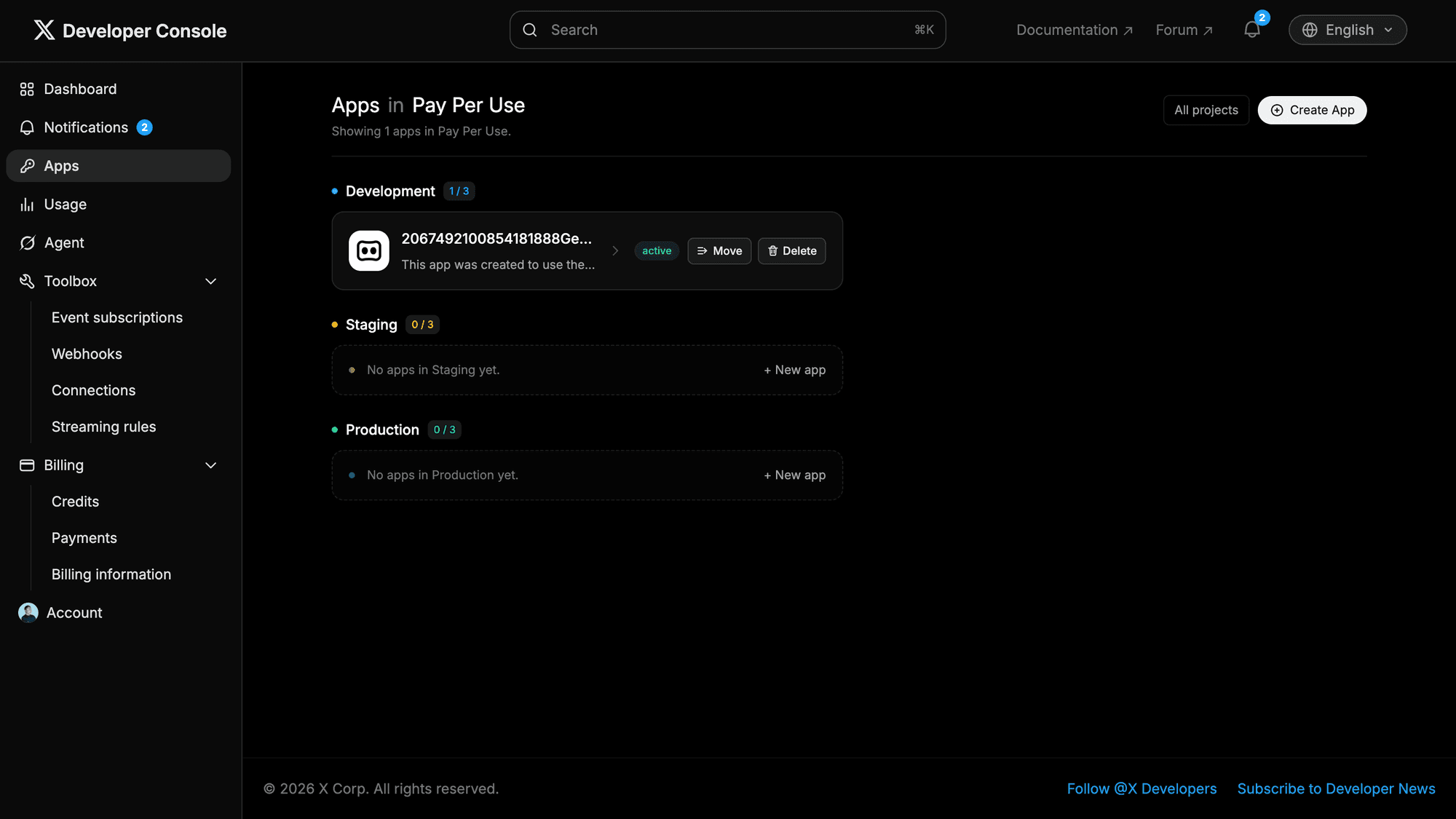
Select an existing app, or click Create App in the top right to create a new one.
-
Navigate to the app's Keys and tokens tab
-
Under Authentication Tokens, find Bearer Token and click Generate (or Regenerate if one already exists)
-
Copy the displayed Bearer Token and enter it in Squadbase
The Bearer Token is sensitive. Store it securely and do not share it publicly. If you regenerate it, the previous token will be immediately invalidated.