Squadbase DB
The role of Squadbase DB, the database built into Squadbase, how to manage it from the Data sources screen, and how to share it as public data
Squadbase DB is the database built into Squadbase. You can start storing data and using it for analysis right away, without signing up for a separate database service or doing any initial setup.
What Squadbase DB is used for
Storage for Excel / CSV files
When you upload an Excel / CSV file and create a project, the data is stored in Squadbase DB. AI uses this data for analysis and for building dashboards. → Quick start
Destination for Automation data loads
Data loaded from external services by an Automation pipeline is saved as tables in Squadbase DB. → Load data with Automation
Storage for app data
You can store the data of apps you build in a project in Squadbase DB. For example, you can build apps like:
- A customer management app
- A deal and task management app
- A simple internal master data management app
Check your organization's Squadbase DB
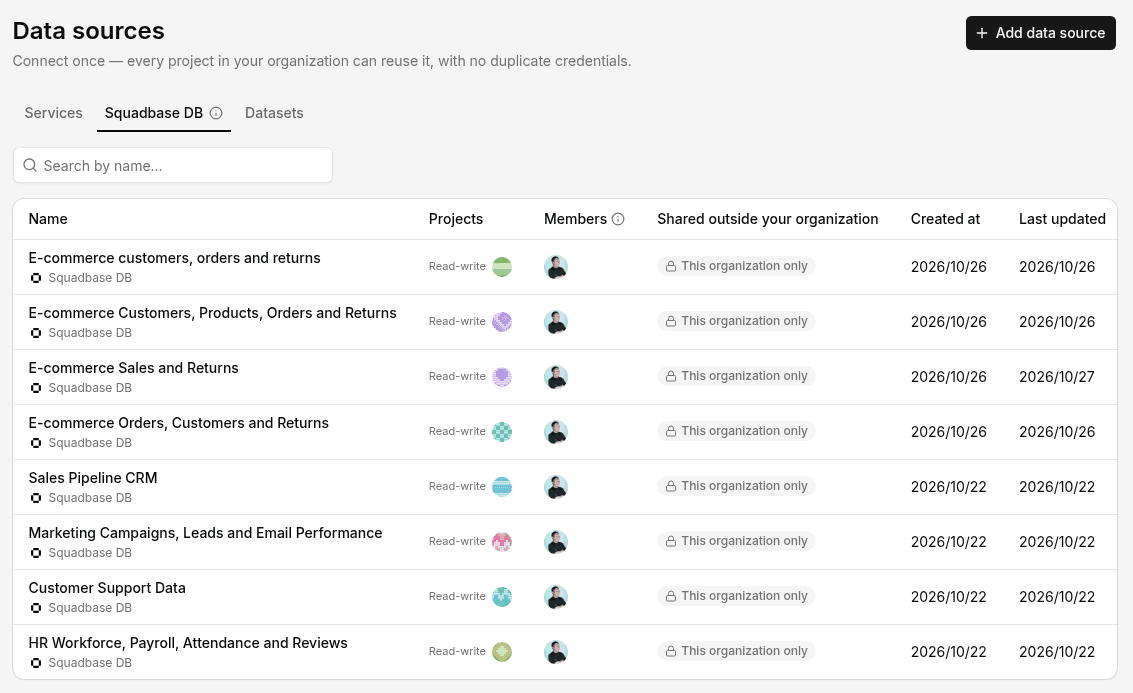
Open Data sources in the sidebar and select the Squadbase DB tab to see a list of your organization's Squadbase DBs. Narrow the list with Search by name....
| Column | Contents |
|---|---|
| Name | The name of the Squadbase DB |
| Projects | The number of projects using this Squadbase DB (for example, 1 editable and 0 read-only) |
| Members | The members who can use this Squadbase DB |
| Shared outside your organization | Whether it's shared with other organizations as public data ("This organization only" when it isn't). Sharing is set in the Access tab of the data source's details screen (→ Share your organization's data) |
| Created at / Last updated | When it was created and last updated |
Add or update data
Ask AI in chat. For example, attach a new file in chat and say something like "Add the data in this file to the sales table in Squadbase DB."
To load data from external services on a regular basis, use Automation.
Share as public data
Squadbase DB data can be published outside your organization as a read-only dataset. When the Squadbase DB is updated, the changes are reflected for everyone using the dataset. For the steps, see Data sources.
Storage and pricing
You can check Squadbase DB usage under Squadbase DB storage in Settings > AI usage, or in Settings > Billing. Usage is updated once a day. For the free allowance on each plan, see Plans.