Knowledge
Set the background information and context that AI refers to when analyzing data, for a project or a data source
Knowledge is the background information and context that AI refers to when analyzing data. You can set it for a project and for a data source. The two differ in where they apply and when AI reads them.
| Project Knowledge | Data source Knowledge | |
|---|---|---|
| Where it applies | Only that project | Every project in your organization that uses that data source |
| When AI reads it | At the start of every exchange in that project's chat | When AI checks the details of that data source |
| What to write | The goals of the analysis, definitions of the metrics your team uses, and internal terms used in that project | What tables and columns mean, and caveats about the data |
As a rule of thumb, put information that holds true in any project in the data source, and information tied to a project's goals in the project.
When AI knows what your data means and what your team cares about, the angles it takes in its analysis and the content of its signals become meaningful to your team.
What to write in project Knowledge
Write what you want to learn in that project and how to judge the results. For example:
- The goal of the analysis — Example: "We want to find ways to raise the win rate of new deals"
- Key metrics and their definitions — Example: "Win rate = deals won ÷ (deals won + deals lost). Deals that haven't closed are excluded"
- Internal terminology — Example: "Enterprise = customers with 1,000 or more employees"
AI treats project Knowledge as the premises your team has set for the project, and never edits it itself. The more specifically you describe your goals and definitions, the more closely AI's analysis follows your team's way of thinking. Knowledge that's too long can't be saved, so keep it to the essentials.
What to write in data source Knowledge
Write information about the data itself. A data source can be used by several projects in your organization, so make sure what you write is correct no matter which project uses it. For example:
- What tables and columns mean — Example: "Won = Closed Won, Lost = Closed Lost", "Amounts exclude tax"
- Caveats about the data — Example: "Data before March 2024 was aggregated differently"
- How company-specific metrics are calculated — Metrics such as LTV and repeat rate that use the same definition across the company
Once it's written here, AI works from the same premises in every project that uses the data source.
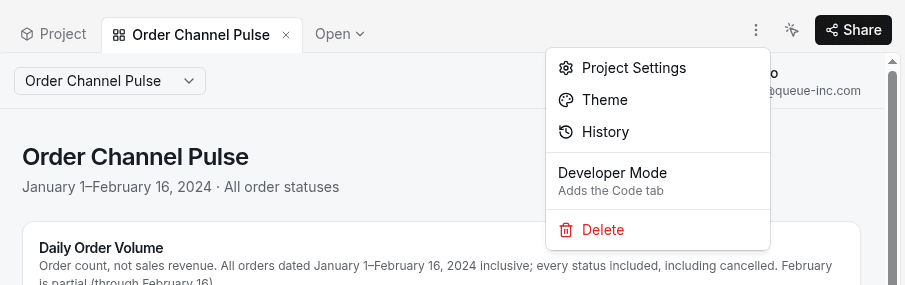
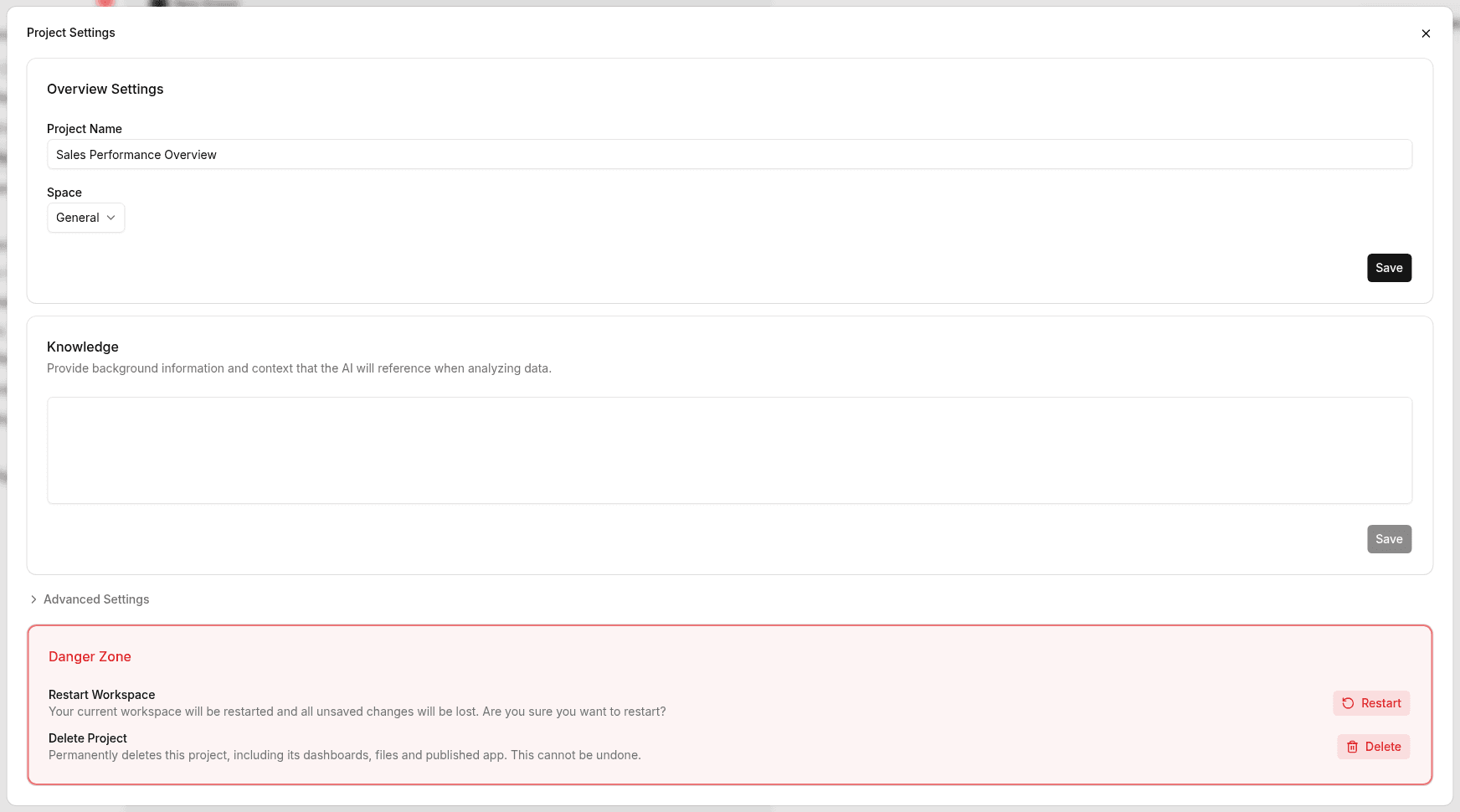
Edit a project's Knowledge
Edit a data source's Knowledge
- Open Data sources in the sidebar and open a data source from the list
- Open the Knowledge tab on the details screen
- Write your content and click Save
To throw away edits you haven't saved, click Discard changes. See Data sources.
When your project's goals or data structure change, update your Knowledge to match.