History
How to view and restore past versions of your dashboard
Squadbase saves the history of your changes as you go. You can go back to the previous version or check what things looked like at a given version, so you can edit your dashboard with confidence.
Restore a version
Open the project and choose History from the ⋮ at the top right.
Your change history is displayed. History is saved automatically whenever AI edits the dashboard, and each change is listed with a description and the date and time.
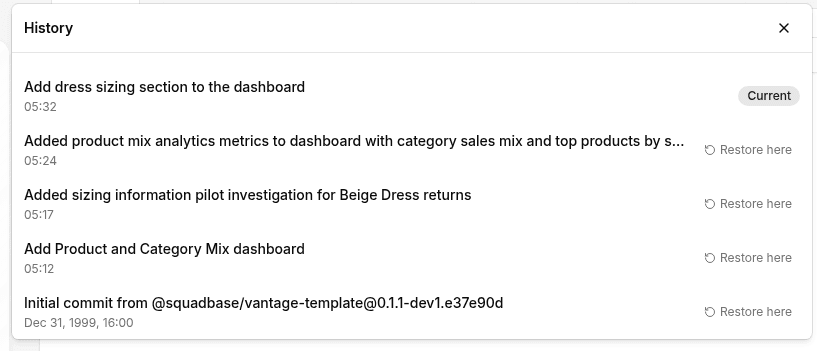
The version marked "Current" is the one you're on now.
To go back to a past version, click "Restore here". A confirmation screen appears; click "Restore" to go back.