AI Credits
How AI credits work, how to check usage, and how to set up recurring purchases of additional credits
In Squadbase, chatting with AI, Automations, and more run on AI credits. Credits are shared across the whole team, so differences between heavy and light users even out naturally.
How AI credits work
- A pool shared by the team: Agent usage and Squadbase LLM API usage are drawn from a pool shared by the team
- Base credits (included in your plan): Credits included in your plan. On Pro and Team, the team's pool is the sum of the "per user" credits for each editor account
- Reset every billing period: Base credits are granted each billing period
| Plan | AI credits |
|---|---|
| Free | 50 AI credits/month |
| Individual | 100 AI credits/month |
| Pro | 250 AI credits/month per user |
| Team | 500 AI credits/month per user |
| Enterprise | Customized AI credit amount |
→ Plans
Check your usage
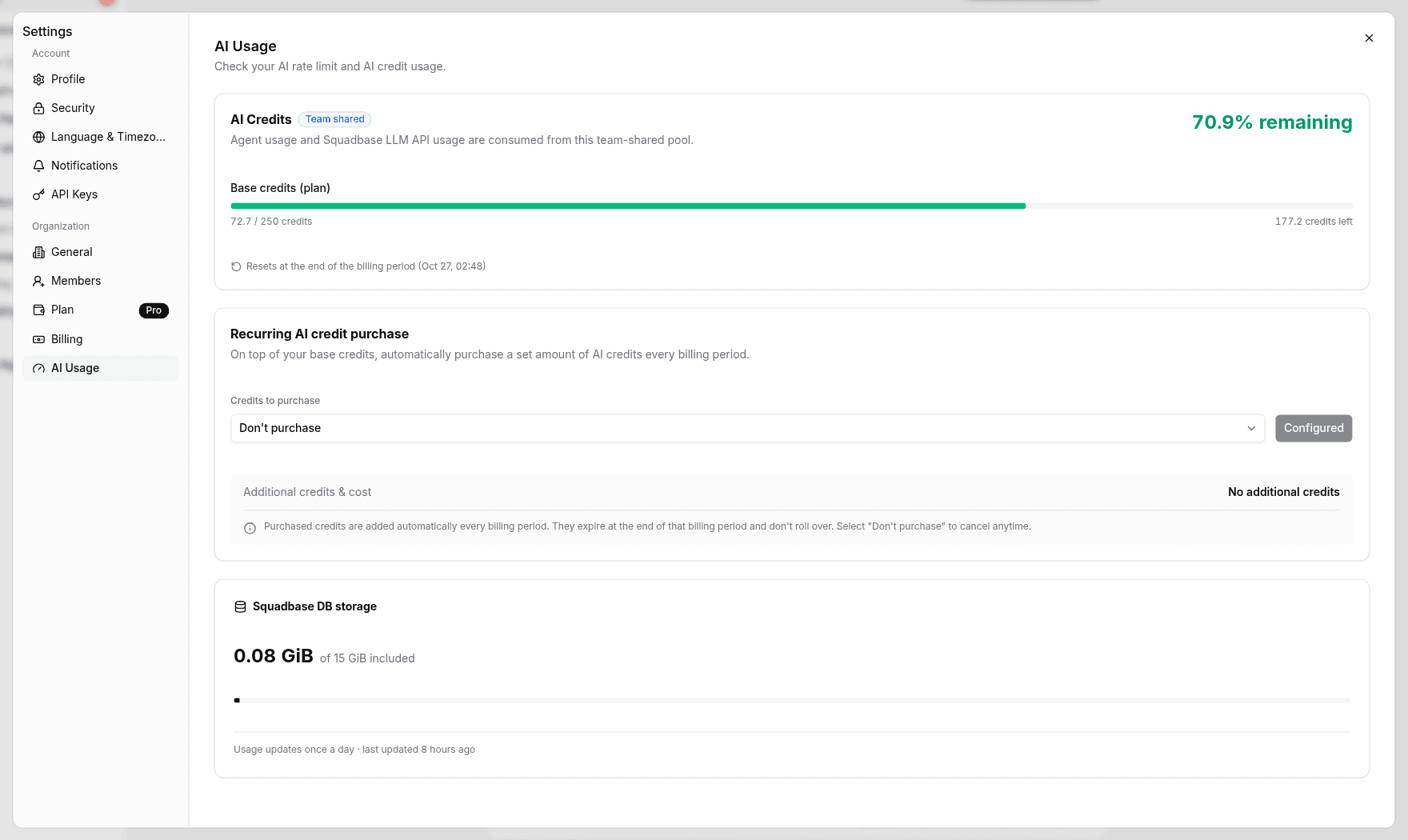
Click the organization name at the top left of the sidebar and open Settings → AI Usage. On the screen that says "Check your AI rate limit and AI credit usage.", you can see:
- AI Credits (Team shared) — Usage and remaining amount of base credits (included in your plan)
- Recurring AI credit purchase — Settings for recurring purchases of additional credits
- Squadbase DB storage — Squadbase DB usage
Set up recurring purchases of additional credits
On top of your base credits, you can automatically purchase a set amount of AI credits every billing period. Additional credits can't be purchased on the Free plan. To buy them, switch to a paid plan. → Plans
Open AI Usage
Open Settings > AI Usage.
Choose the amount to purchase
Under Recurring AI credit purchase, choose the amount in Credits to purchase.
Recurring AI credits are added automatically every billing period. Added credits expire at the end of that billing period and don't roll over. You can cancel at any time by choosing "Don't purchase".