
Collaboration
Operate dashboards with your team members
Squadbase permissions are managed through two concepts: Organization Role and Project Role.
- Organization Role — Defines a member's permissions across all of Squadbase
- Project Role — Defines a user's permissions within a dashboard (used for access control)
Organization Role
There are three types of Organization Roles.
| Role | Capabilities |
|---|---|
| Admin | Full access to all spaces and projects. Can modify and delete settings. |
| Creator | Can create and edit projects within spaces they created or were assigned to |
| Viewer | View-only access to projects within assigned spaces |
Inviting Members
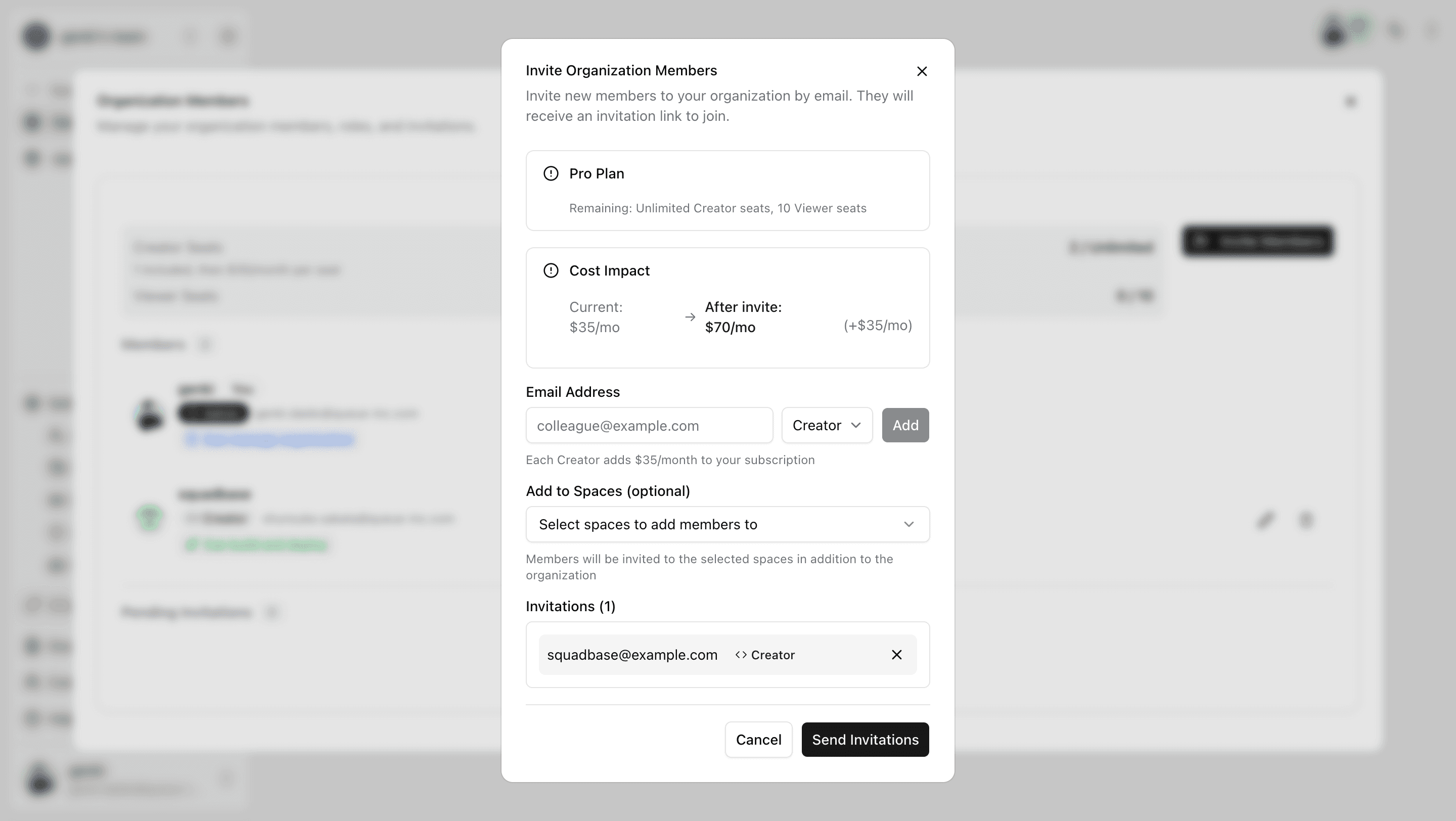
- Click "Settings" in the left sidebar of the portal, then click "Members"
- Click "Invite Members"
- Enter the email address and Organization Role, click "Add", then send the invitation via "Send Invitation"
Space and Project Access
In Squadbase, member access is managed at the space level.
- Members invited to a space automatically have access to all projects within that space
- There is no need to invite members individually per project
- You can also invite members outside the space to specific projects only
For details, see the Share your App page.
Adding Members to a Space
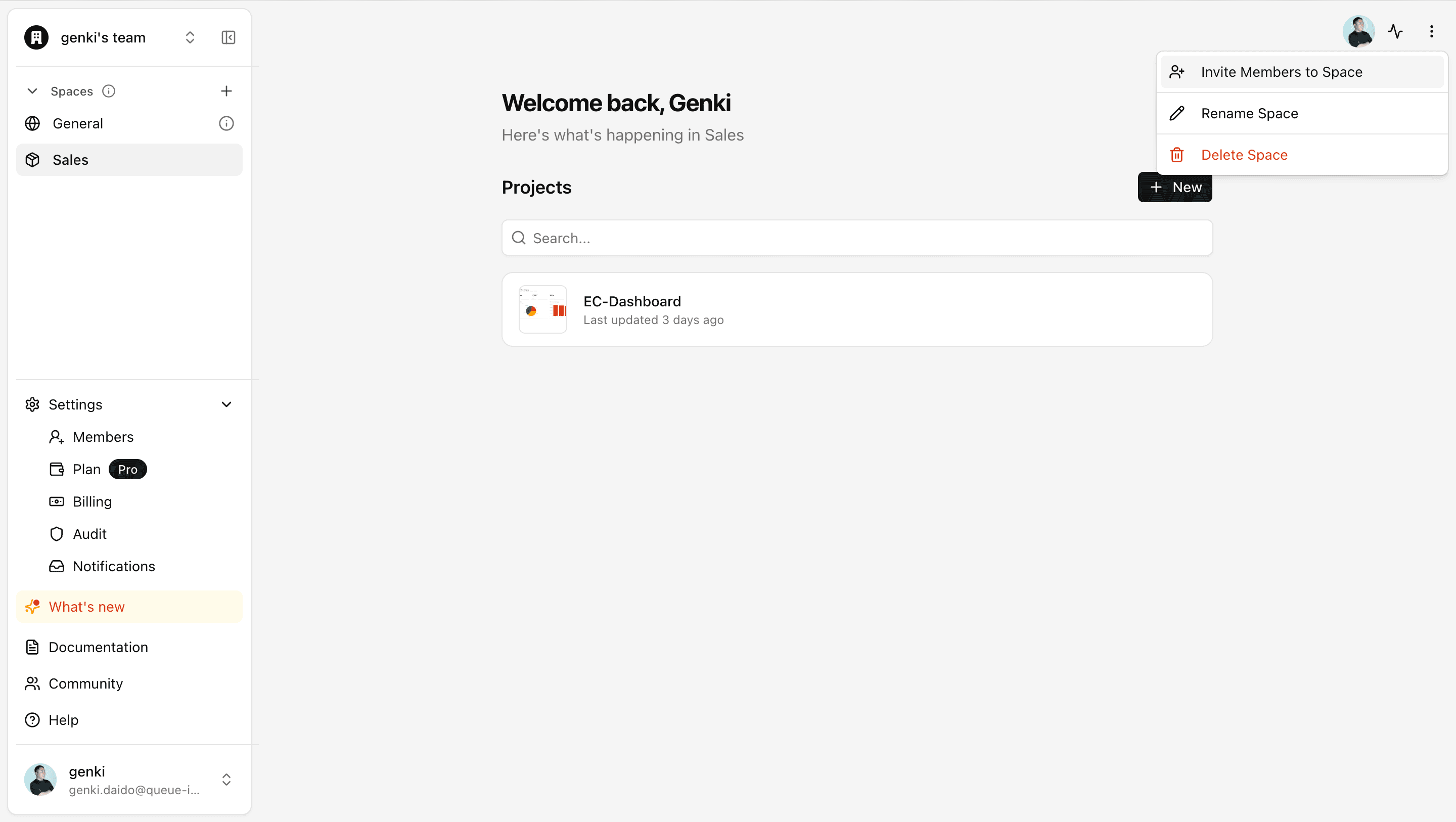
- Open the "..." menu on the space screen and click "Invite Members to Space"
- Select the members to invite and add them
Project Role
A project role is a role used to control what data is displayed and what actions are available for each user within a dashboard. It can be freely set with any string value per project, independently of the Organization Role.
For details, see Access Control.