Want to skip the setup and start vibe coding?
Get a full-stack vibe coding environment connected via Connectors in 10 minutes.
Start vibe codingPreparing Your Data for Analysis
Building a Solid Data Foundation for Your Streamlit Dashboard
This chapter covers building the data infrastructure for a BI dashboard, from data processing concepts to selecting the right database.
Why Data Preparation Matters
Organizational data is often scattered across SaaS applications, Excel spreadsheets, and CSV files. While Streamlit can connect to raw data, its performance and capabilities are enhanced when data is clean, organized, and accessible.
This preparation process is known as ETL (Extract, Transform, Load) or ELT (Extract, Load, Transform). It includes tasks like:
- Standardizing inconsistent data (e.g., "USA" vs. "United States").
- Masking sensitive personal information.
- Aggregating raw data into summary tables to accelerate queries.
- Generating vector embeddings for AI-powered semantic search.
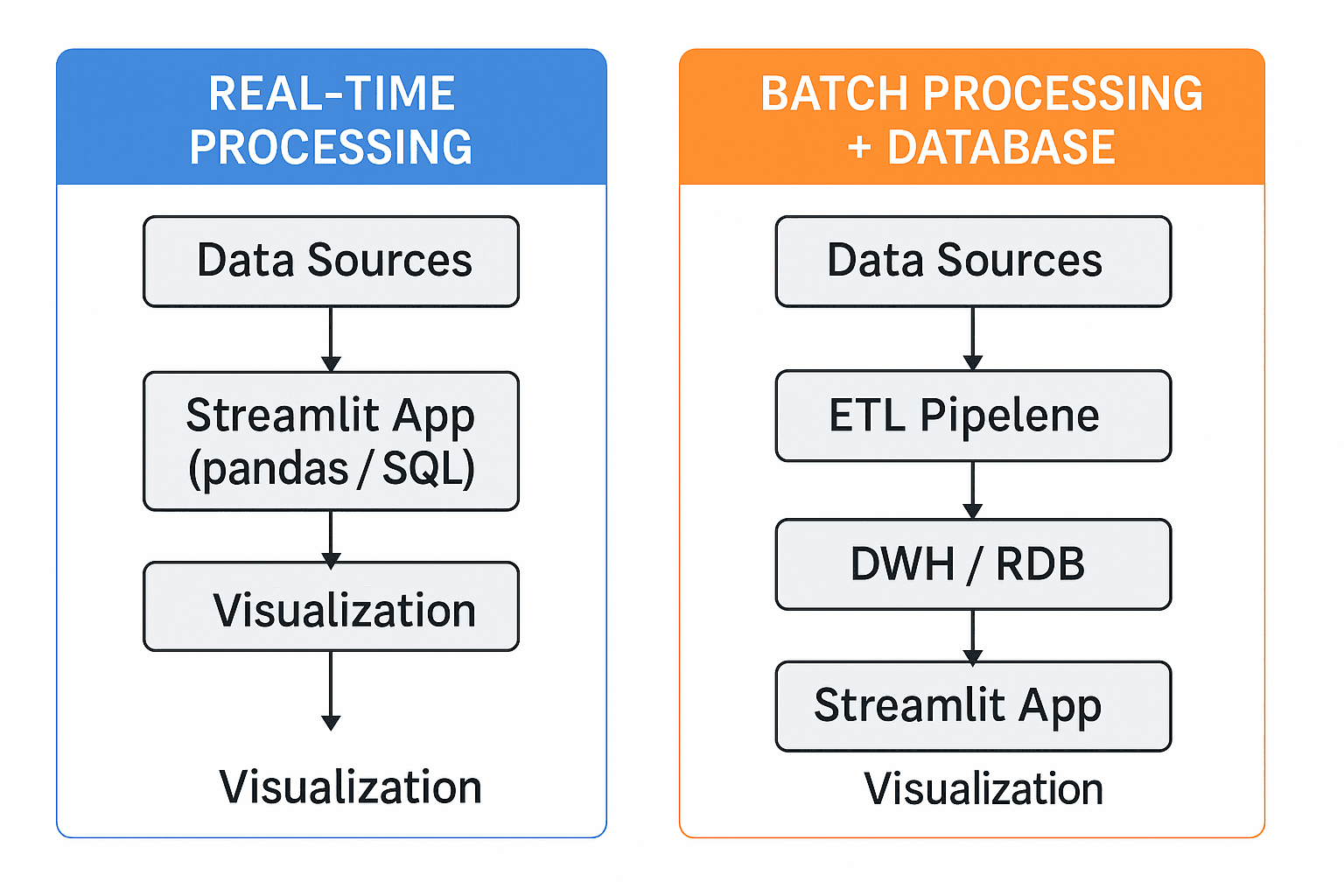
Transformations can be performed in two ways:
- Real-time: Process data on-the-fly within the Streamlit app using libraries like pandas.
- Batch: Pre-process data and store it in a dedicated database, which is updated on a schedule.
While real-time processing is suitable for small prototypes, a dedicated database is essential for handling larger datasets and ensuring reliable performance.
ETL vs. ELT: Two Approaches to Data Integration
The primary difference between ETL and ELT is where the transformation occurs.
- ETL (Extract → Transform → Load): Data is transformed before being loaded into the database. This traditional approach is often used when the target database has limited processing power.
- ELT (Extract → Load → Transform): Raw data is loaded into the database first, and then transformed using the database's native processing engine. This modern approach leverages the power of cloud data warehouses.
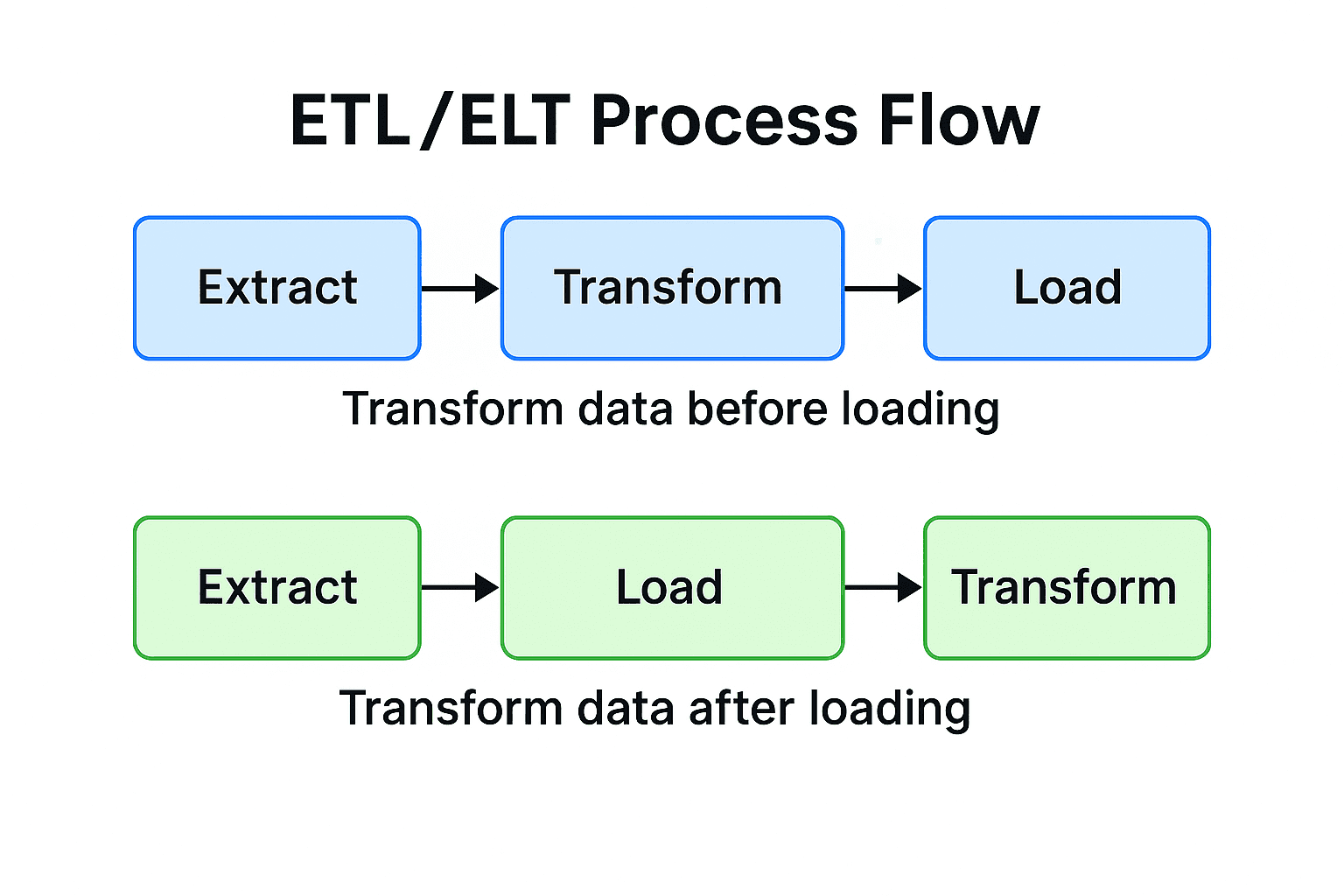
For most modern BI dashboards built on cloud data warehouses, ELT is the recommended approach due to its flexibility and scalability.
Choosing the Right Database
Selecting the right database depends on your specific needs for analysis, speed, and data structure. Here are three common types that integrate well with Streamlit.
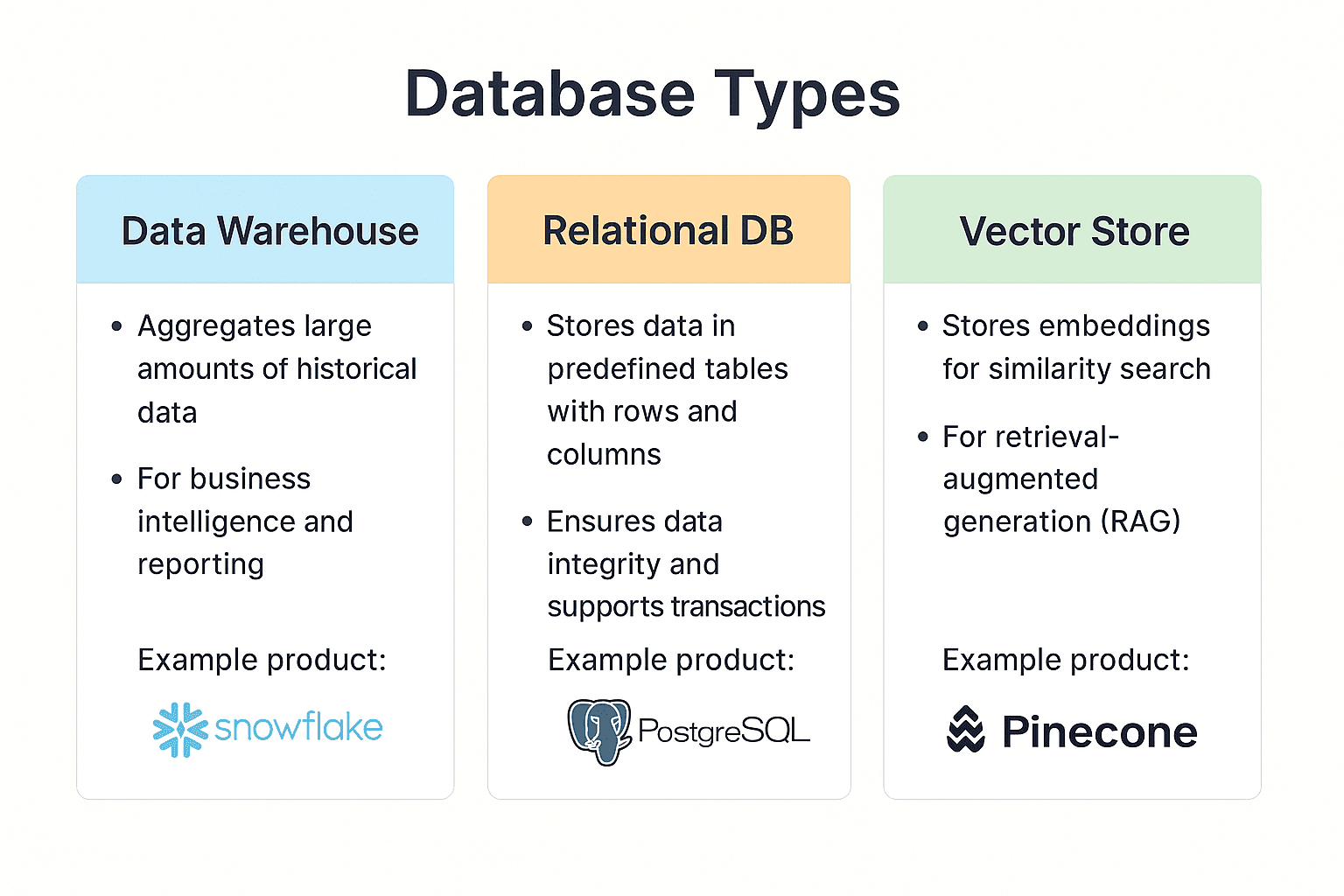
| Category | Role & Strengths | Popular Choices | Best For |
|---|---|---|---|
| Data Warehouse (DWH) | High-speed aggregation of large datasets for complex analysis. | Snowflake, BigQuery | Analyzing large volumes of historical data with SQL. |
| Relational Database (RDB) | Storing and managing transactional data with high consistency. | PostgreSQL, MySQL | Powering business applications and serving mid-scale analytics. |
| Vector Store | Storing data as vector embeddings for fast similarity searches. | Pinecone, Chroma | Enabling semantic search in generative AI applications (RAG). |
A Closer Look at Popular Database Services
| Service | Key Features |
|---|---|
| Snowflake | A cloud-native DWH with decoupled storage and compute, enabling scalable, high-speed analytics. |
| BigQuery | Google's serverless DWH, designed for rapid setup and analysis of terabyte-scale data. Includes built-in ML capabilities. |
| PostgreSQL | A leading open-source RDB known for its versatility, reliability, and extensive cloud support (e.g., Neon, Supabase). |
| Pinecone | A managed cloud service for vector stores, optimized for high-speed similarity search in AI applications. |
Keeping Your Data Fresh: ETL/ELT Automation
To ensure your dashboard displays current information, data transformation jobs must be run periodically. Here are common methods for automating this process.
| Method | How It Works | Best For | Pros | Cons |
|---|---|---|---|---|
| Manual Execution | Run a script (python etl.py) from a terminal. | Initial prototyping and one-off tasks. | Simple, immediate feedback. | Prone to human error; not scalable. |
| Cloud Schedulers | Use services like Prefect Cloud or dlt Cloud. | Continuous, scheduled execution for teams. | Web-based setup, logging, and notifications. | May incur costs at higher usage. |
| Dedicated ETL Tools | Use GUI-based services like Fivetran or Airbyte. | Integrating numerous complex data sources (e.g., SaaS APIs). | No-code, simplified management. | Can become expensive as data volume grows. |
Recommendation: Start with manual execution to test scripts. As the project matures, move to a cloud scheduler for reliable automation.
In-Database Transformations with dbt
dbt (data build tool) is a powerful tool for performing the "T" in ELT directly within your data warehouse using SQL.
Why use dbt?
- SQL-First: Accessible to anyone proficient in SQL.
- Version Control: Manage transformations with Git.
- Automated Testing: Ensure data quality and accuracy.
dbt is an excellent choice for teams with strong SQL skills where data quality is a top priority.
Data Preparation Best Practices
Follow these practices to ensure your data is clean, reliable, and ready for analysis.
1. Data Standardization
Unify data formats from different sources.
- Dates:
2024/01/01→2024-01-01 - Strings:
Tokyo,Tokyo City→Tokyo - Numbers:
100 yen,¥100→100
2. Data Cleansing
Improve data quality by addressing errors.
- Remove duplicate records.
- Handle missing values (e.g., fill with a default or remove the record).
- Correct outliers and invalid entries.
3. Protect Personal Information
Process personally identifiable information (PII) to meet compliance standards.
- Pseudonymization: "John Smith" → "Customer A"
- Masking:
john@example.com→jo***@example.com - Hashing: Generate a non-reversible ID from the original value.
4. Optimize for Performance
Improve dashboard loading speed.
- Create intermediate aggregation tables for frequently used summaries.
- Add indexes to columns used in search conditions.
- Partition large tables by date or region to reduce query scope.
Summary
This chapter covered the fundamentals of data preparation for a Streamlit dashboard.
Key Takeaways
- Preparation is Key: Clean, organized data is the foundation of an effective dashboard.
- Choose the Right Tool: Select a database that matches your analytical needs.
- Start Simple, Scale Smart: Begin with manual processes and adopt automation as your project matures.
- Prioritize Quality and Security: Implement data cleansing and privacy measures from the start.
Next Steps
With a data preparation strategy in place, the next chapter will cover connecting your database to Streamlit and writing efficient queries.
Get your first dashboard in 10 minutes
Free to get started · No credit card required