Want to skip the setup and start vibe coding?
Get a full-stack vibe coding environment connected via Connectors in 10 minutes.
Start vibe codingGithub Codespaces and Claude Code Account Setup
In this chapter, we'll set up GitHub and Claude Code accounts, which are essential for starting vibe coding.
Overcoming Psychological Barriers to Developer Tools
When people see the phrase "for developers," many feel intimidated.
However, in reality, the tools we'll use aren't anything special. Both GitHub and Claude Code can be started by anyone in just a few minutes with an email address and basic information, just like any common web service.
Don't worry if you're not an engineer. These tools are designed to be used without specialized programming knowledge.
GitHub Account Creation and Basic Setup
GitHub is a platform where developers worldwide manage and share code. You'll use this environment to advance your vibe coding.
First, go to GitHub.com and click "Sign up" in the upper right.
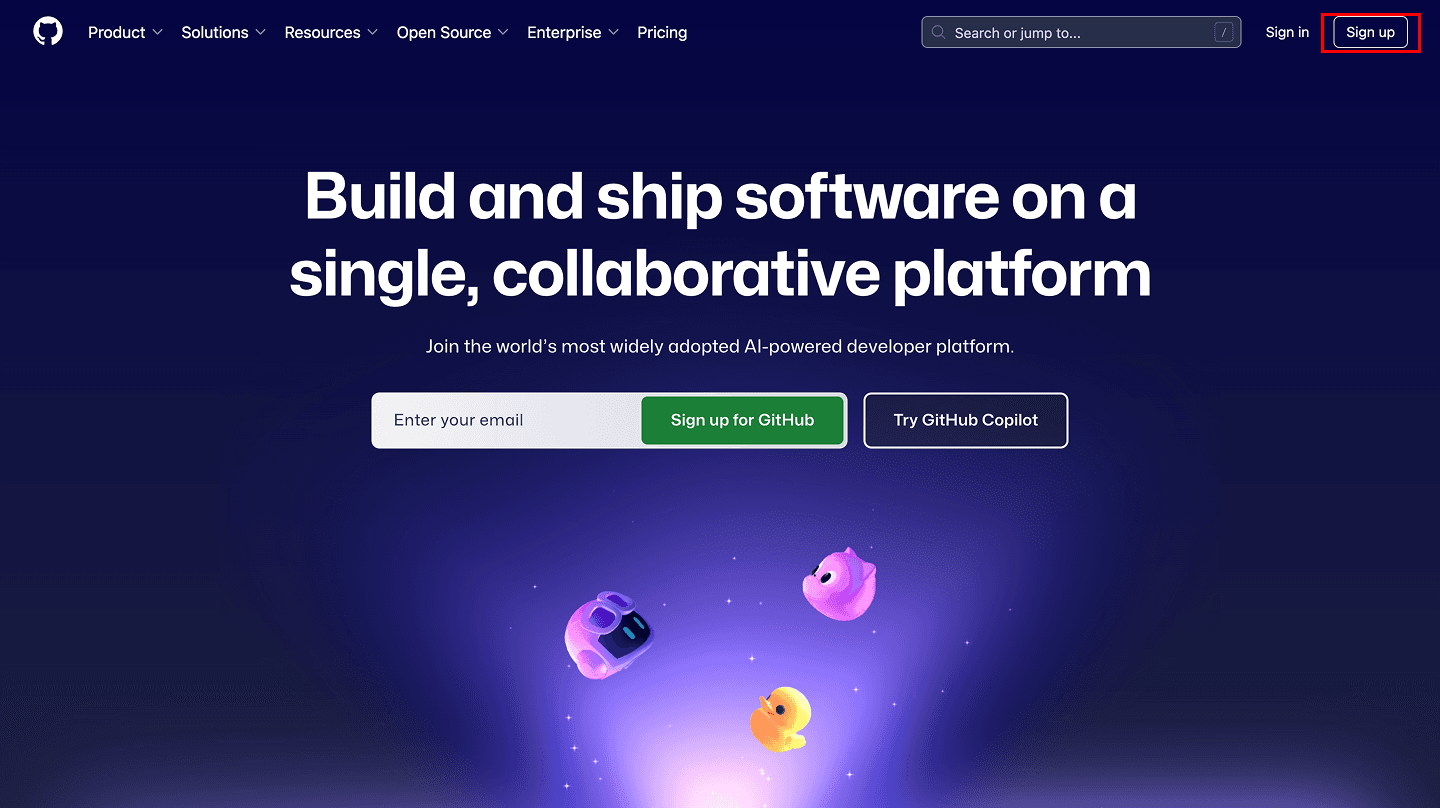
For account creation, enter the following information:
- Email address
- Password
- Username
- Country of residence
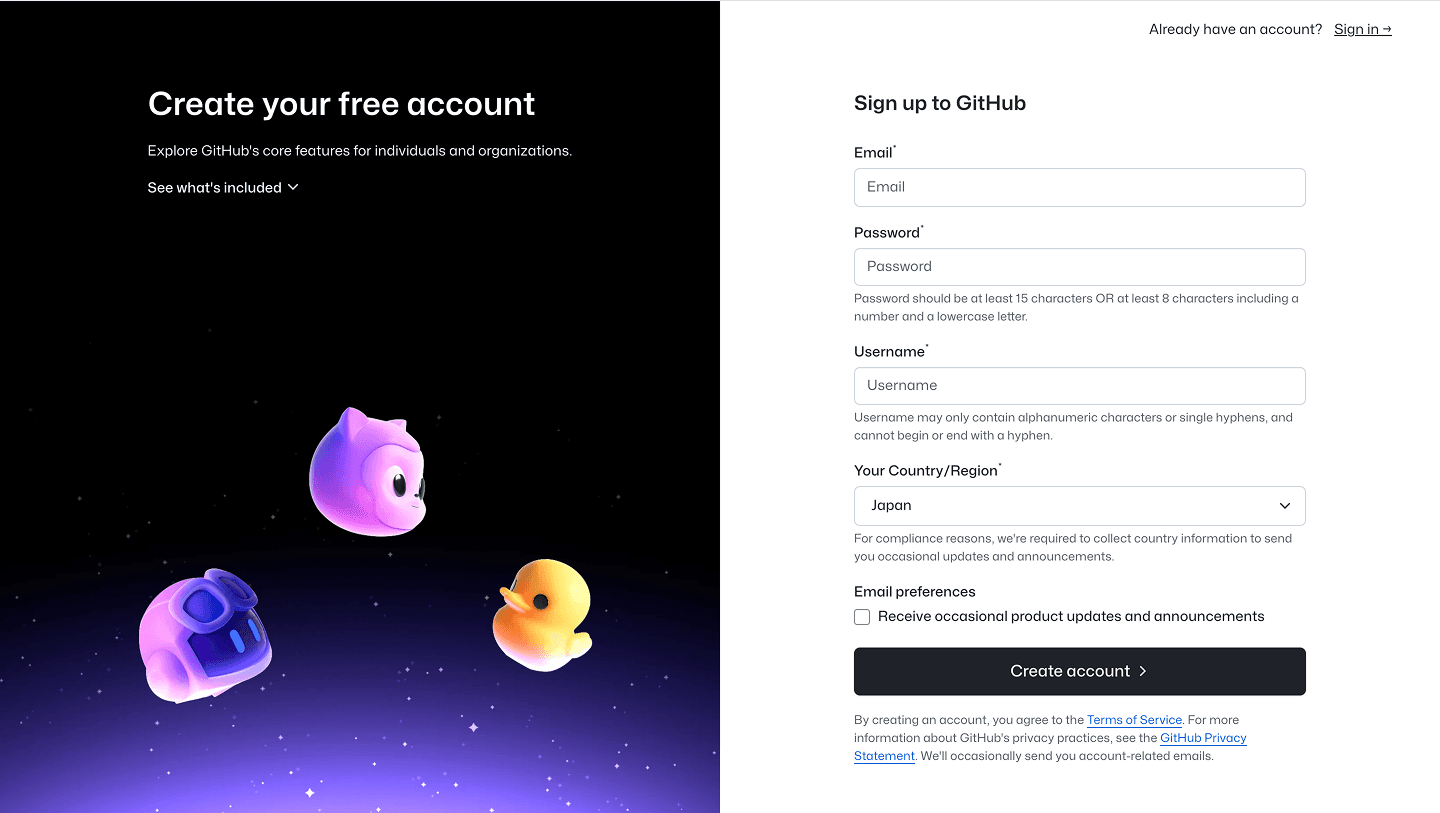
This completes your account registration. You can use it without any issues on the free plan.
The GitHub free plan includes these features:
- Unlimited public and private repositories
- Unlimited collaborators
- GitHub Actions: 2,000 minutes/month
- GitHub Packages: 500MB
- Codespaces: 120 core hours/month, 15GB/month
Codespaces is a GitHub feature that provides a development environment running in your browser. We'll use this feature for learning the content in this book.
"Core hours" means "number of CPU cores × usage time." For example:
- Using a 2-core machine for 1 hour → consumes 2 core hours (can use up to 60 hours/month)
- Using a 4-core machine for 1 hour → consumes 4 core hours (can use up to 30 hours/month)
For beginner learning purposes, the default 2-core machine is sufficient. This means you can effectively use it for free for up to 60 hours per month. This is more than enough that you'll rarely exhaust it during this learning process.
Free Plan Limitations and Efficient Usage
To efficiently utilize the Codespaces free quota, let's understand the limitations.
As mentioned above, Codespaces has two types of metrics: Usage hours and Storage. If either reaches the monthly limit, you won't be able to use Codespaces until you pay additional fees.
Usage hours are the time that Codespaces is actually running. When you interrupt work, you can prevent unnecessary time consumption by stopping Codespaces.
Storage is the capacity of files saved within Codespaces. It's important to delete unnecessary files and minimize large data files.
Deleting unnecessary Codespaces is also important. Delete finished Codespaces to save storage capacity.
You can check usage in the Usage report at GitHub Settings. This screen shows current usage status and remaining time/capacity.
By being mindful of these points, you can comfortably proceed with vibe coding within the free quota.
Anthropic Account Creation and Claude Code Preparation
Next, we'll create an account with Anthropic and prepare to use Claude Code.
Go to Claude Code and click "Sign up" for the Pro version.
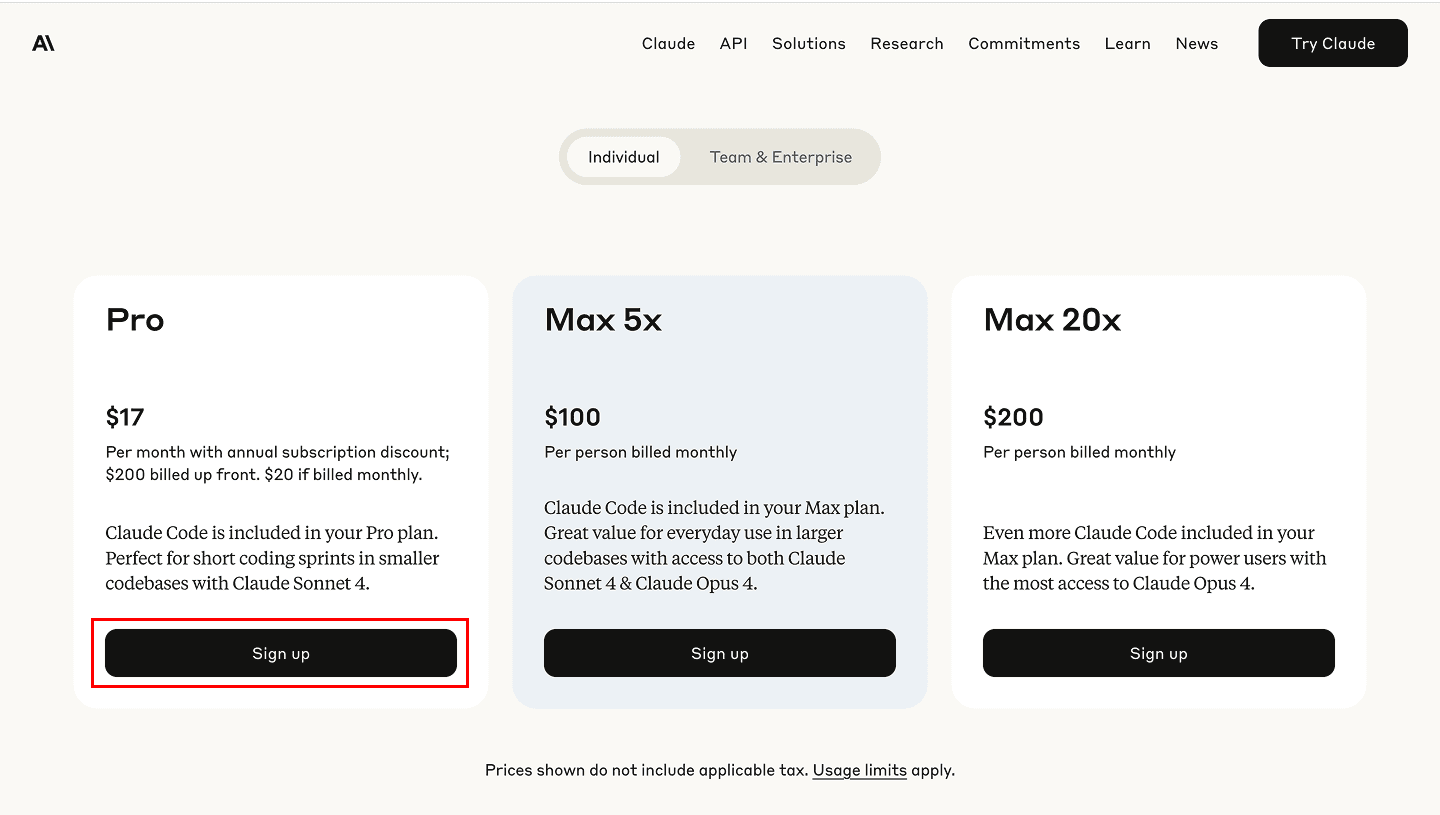
For account creation, enter your email address and password. If you have a Google account, selecting "Continue with Google" makes registration easy.
The Pro version adds these features:
- Access to Claude Code
- Higher usage limits
- Priority server access
- Early access to new features
It's a monthly subscription that you can cancel anytime. In fact, many learners acquire the skills in about 1-2 months.
This completes your account setup. In the next chapter, we'll actually use Codespaces to build a development environment and experience vibe coding.
Get your first dashboard in 10 minutes
Free to get started · No credit card required