Squadbase vs. Tableau. Which option best suits your team?
Squadbase is the AI-native BI platform where every team member builds and shares dashboards. No SQL, no BI developer, no per-seat viewer fees.
Tableau was built for BI developers. Squadbase was built for everyone else.
Why teams switch
Three reasons teams make the switch.
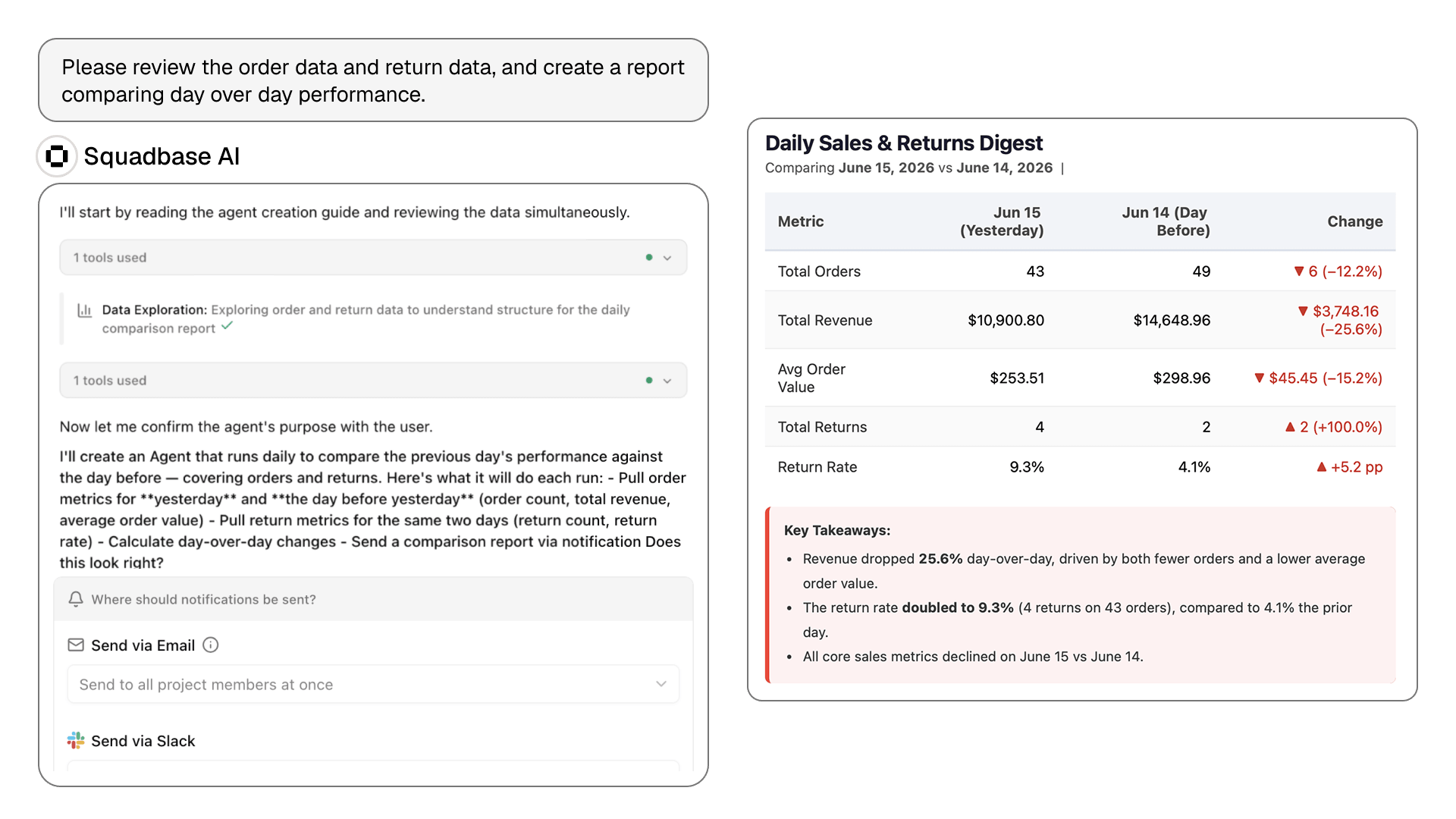
First dashboard live in minutes.
- Users get instant access, no build phase required
- AI works directly against your connected data
- No SQL or training needed to get started
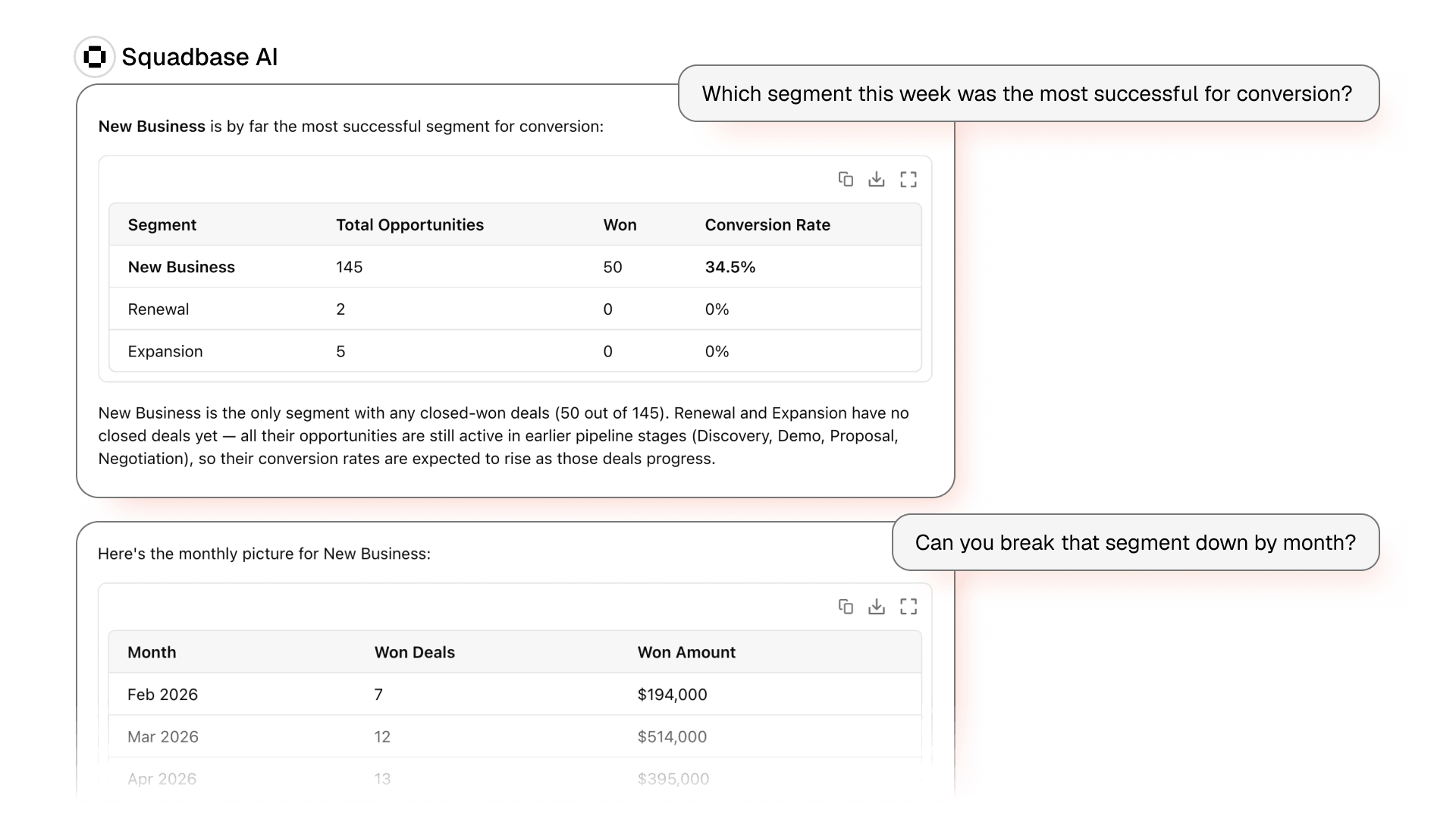
Update your dashboard by simply asking.
- Just describe the change — "Switch to Q2," "Break out by region"
- The AI applies it directly, instantly
- Keeps everything you've already built, every time
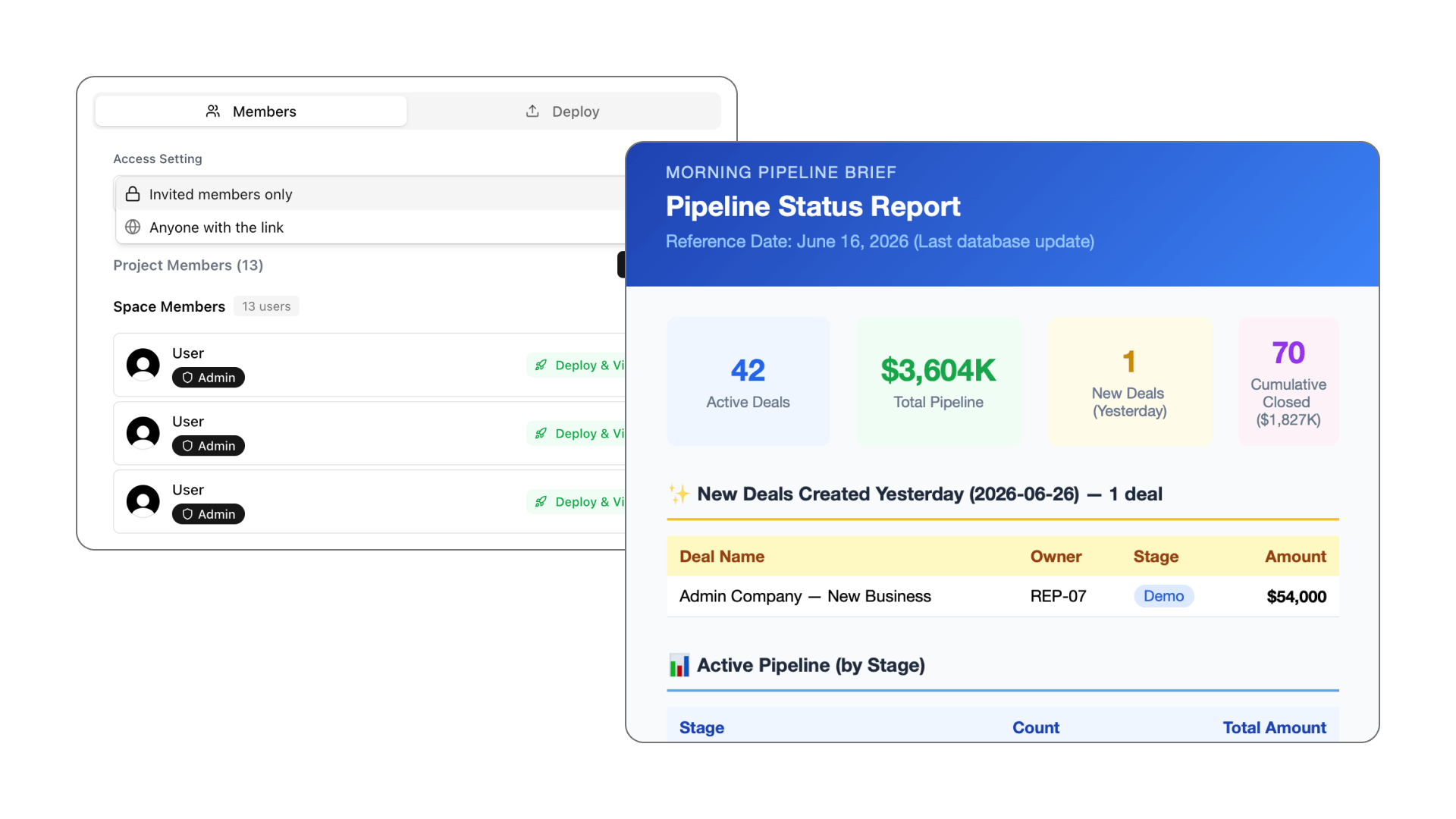
Start free, scale on your terms.
- Connect your data and share your first dashboard today
- No sales call, no contract, no credit card
- Upgrade only when the value is clear
Feature comparison
Squadbase vs. Tableau. Side by side.
Feature | Squadbase | Tableau |
|---|---|---|
| Dashboard creation | Natural language. Any user, immediately. | Drag-and-drop. Creator license required to build. |
| Who can build | Every team member. | Creator license holders only. |
| Setup time to first dashboard | Minutes. | Weeks to months (data modeling, calculated fields, and publishing workflow required). |
| Viewer access | Unlimited viewers at no extra cost. | Separate paid Viewer license required per person. |
| AI transparency | Shows all logic. Every chart is inspectable. | AI-generated summaries don't expose underlying query logic by default. |
| Dashboard updates | Conversational. Describe the change. | Requires Creator/Explorer access, Desktop or web edit, and republish. |
| Metric monitoring & alerts | AI agents investigate root cause and report automatically. | Tableau Pulse monitors followed metrics and sends natural-language alerts (included with Tableau Cloud). |
| Live DB connections | Snowflake, BigQuery, Redshift, SaaS tools. | 100+ native connectors. Strong data integration. |
| Visualization depth | AI-generated charts. Standard types covered. | Industry-leading. Pixel-perfect customization. |
| Learning curve | Minutes to first dashboard. | Weeks to months for calculated fields, LOD expressions, and publishing workflows. |
| Free tier | Free to start. No credit card required. | 14-day free trial of Desktop. Tableau Public for public data only. |
| Security | SOC 2. Isolated execution environments per user. | SOC 2. Enterprise-grade RBAC. |
Feature comparison as of April 2026. For current Tableau licensing details, visit tableau.com/pricing. Squadbase: Free $0 · Individual $20/mo · Pro $40 per creator seat/mo · Team $75 per creator seat/mo; viewers free on Pro and above.
Honest take
When Tableau is still the right choice.
Tableau is one of the most capable BI platforms ever built. Here's when it remains the stronger pick:
- Your organization already has a dedicated BI team fluent in Tableau's LOD expressions and Server administration, ready to build on that existing investment.
- You need pixel-perfect, publication-quality visualizations for executive presentations or client-facing reports where visual precision is non-negotiable.
- You're deeply embedded in the Salesforce ecosystem and need native CRM Analytics integration as part of a broader contract.
For the record, it's still our website. But we'd rather you pick the right tool than the wrong one.
We needed dashboards for three departments and had no engineering resources to build them. We had all three live by the end of the first afternoon. That would have taken months with a governed BI platform.
Frequently asked questions
What's the main difference between Squadbase and Tableau?
Tableau is built for trained BI analysts who create dashboards for others to view. Squadbase lets everyone, not just analysts, build their own dashboards using plain language. The key difference is who can create, not just who can consume.
Do I need to know SQL to use Squadbase?
No. Squadbase's AI translates natural language into queries automatically. Analysts who prefer SQL can write it directly, but it's never required. Tableau also offers no-code authoring, though advanced work requires learning its proprietary expression languages.
Do I need to know LOD calculations to use Squadbase?
No, and that's the point. Tableau's LOD expressions take real time to learn. With Squadbase, just ask for what you want — the AI handles the calculation behind the scenes.
How does pricing compare?
Squadbase is free to start and viewers are free on Pro and above: Free $0, Individual $20/month, Pro $40 per creator seat/month, Team $75 per creator seat/month. Tableau charges every user by role, with Viewer, Explorer and Creator tiers priced per user per month, so sharing broadly across an organization adds up fast. Check tableau.com/pricing for current figures.
When is Tableau still the better choice?
If your team already has BI developers fluent in Tableau's ecosystem, or you need the deepest possible visualization customization for client-facing reports, Tableau is hard to beat. Squadbase is the stronger choice when you need broader team access and faster time-to-dashboard.
Is my data secure?
Yes. Squadbase is SOC 2 certified with isolated execution environments per user and role-based access controls. Data processed through Squadbase is never used to train AI models.
Is Squadbase a good alternative to Tableau for non-technical teams?
Yes. Tableau assumes someone can build dashboards using its visual tools or LOD expressions. Squadbase removes that requirement: describe what you want in plain language and get a working dashboard back, no Creator license or BI training needed.
Ready to see the difference?
Free to start. Connect your data and share your first dashboard today. No credit card, no contract.