Squadbase vs. Looker. Which is right for your team?
Squadbase is the AI-native BI platform where every team member builds and shares dashboards. No LookML, no engineering prerequisite, no per-viewer fees.
Looker was built for data engineers. Squadbase was built for the questions that can't wait.
Why teams switch
Three reasons teams make the switch.
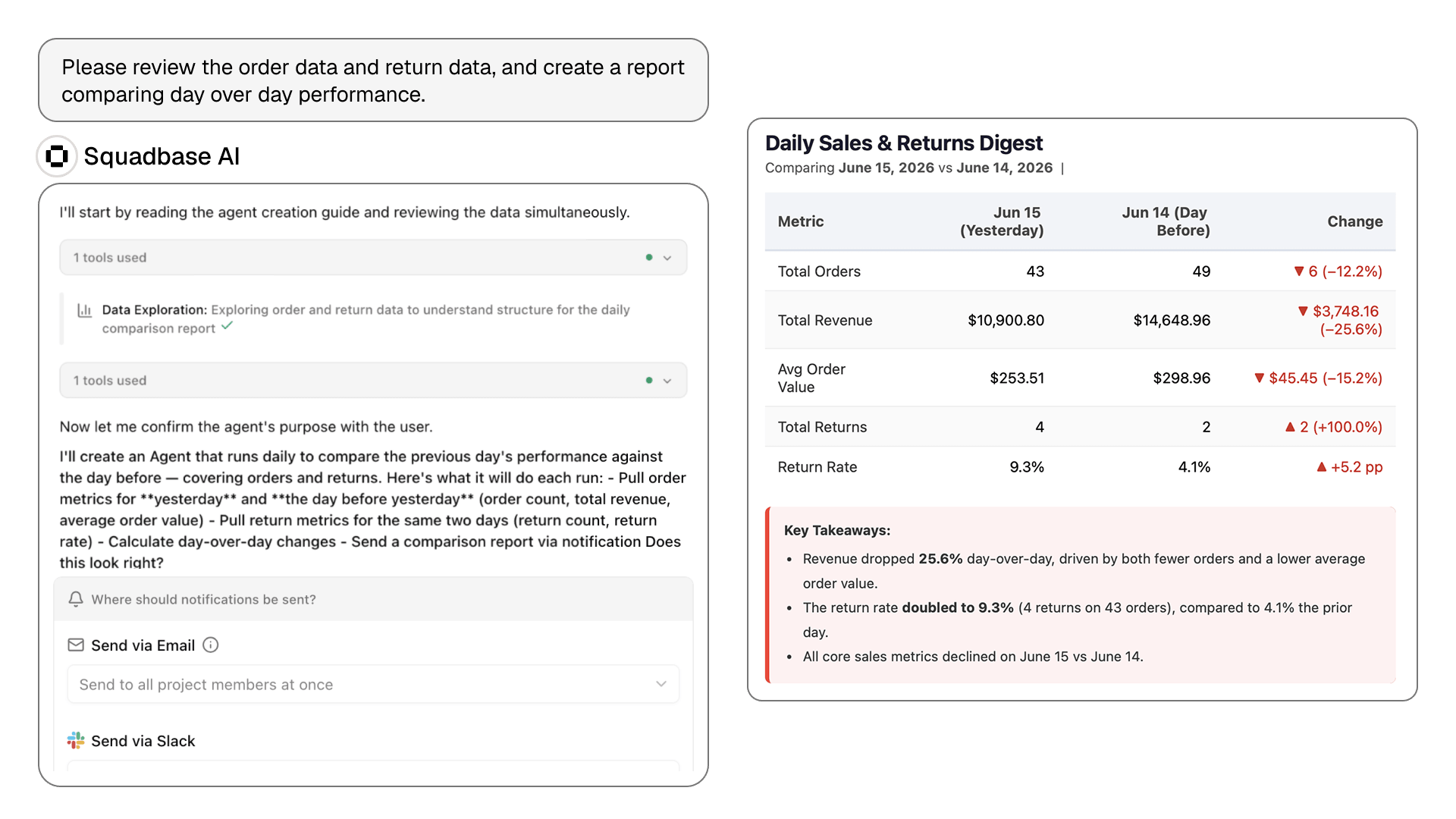
First dashboard live in minutes.
- Users get instant access, no build phase required
- AI works directly against your connected data
- No SQL or training needed to get started
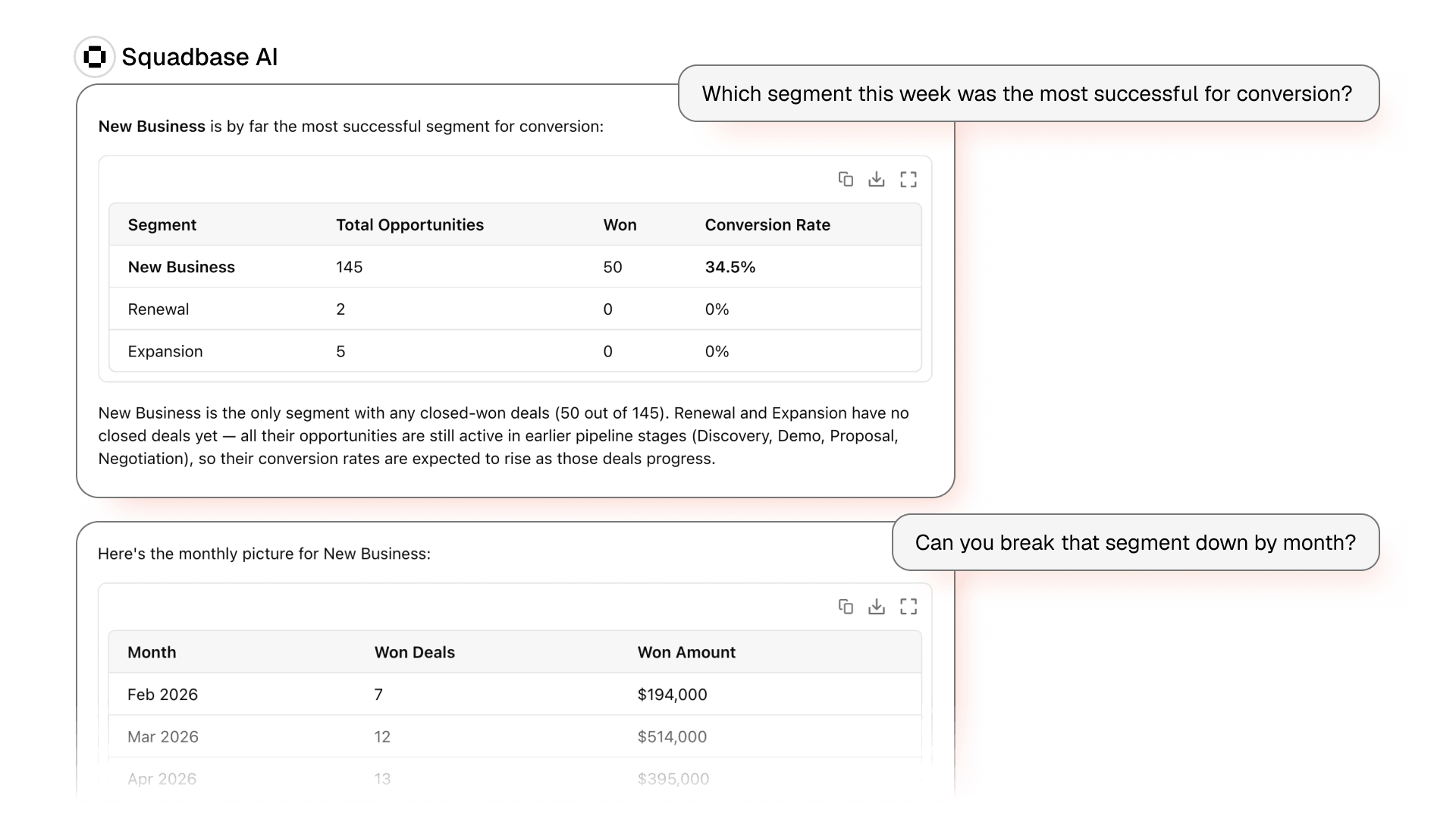
Update your dashboard by simply asking.
- Just describe the change — "Switch to Q2," "Break out by region"
- The AI applies it directly, instantly
- Keeps everything you've already built, every time
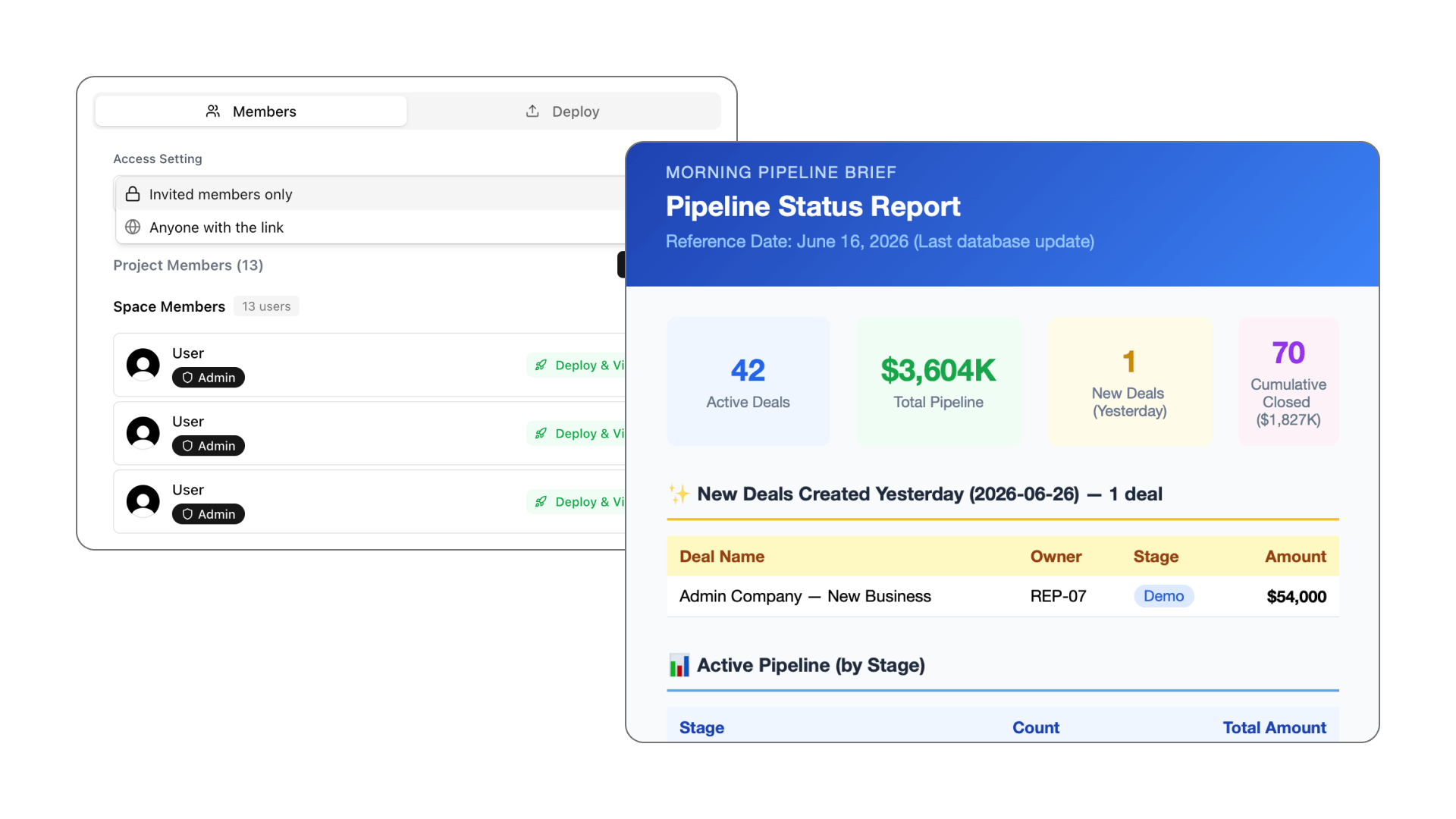
Start free, scale on your terms.
- Connect your data and share your first dashboard today
- No sales call, no contract, no credit card
- Upgrade only when the value is clear
Feature comparison
Squadbase vs. Looker. Side by side.
Feature | Squadbase | Looker |
|---|---|---|
| Dashboard creation | Natural language. Any user, immediately. | Requires LookML semantic model built by engineers first. |
| Who can build | Every team member. | Business users query within engineer-defined boundaries. |
| Setup time to first dashboard | Minutes. | Weeks to months (LookML development required). |
| Viewer access | Unlimited viewers at no extra cost. | Viewer seats add per-user cost. Organisation-wide sharing is expensive. |
| AI transparency | Shows all logic. Every chart is inspectable. | AI queries run against semantic layer. Underlying logic less visible. |
| Dashboard updates | Conversational. Describe the change. | Requires LookML update and re-deployment by engineering team. |
| Live DB connections | Snowflake, BigQuery, Redshift, SaaS tools. | Multi-database. Best performance on BigQuery / GCP. |
| Engineering requirement | None. | 0.5–2 FTE data engineers for LookML build and maintenance. |
| Learning curve | Minutes to first dashboard. | Significant. LookML is a specialist skill. |
| Security | SOC 2. Isolated execution environments per user. | Enterprise-grade. SOC 2, HIPAA, granular RBAC. |
Feature comparison as of April 2026. For current Looker licensing details, visit cloud.google.com/looker/pricing. Squadbase: Free $0 · Individual $20/mo · Pro $40 per creator seat/mo · Team $75 per creator seat/mo; viewers free on Pro and above.
Honest take
When Looker is still the right choice.
Looker is a genuinely sophisticated platform with capabilities that matter at enterprise scale. Here's when it remains the stronger pick:
- Your organisation has mature data engineering resources who can own LookML development, and you need the consistency and governance that a well-maintained semantic layer provides across hundreds of dashboards.
- You are deeply committed to the Google Cloud Platform ecosystem and need a BI platform that integrates natively with BigQuery, Vertex AI, and Google's broader data infrastructure.
- Your use case requires complex embedded analytics. Customer-facing dashboards, white-labelled data products, API-driven delivery. Looker's architecture-first approach is a genuine advantage there.
- Regulatory requirements in your industry demand the level of data governance, access control, and audit logging that only Looker's enterprise tier provides.
For the record, it's still our website. But we'd rather you pick the right tool than the wrong one.
We needed dashboards for three departments and had no engineering resources to build them. We had all three live by the end of the first afternoon. That would have taken months with a governed BI platform.
Frequently asked questions
What's the main difference between Squadbase and Looker?
Looker is a modeling-first BI platform: someone has to define your metrics in LookML before anyone can explore them. Squadbase starts from the question. Connect your data, ask in plain language, and get a chart back; the semantic layer is built up as you go instead of before you start.
Do I need to learn LookML to use Squadbase?
No. LookML is Looker's own modeling language, and building or changing a model usually goes through a developer. In Squadbase there is nothing to model up front: the AI writes the query from your question, and analysts who want SQL can still write it directly.
Is Looker Studio the same thing as Looker?
No. Looker Studio (formerly Data Studio) is Google's free report builder; Looker is the enterprise platform with LookML and per-user licensing. Squadbase competes with the workflow behind both: instead of building a report or a model first, you ask a question and share the answer.
How does pricing compare?
Squadbase is free to start and viewers are free on Pro and above: Free $0, Individual $20/month, Pro $40 per creator seat/month, Team $75 per creator seat/month. Looker is licensed per user on top of a platform fee, with separate Developer, Standard and Viewer tiers, so wide sharing adds up quickly. Check cloud.google.com/looker/pricing for current figures.
When is Looker still the better choice?
If you already run a governed LookML model that many teams depend on, or you need Looker's embedded analytics and Google Cloud integration at scale, Looker is the safer bet. Squadbase is the stronger choice when the bottleneck is getting answers to people who don't build models.
Is my data secure?
Yes. Squadbase is SOC 2 certified with isolated execution environments per user and role-based access controls. Data processed through Squadbase is never used to train AI models.
Is Squadbase a good alternative to Looker for teams without a data engineer?
Yes. Looker assumes someone owns the model. Squadbase removes that dependency: connect a warehouse or a SaaS tool, ask in plain language, and share the result, with no LookML, no developer seat and no modeling sprint before the first answer.
Ready to see the difference?
Free to start. Connect your data and share your first dashboard today. No credit card, no contract.