GitHub Integration
Learn how to connect Squadbase with GitHub to manage source code and import existing projects.
By integrating GitHub with Squadbase, you can:
- Push dashboard source code created in Squadbase to your own repository
- Import existing dashboard code (such as Next.js projects) from your repository into Squadbase for further development
Connecting Your GitHub Account
Open Profile Settings
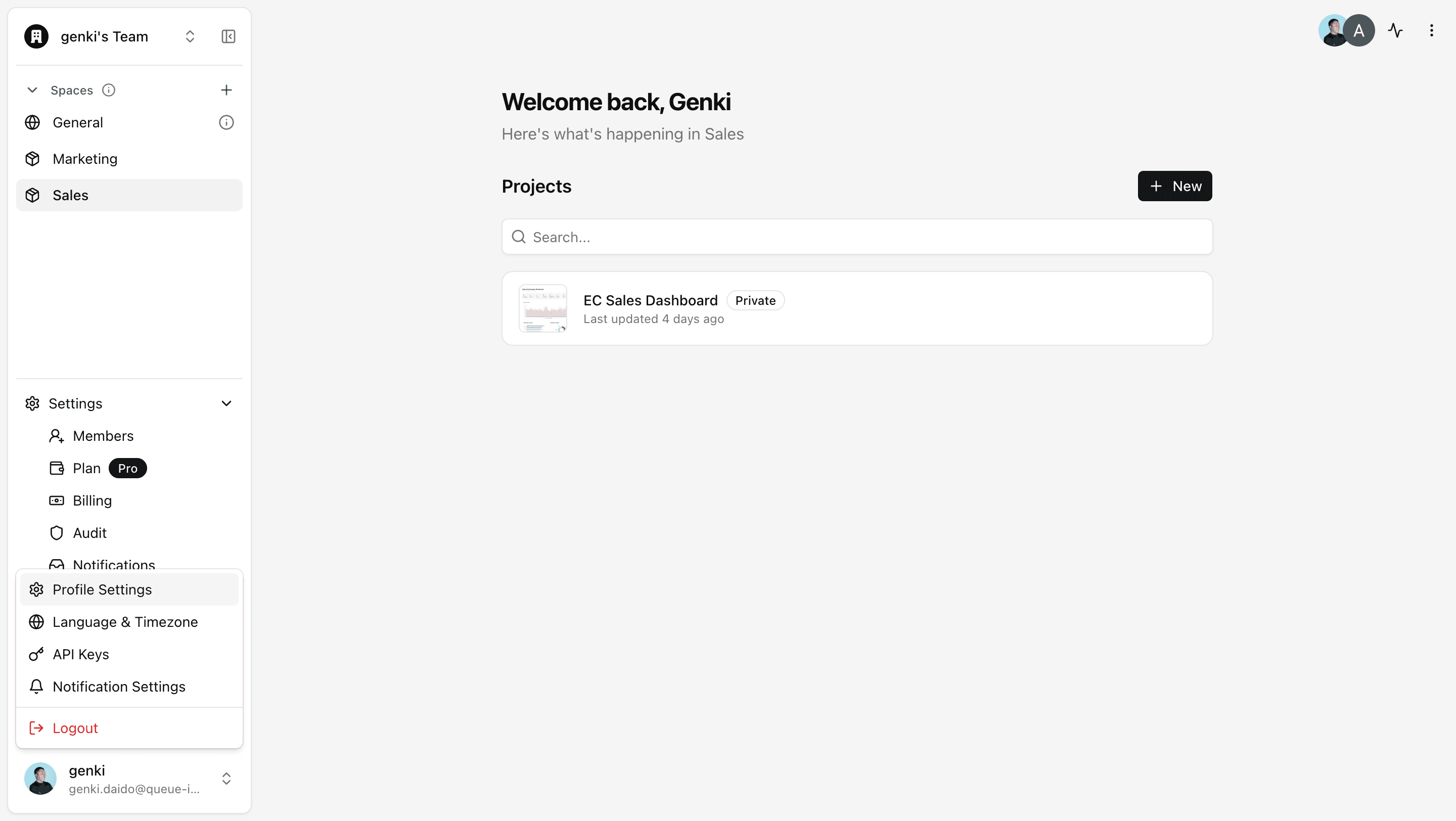
Click the account icon at the bottom of the left sidebar on the Portal screen to open Profile Settings.
Link Your GitHub Account
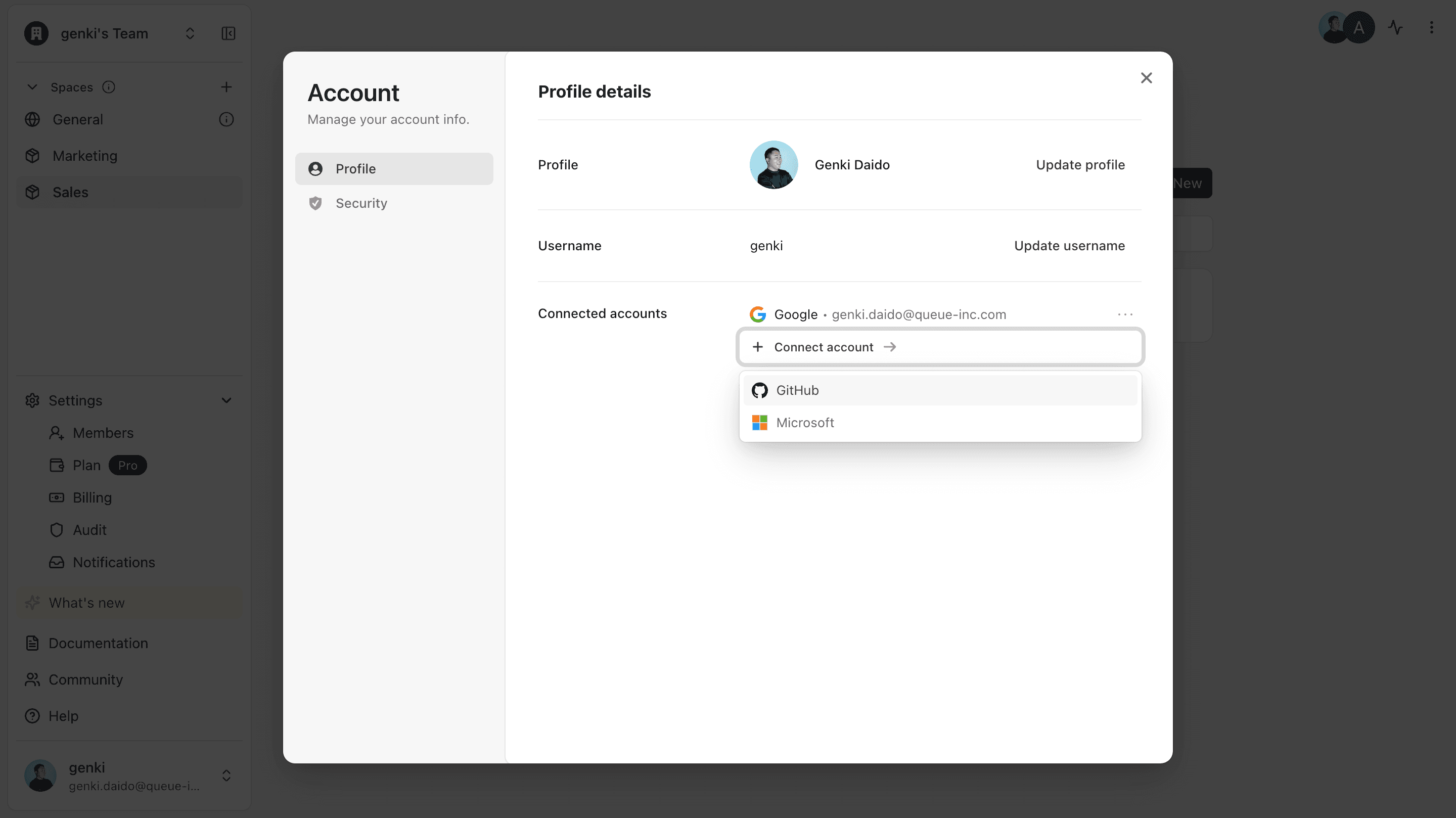
In your profile details, click "+ Connect Account" and select GitHub.
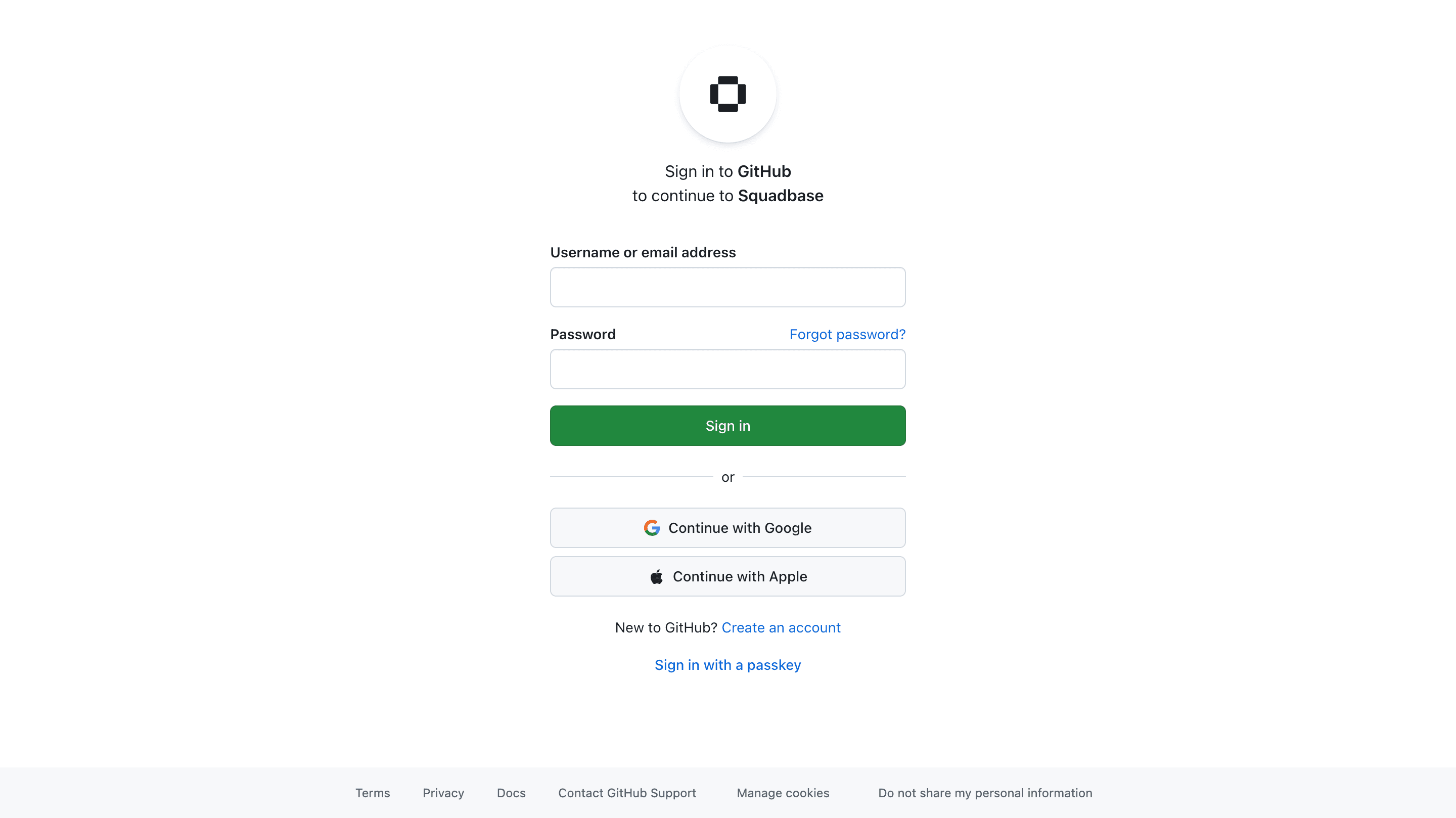
Selecting GitHub will redirect you to the GitHub page. Enter your login credentials, and you will be automatically redirected back to Squadbase.
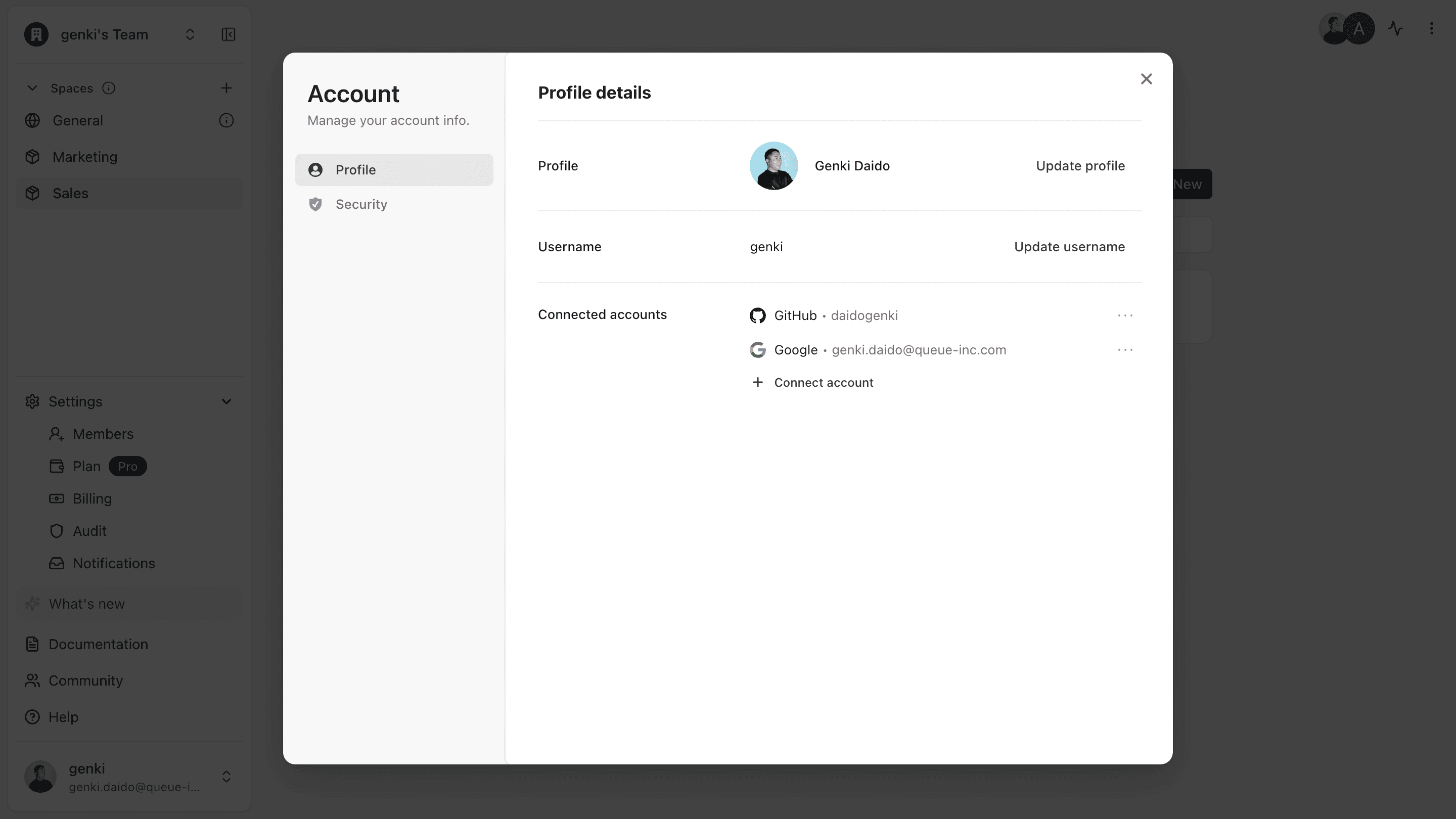
Once GitHub appears under connected accounts, the linking is complete.
Push Squadbase Code to Your Repository
Follow these steps to add your Squadbase dashboard source code to your own GitHub repository.
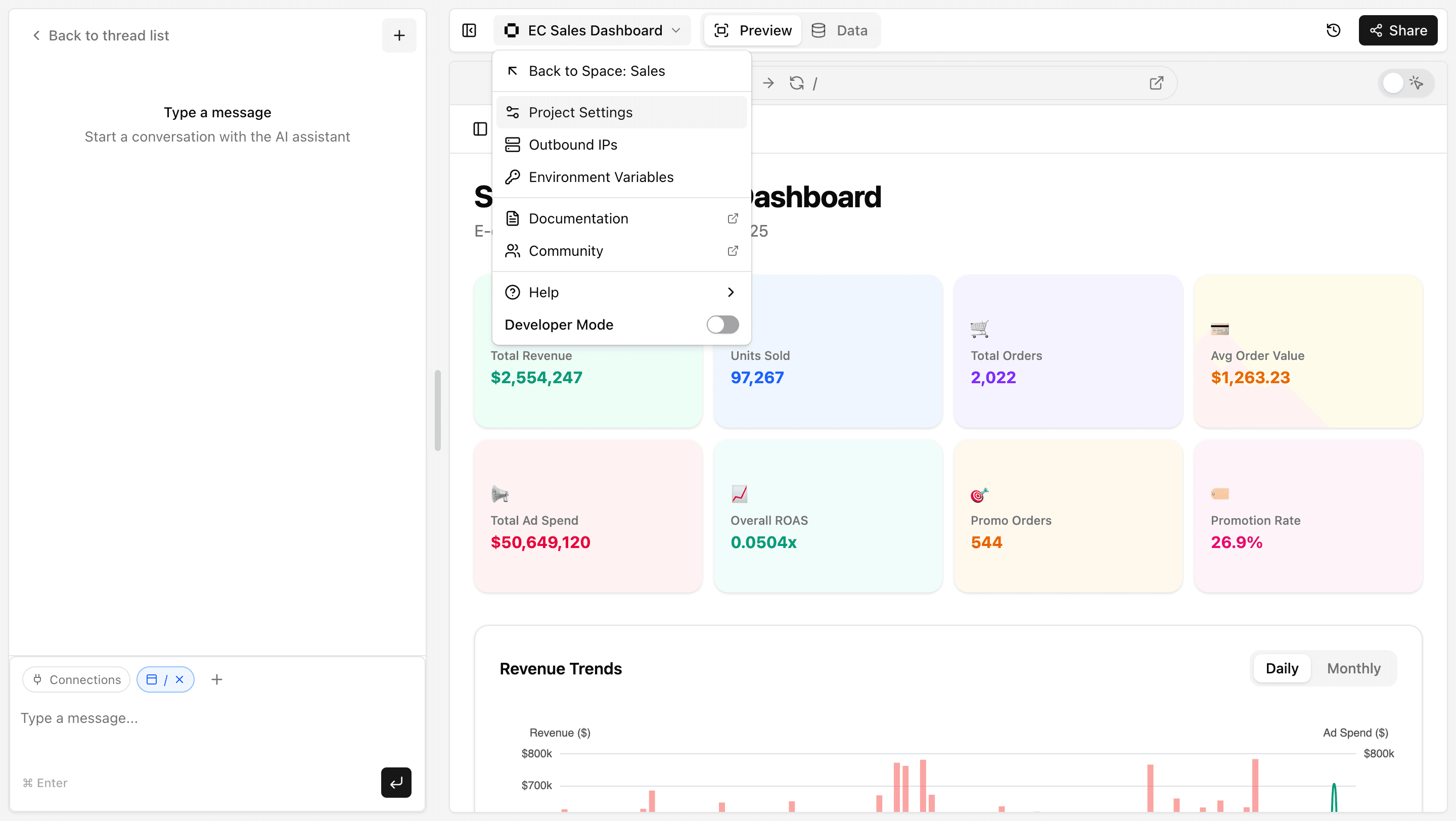
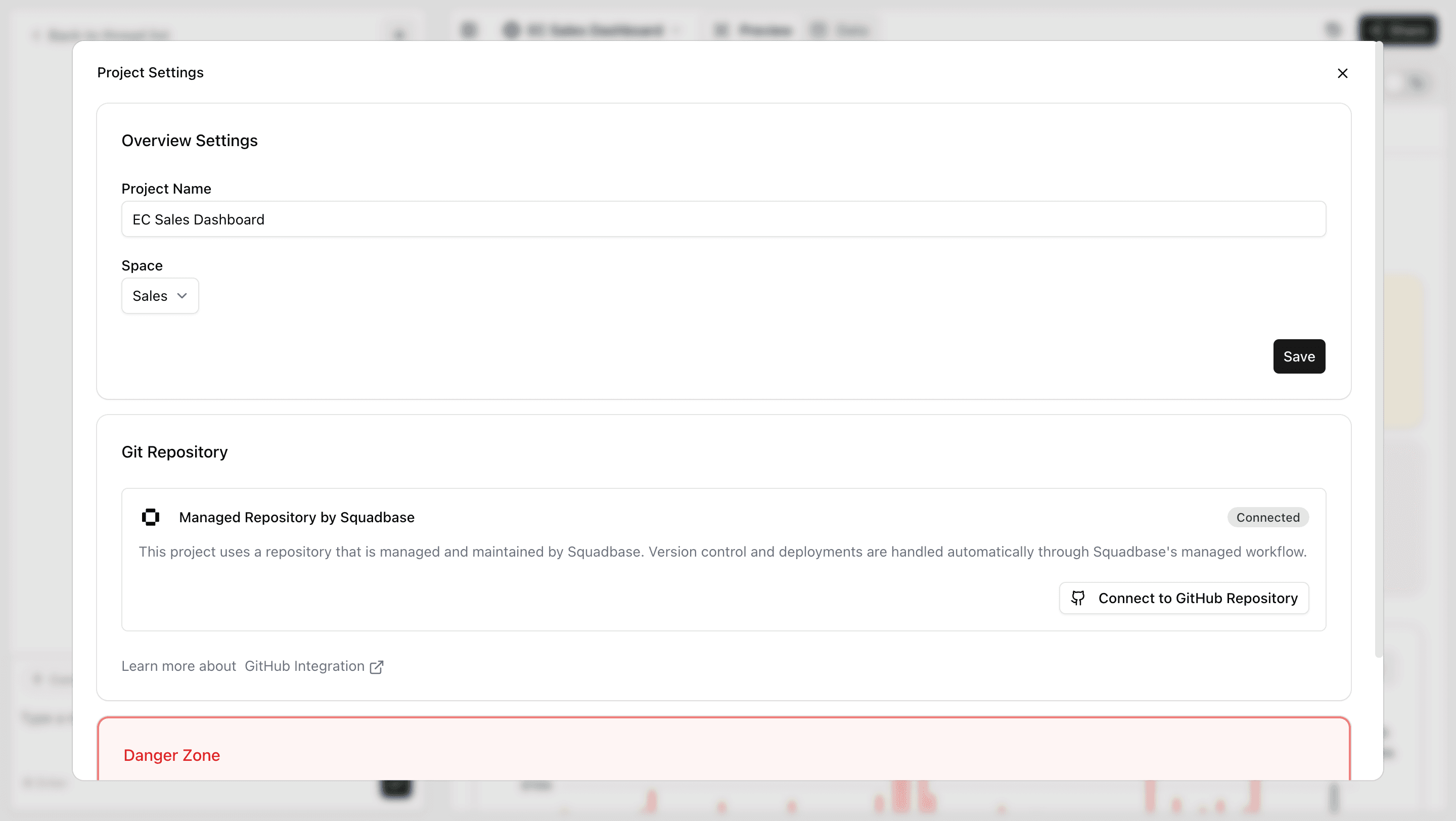
Install the Squadbase App on Your GitHub Organization
Click "Install GitHub App" to navigate to GitHub.
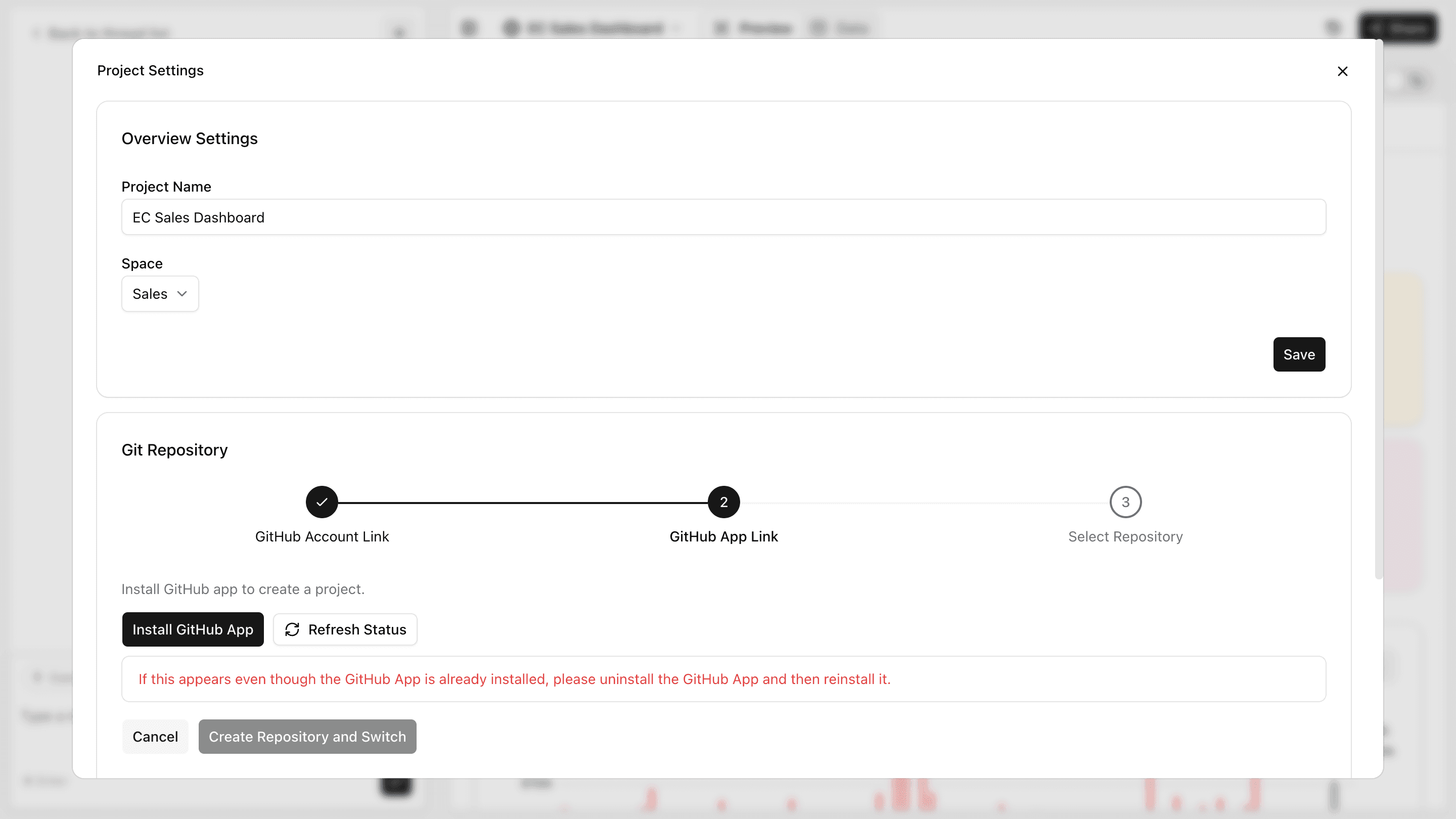
Choose whether to grant access to all repositories or only select repositories.
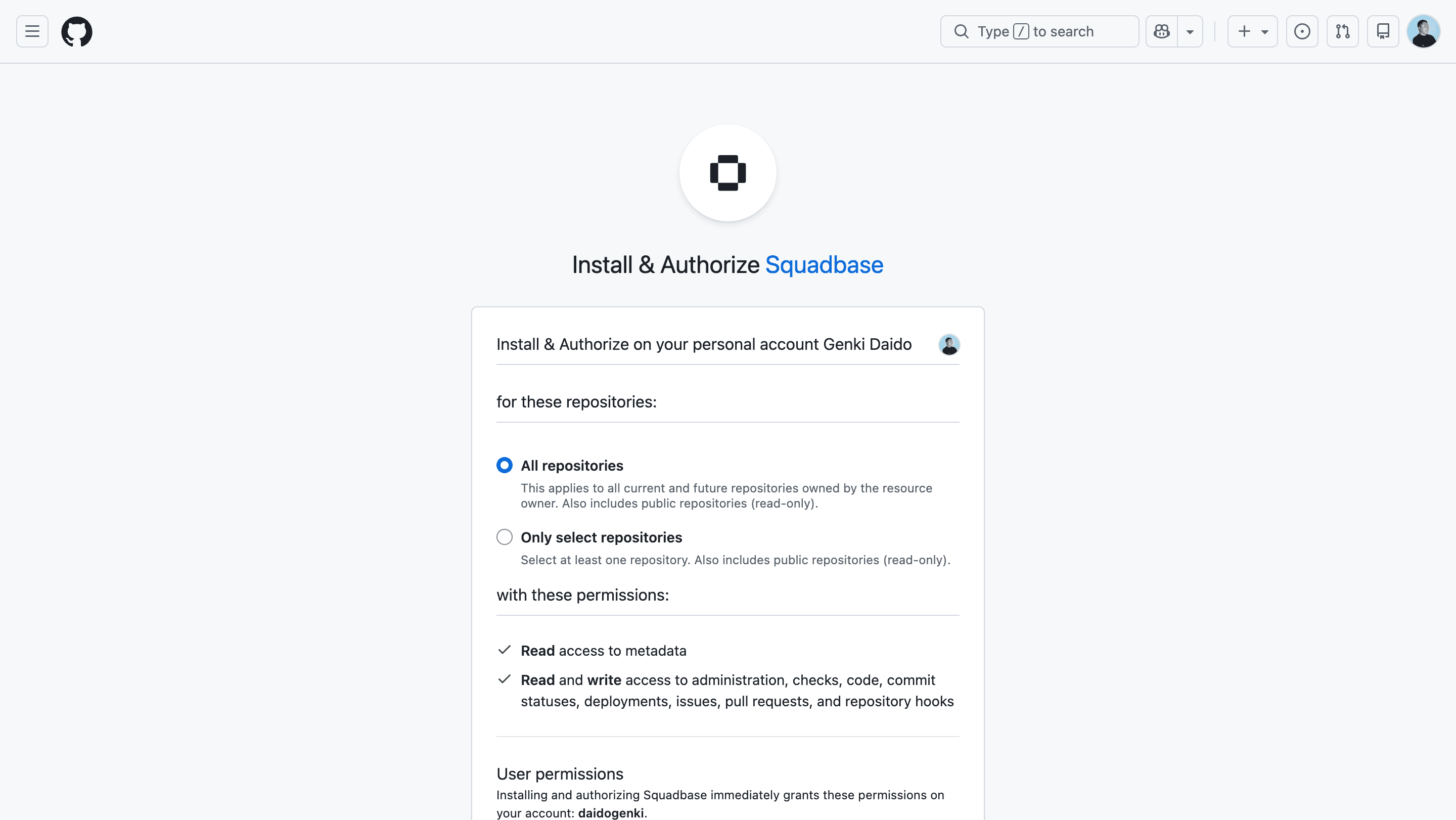
Reopen the project settings, and when you see the following screen, the GitHub App has been installed successfully.
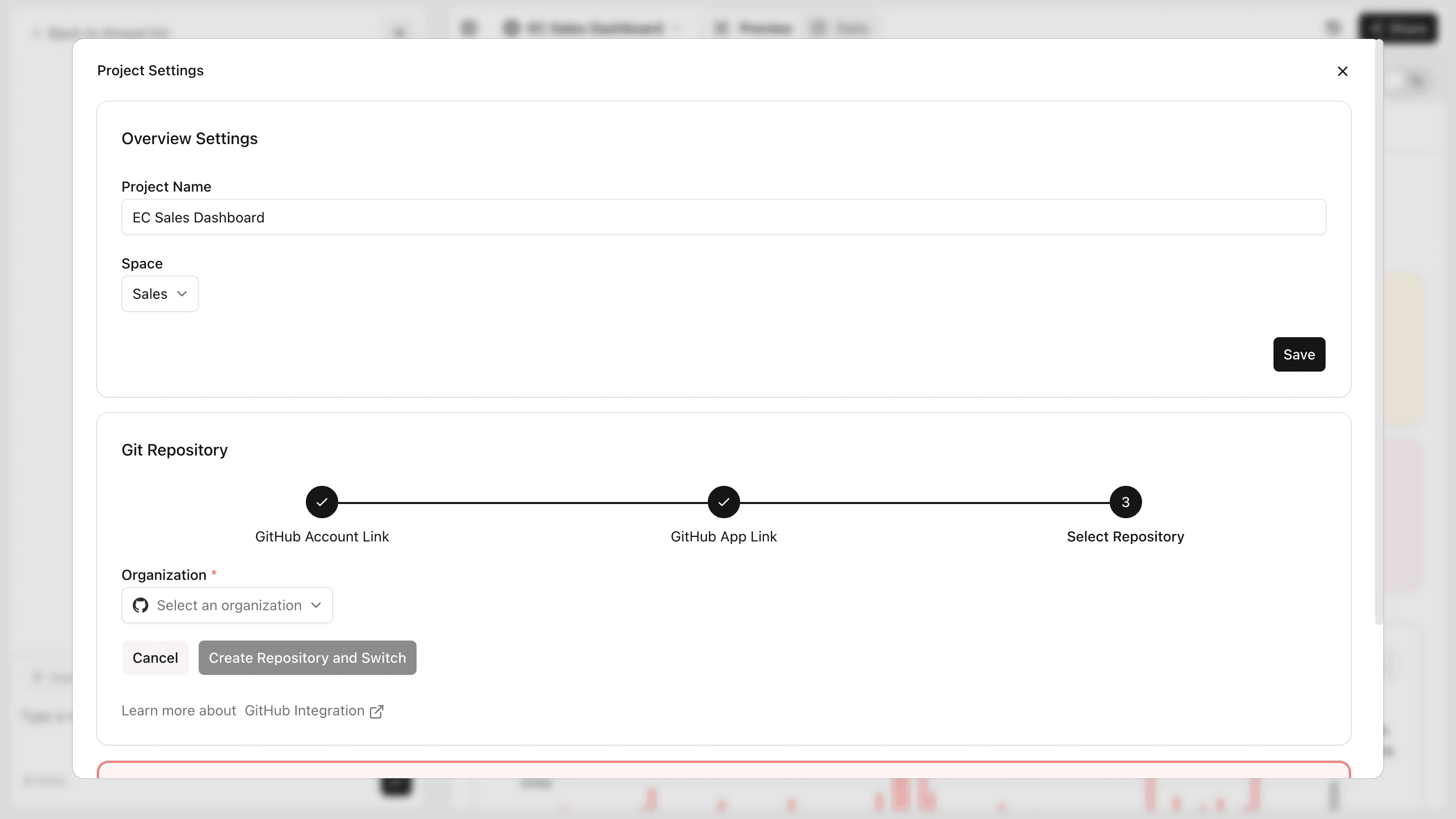
Create and connect your repository
Enter your Organization and repository name, then click "Create Repository & Switch". The Squadbase codebase will be created as a new repository in your connected Organization.
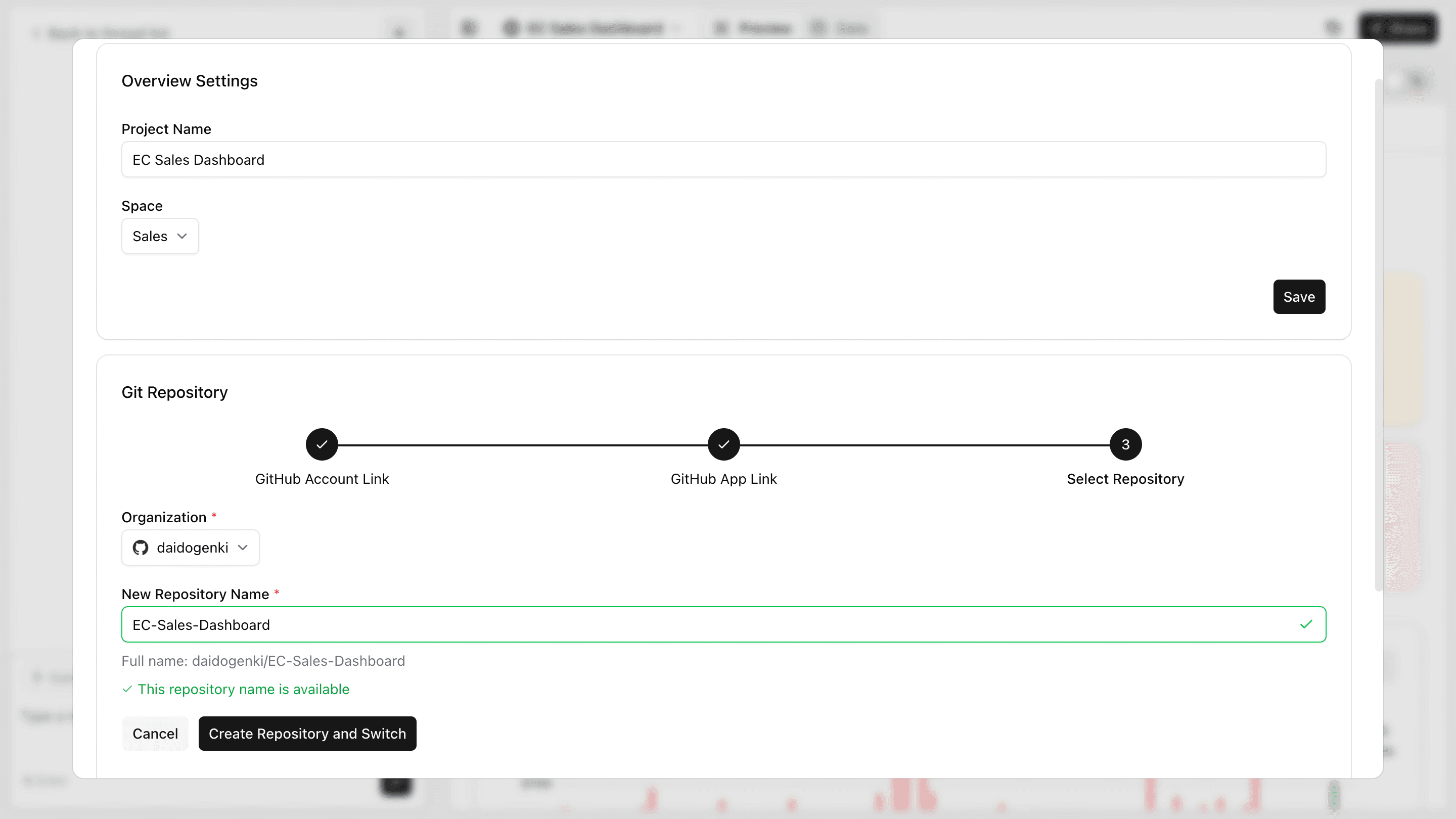
Import an Existing Repository into Squadbase
Follow these steps to import existing dashboard code (such as Next.js projects) from your GitHub repository into Squadbase.
You can select your Organization and link an existing GitHub repository to Squadbase, enabling code editing directly within the Squadbase editor.
Any changes made in Squadbase can also be pushed back to your repository.
Click "Import from GitHub Repository"
On the new project creation screen, click "Import from GitHub Repository" at the bottom of the data source selection screen.
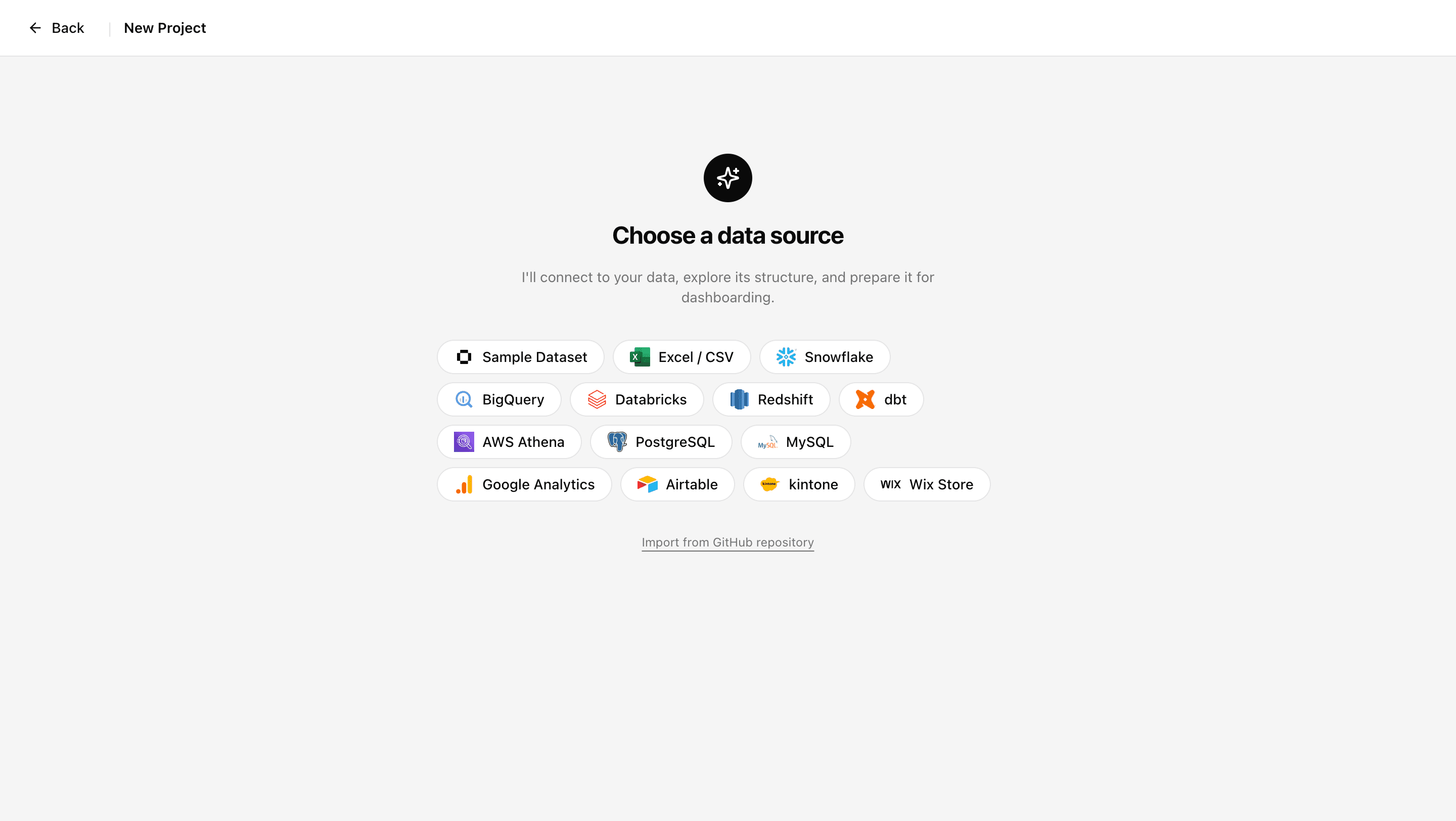
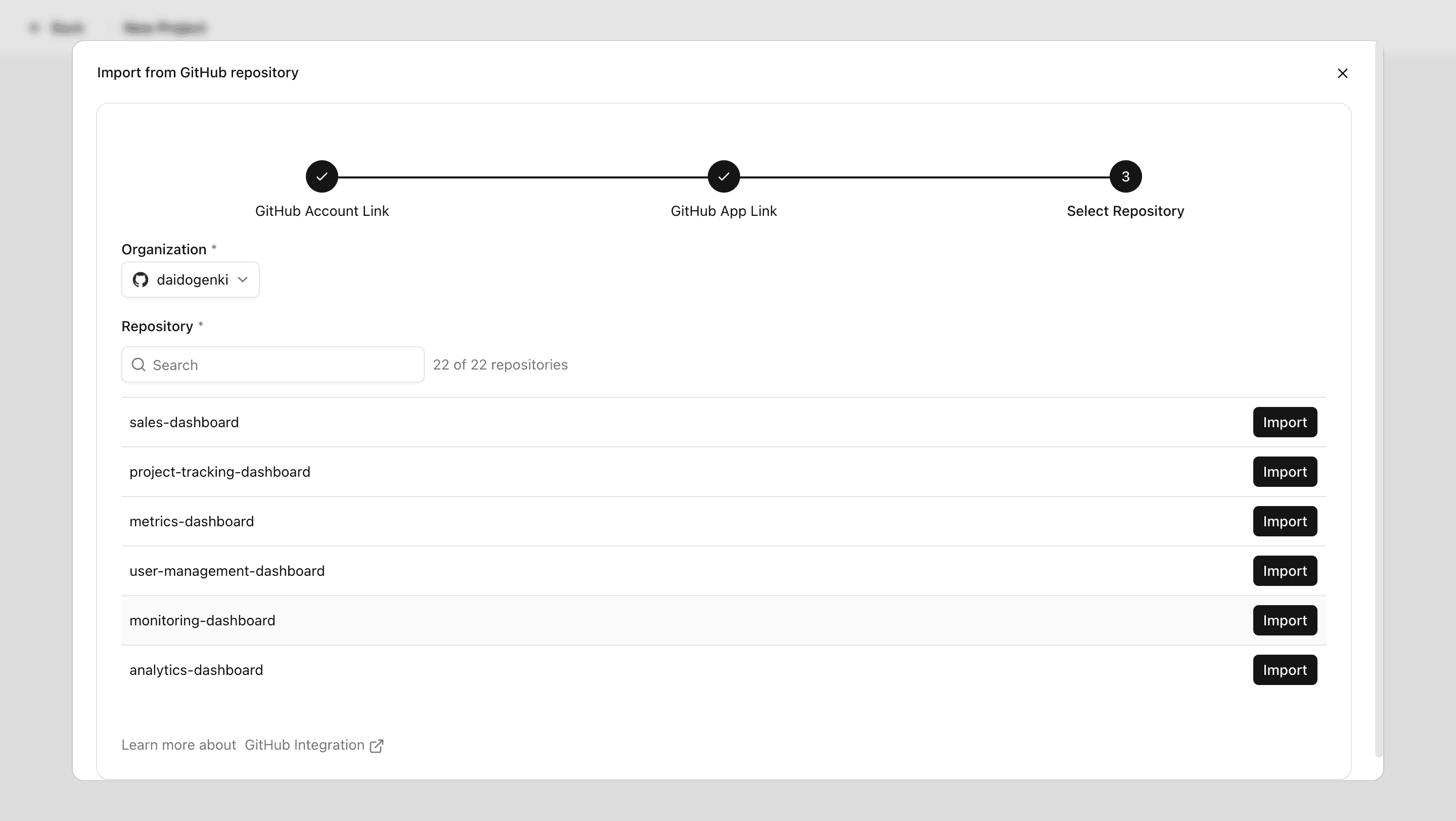
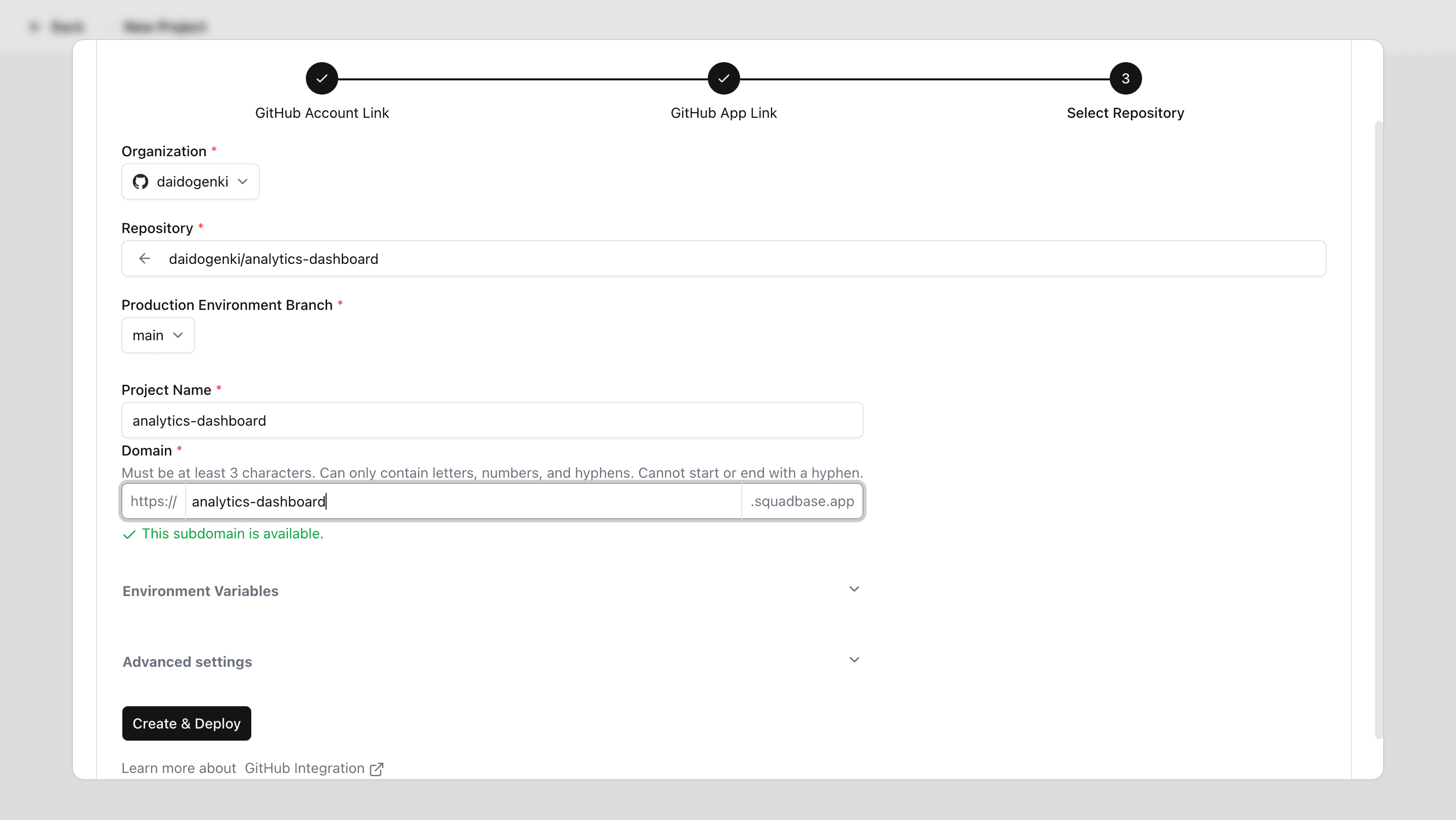
Enter the required information and create your project
Enter the production branch, project name, and domain. You can also configure environment variables if needed. Under Advanced settings, you can specify the Root directory path (the directory where commands will run) and the Setting file path (the path to your configuration file, relative to the project root). When ready, click "Create & Deploy" to create your project.
Important Notes on GitHub Account Linking
In Squadbase, a single GitHub account cannot be linked to multiple Squadbase accounts. Additionally, if a Squadbase user already exists with the same email address as your GitHub account, that user takes priority.
This behavior is based on the following policies:
Email Address as Identity Verification
The email address registered with your GitHub account is critical for identifying users. We assume that each email address corresponds to exactly one individual.
Security-Driven Restriction
Allowing the same GitHub account to link to different Squadbase accounts (with different email addresses) could lead to duplicate credentials and unintended permission grants. Since Squadbase manages project imports and deployments through team roles, this restriction is essential for maintaining security.
Troubleshooting GitHub Integration
Here are solutions for common issues that may occur when connecting to GitHub.
Repository Not Showing Up
If you cannot find a repository in the list, verify that access to that repository is enabled in the Repository access settings.
Organization Not Showing Up
If your GitHub Organization is not appearing, check the following:
- Go to your Organization's page on GitHub
- Open Settings
- Navigate to Third-party Access > GitHub Apps
- Confirm that Squadbase is listed under Installed GitHub Apps
Make sure the GitHub App is also installed on your personal account, not just the Organization.
Asked to Connect GitHub Even Though Your Account Is Already Linked
When opening a GitHub-linked project created by another user, you may see the "Connect your GitHub account" screen even though your GitHub account is already linked and you have access to the repository.
In this case, unlinking and re-linking your GitHub account resolves the issue:
- Click the account icon at the bottom of the left sidebar on the Portal screen to open Profile Settings.
- In the Connected accounts list, open the menu (…) next to GitHub and select Remove.
- Link your GitHub account again by following the steps in "Connecting Your GitHub Account" above.
If the issue persists, reinstall the GitHub App:
- In GitHub Settings, open Applications > Installed GitHub Apps and click Configure next to Squadbase.
- Uninstall it via Uninstall "Squadbase".
- Reinstall the GitHub App through the connection flow in Squadbase.
GitHub Account Linking Error (ERROR: GitHub Account Already Connected to Another User)
If you see this error, one of the following conditions applies:
The GitHub Account Is Already Linked to Another Squadbase Account
In this case, you cannot link the GitHub account to a new Squadbase account. Either unlink the GitHub account from the existing Squadbase account, or use a different GitHub account.
Another Squadbase User Has the Same Email Address as Your GitHub Account
In this case, only the Squadbase user whose email matches the GitHub account can use it. You will need to delete one of the conflicting accounts.